
Typing a long email on a phone screen is slow. Writing a report on a tablet’s on-screen keyboard is worse. And a laptop keyboard, perched on a hotel desk that is too high or a tray table that is too small, can leave your neck and wrists complaining by the end of a trip. A travel keyboard fixes a surprising amount of that for very little weight. It can turn a phone or a tablet into something close to a laptop for writing, and it can turn a laptop on a stand into a proper workstation. This guide explains the different kinds of travel keyboards, what actually matters when you choose one, how to set it up and use it on planes, trains and in hotel rooms, the options from our original list and who each one suits, and the few rules that apply when you fly with small battery-powered gadgets. It is part of our travel gear series, which starts with our main guide to choosing travel luggage.
The short answer
If you want to write on a phone or tablet, a slim Bluetooth keyboard with a built-in cover or a folding keyboard that packs to pocket size is the most practical. If you use a laptop on a stand, a compact Bluetooth keyboard with a normal key layout and a small mouse will serve you better than a tiny folding one. If you type all day, prioritize full-size key spacing and a layout without an awkward split, or choose an ergonomic split design deliberately. Whatever you pick, choose multi-device pairing so you can switch between phone, tablet and laptop, a rechargeable battery with USB-C so it shares a cable with your other gear, and a layout that matches your operating system. Try typing a paragraph on it at home before you rely on it for a deadline on the road.
Why carry a travel keyboard at all?
A keyboard is not essential for everyone. It earns its place if any of these sound familiar:
- You want to leave the laptop at home. For writing, email and messaging, a tablet or even a phone plus a keyboard can handle a lot of work, and the combination is lighter than most laptops.
- You work long hours from hotels. Raising the laptop screen on a stand improves your posture, but then you need a separate keyboard to type comfortably.
- You write on the move. Journalists, students, novelists and bloggers often find that writing on trains and in cafés goes faster with real keys.
- You switch devices a lot. A multi-device keyboard lets you answer a message on your phone and go straight back to a document on your tablet without changing keyboards.
If you only write the occasional short message on a trip, you probably do not need one. If you plan to work on the road, it is one of the lightest upgrades you can pack, alongside the other items in our guide to laptop travel accessories.
Types of travel keyboards
Folding keyboards
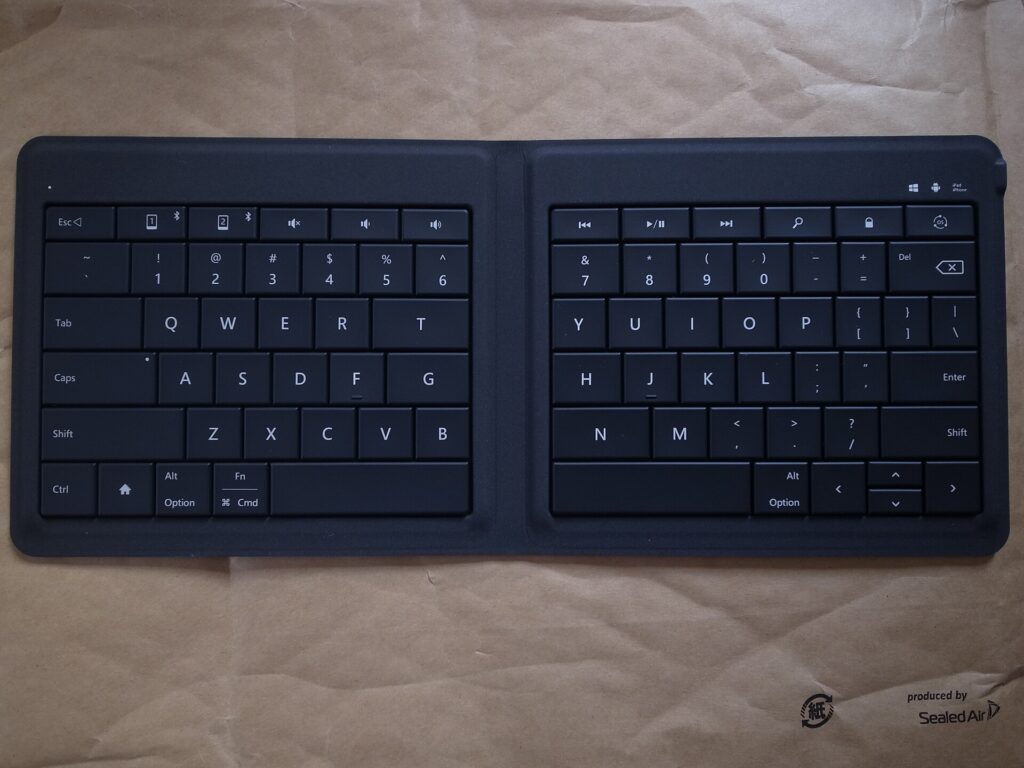
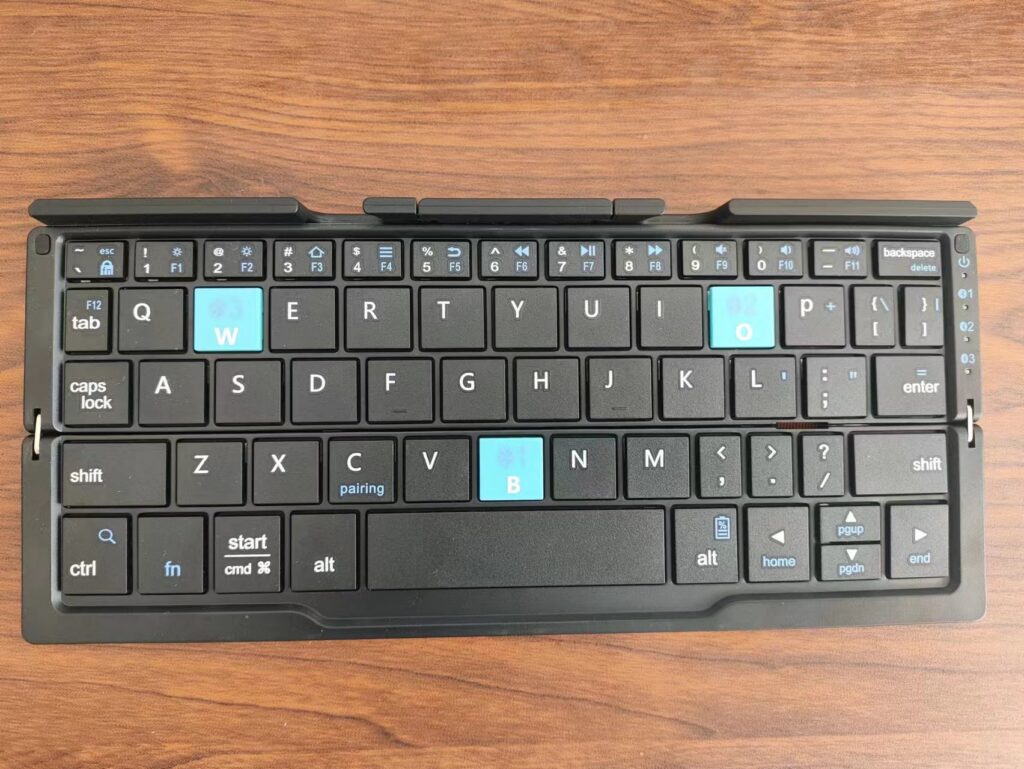
Folding keyboards hinge in the middle, or in two places for a tri-fold design, and close to roughly the size of a large phone or a paperback. Open, they give you something close to full-size keys. The trade-off is the fold itself: keys near the hinge can be split between halves or pushed slightly apart, which takes some getting used to, and the hinge is the part most likely to wear out. Many folding keyboards include a small stand for a phone.
Slim non-folding keyboards
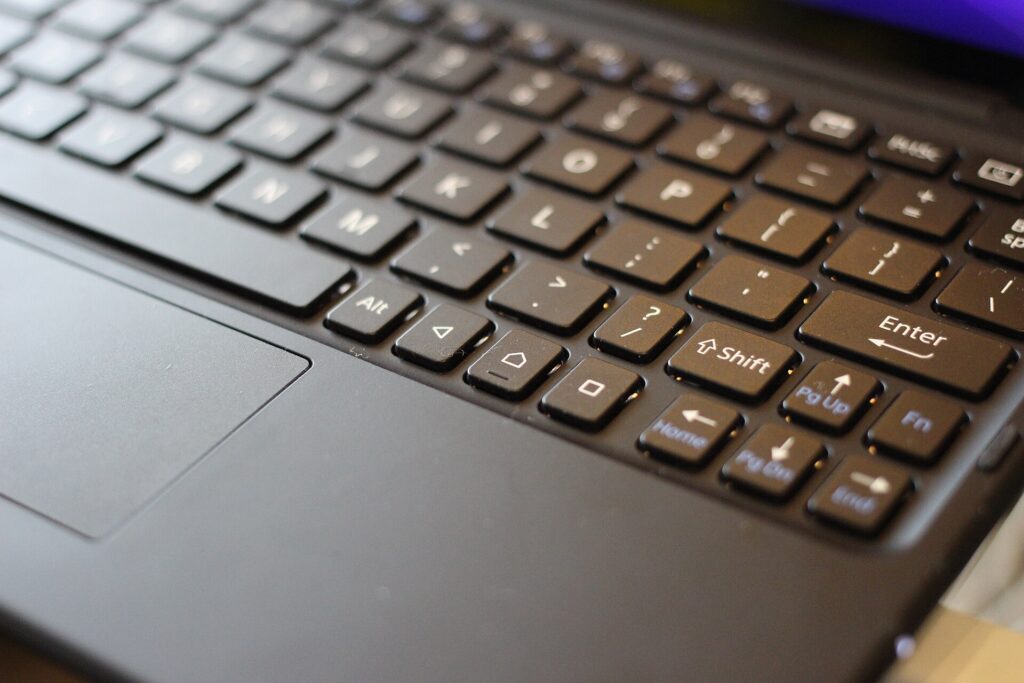
These are thin, light keyboards with compact layouts that do not fold. Some include a cover that protects the keys in your bag and flips round to act as a surface or stand. They avoid the hinge problem and usually feel more solid to type on, but they are longer when packed, roughly the width of a small tablet.
Split ergonomic folding keyboards
Some folding keyboards turn the fold into a feature: the two halves angle apart so your hands sit in a more natural position. They take a few days to adjust to if you are used to a standard layout, and they suit people who type a lot and already like ergonomic keyboards at home.
Tablet keyboard cases
A keyboard case attaches to a specific tablet and doubles as protection. It is the tidiest option if you only ever type on one tablet, but it ties you to that device, adds weight to the tablet all the time and usually cannot be used with a phone or laptop.
Keyboard and mouse combos
Some folding keyboards are sold with a small wireless mouse. The pair gives you a complete setup for a laptop on a stand or a tablet that supports a mouse, useful for spreadsheets and editing work.
Roll-up silicone keyboards
Flexible silicone keyboards roll up and resist spills, but most people find their soft, mushy keys slow and tiring for real typing. They are a niche choice rather than a general recommendation.
| Type | Packed size | Typing feel | Best for | Watch out for |
|---|---|---|---|---|
| Folding (bi-fold or tri-fold) | Pocket or phone size | Good once used to the split | Phone and tablet users who pack light | Keys near the hinge, hinge wear |
| Slim non-folding with cover | Small-tablet width | Solid, familiar | Tablet writers, laptop-on-stand setups | Longer to pack |
| Split ergonomic folding | Pocket or phone size | Comfortable after adjusting | Heavy typists who like ergonomic layouts | Learning curve |
| Tablet keyboard case | Attached to tablet | Varies by model | One-tablet users | Tied to one device, adds weight |
| Keyboard and mouse combo | Pocket plus mouse | Similar to folding | Laptop on a stand, spreadsheet work | Two items to charge |
| Roll-up silicone | Rolled tube | Soft and slow | Spill-prone environments | Poor for long typing |
What matters when you choose
Key size and spacing
The single biggest factor in typing comfort is whether the keys are close to full size and spaced like a normal keyboard. Your fingers are trained on standard spacing, and a keyboard that shrinks it by even a little slows you down and adds typos. Check that the letter keys are full width and that important keys such as Shift, Enter, Backspace and the arrow keys are not squeezed into odd positions.
Key feel
Scissor-switch keys, similar to many laptop keyboards, feel crisp and stable. Softer membrane keys are quieter but can feel vague. Very short key travel is common on slim keyboards; some people like it and some find it tiring. If you can, try a keyboard in a store or buy from a seller with an easy return policy.
Layout and operating system
Windows, macOS, iPadOS, Android and ChromeOS use different modifier keys and shortcuts. Many travel keyboards support several systems and switch layouts automatically or with a key combination, and some brands sell separate versions for Apple devices. Choose one whose modifier keys match what you use most, or you will be fighting muscle memory every time you copy and paste.
Multi-device pairing
Many travel keyboards remember two or three devices and switch between them with a button. For travelers who use a phone, a tablet and a laptop, this is one of the most useful features, since it saves re-pairing every time you change device.
Battery and charging
Rechargeable keyboards with a USB-C port share a cable with the rest of your gear, which means one fewer thing to pack. Keyboards that use replaceable coin cells or AAA batteries can run a long time, but you need spares for a long trip. Whatever the type, look for an automatic sleep mode or a power switch, so the keyboard does not drain in your bag.
Connection type
Bluetooth connects directly to phones, tablets and most laptops without an extra part. Some keyboards also offer a small USB receiver or a wired USB-C connection, which can be steadier in places crowded with wireless signals and useful for devices without Bluetooth. A receiver is small and easy to lose, so keep it in a pocket of your cable pouch.
Size, weight and protection
A keyboard you leave at home helps nobody. Weigh the packed size against how much you type. A cover or case protects the keys in a packed bag and stops keys being pressed accidentally, which can wake your devices or drain the battery.
Stand for a phone or tablet
Some keyboards include a fold-out stand or a slot for a phone or tablet. Without one, you need a separate stand or a tablet case that props the screen up. A small, light stand is worth carrying if your keyboard does not include one.
Options from our original list
The keyboards below were featured in the original version of this guide. They cover different needs rather than a strict ranking. Models, layouts and features change, so check the current specifications from the maker or seller before you buy.
TECKNET wireless foldable Bluetooth keyboard
TECKNET’s foldable Bluetooth keyboard is a full-size folding design that includes a numeric keypad, which is unusual in a folding keyboard. It suits travelers who work with numbers, such as accountants, analysts and anyone who lives in spreadsheets, and who want a number pad without carrying a full desk keyboard. A keyboard with a number pad is wider when open, so check that it fits the tray tables and café tables you use.
Logitech Keys-To-Go 2
The Logitech Keys-To-Go 2 is a slim, non-folding keyboard with a built-in cover that protects the keys in your bag. Logitech describes it as using low-profile scissor keys, connecting to up to three devices and working with Android, ChromeOS, Windows, iPadOS, iOS and macOS, and it offers a universal version and a version with an Apple layout. It suits tablet users and anyone who wants a thin keyboard that slides into a sleeve or a handbag and feels more solid than a folding design.
Targus Ergonomic Foldable Bluetooth Antimicrobial Keyboard
The Targus Ergonomic Foldable Bluetooth Antimicrobial Keyboard uses a split layout that angles the two halves for a more natural hand position. Targus says it folds to about the size of a smartphone, pairs with up to three devices over Bluetooth, recharges over USB-C and is treated with its DefenseGuard antimicrobial additive. It suits travelers who already prefer ergonomic keyboards and do a lot of typing. The antimicrobial treatment is a surface feature, not a reason to skip cleaning, and the split layout takes a few days to get used to.
Portable foldable keyboard and mouse combo
The original list included an unbranded folding keyboard sold with a wireless mouse, listed with Bluetooth as well as USB-A and USB-C connection options. A combo like this suits travelers who want a complete, inexpensive setup for a laptop on a stand or a tablet that supports a mouse. With unbranded products, check the seller’s return policy and read the listing carefully for the connection types and operating systems it supports.
Samsers foldable keyboard and mouse combo
Samsers sells a folding keyboard with a rechargeable wireless mouse, and the original list featured it in more than one color. It is a budget-friendly way to put together a portable workstation for hotel rooms and coworking spaces. Check the listing for the exact connection options and which devices it supports before you buy.
Samsers full-size foldable Bluetooth keyboard (KF08S)
The Samsers KF08S is a folding Bluetooth keyboard without a mouse, sold with a protective cover. It suits travelers who want a full-size folding layout for a phone or tablet and do not need a mouse. As with any folding keyboard, pay attention to the keys near the fold when you first try it.
Setting up a travel keyboard
- Charge it fully at home and pair it with every device you plan to use, assigning each to a channel if it supports multi-device switching.
- Set the layout on each device, especially the language and the operating-system mode, so symbols and shortcuts are where you expect.
- Learn the switch keys for changing devices and for special functions like brightness, volume and the home screen on a tablet.
- Practice for a few days. Write something real at home. It is much better to discover that you hate the split in your living room than on deadline in an airport.
- Pack the charging cable in your cable pouch, or confirm that the keyboard charges from a cable you already carry.
Using a keyboard on planes, trains and in hotels
On a plane
Economy tray tables are small, and the seat in front may recline into your space. A tablet in a stand plus a folding keyboard often fits better than a laptop, because the screen and keyboard can be arranged separately. Put the tablet at the back of the tray and the keyboard in front, or rest the keyboard on your lap. Bluetooth accessories are generally allowed during flights with the device in airplane mode and Bluetooth switched back on, but crew instructions and airline policies come first, especially during takeoff and landing. If the flight is long, a pair of noise-cancelling headphones makes focused work much easier.
On a train
Trains are often better than planes for working: bigger tables, more legroom and sometimes power outlets. A folding keyboard and a phone or tablet stand make good use of a small table seat. Keep the keyboard close when the train brakes, and put the whole setup away before your stop so nothing slides off the table.
In a hotel room
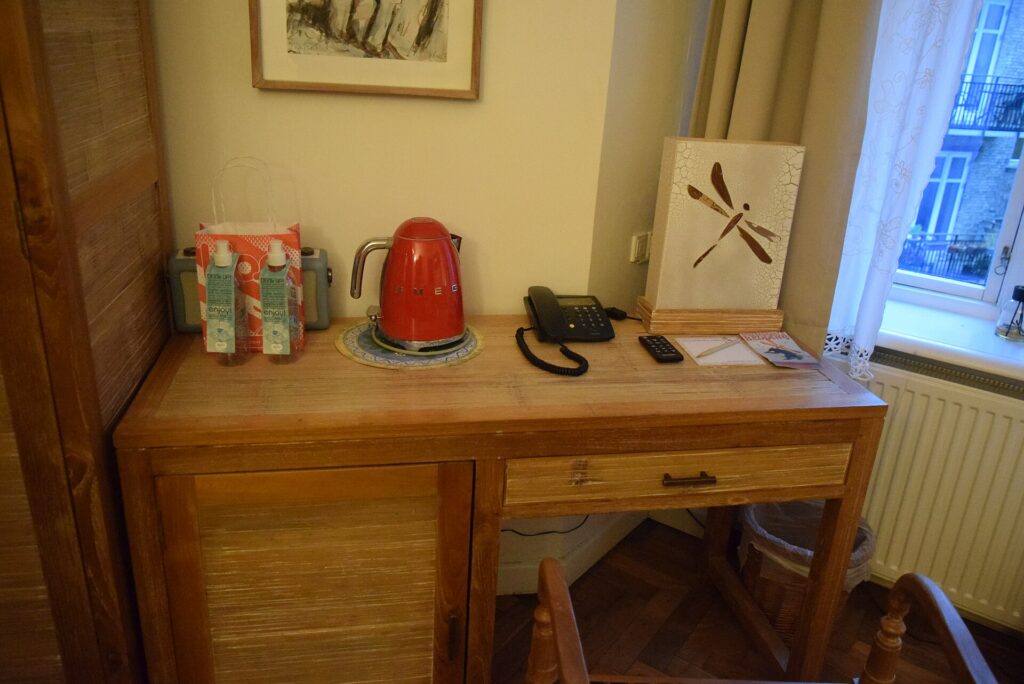
Hotel desks are often too high for comfortable laptop typing. Raise the laptop screen on a stand or a stack of books and put the keyboard lower on the desk, or on your lap in a chair, so your elbows are near a right angle. If you are choosing a hotel for a work trip, our business travel hotels guide explains what to look for in a room you will work from.
In cafés and coworking spaces
Café tables are small and crowded, and a keyboard plus a phone or tablet takes up less space than a laptop. Keep your bag at your feet with a strap around your leg, and never leave devices on the table when you go to order. Our guide to anti-theft backpacks covers habits and bag features that help in busy places.
Tablet plus keyboard or laptop?
For some trips, a tablet with a keyboard can replace a laptop entirely. It works well when your work is mainly writing, email, messaging, video calls and web-based tools, and when you value a light bag. It works less well when you need desktop software, many windows side by side, complex file management or a company laptop with its own security tools. Many travelers take both on long work trips and leave the laptop behind on short ones. Try a full working day on the tablet at home before you commit.
Flying with keyboards and small gadgets
Keyboards, mice and other small accessories with built-in rechargeable batteries are generally fine in carry-on bags. The stricter rules apply to spare lithium batteries and power banks, which must travel in the cabin rather than in checked baggage. As principles:
- Keep battery-powered gadgets in your carry-on where possible, where you can reach them and they are safe from rough handling.
- Spare lithium batteries and power banks are cabin only, and should be protected from short circuits in their packaging, a case or a separate bag.
- Switch keyboards off or use the cover so keys are not pressed in your bag.
- Check the official rules before you fly: the FAA’s PackSafe lithium battery guidance, the TSA’s What Can I Bring? tool and CATSA’s guidelines for batteries. Airlines can add their own rules.
If you are trying to carry fewer chargers overall, our guide to 3-in-1 Apple chargers covers one way to consolidate them.
Packing a keyboard setup
A complete mobile workstation can be surprisingly small: a folding or slim keyboard, a compact mouse, a folding stand for a laptop or tablet, and one USB-C cable that charges all of them. Keep the keyboard in a padded pocket of your bag or in a sleeve so the hinge and keys are protected, and keep small parts like a USB receiver in a zip pocket. If you carry a heavy tech bag through big airports, a rolling laptop bag can take the weight off your shoulders. For the bag the rest of your trip goes into, see our main travel luggage guide.
Care and longevity
The hinge on a folding keyboard and the charging port are the parts most likely to fail. Open and close the keyboard gently, do not force it past its natural angle, and avoid carrying it loose where it can be bent. Wipe the keys with a slightly damp cloth and let it dry fully before closing; avoid soaking it or spraying liquid directly onto the keys. Charge the battery every few weeks if you store the keyboard between trips, since leaving a lithium battery fully empty for a long time is hard on it.
Common mistakes
- Choosing the smallest keyboard possible. Tiny keyboards are easy to pack and hard to type on. Size for comfort first.
- Ignoring the operating system. A keyboard laid out for a different system makes every shortcut awkward.
- Not testing before the trip. Folding layouts take practice.
- Forgetting a stand. A keyboard without a way to prop up the screen is only half a setup.
- Leaving it switched on in a bag. Keys get pressed, devices wake up and batteries drain.
- Losing the receiver or the cable. Keep small parts in one pouch.
Frequently asked questions
Are folding keyboards good for typing?
Good ones are comfortable for most people once they adjust to the fold. Check that the letter keys are full size and try typing a real paragraph before a trip. If you type all day, a slim non-folding keyboard can feel more solid.
Can I use a Bluetooth keyboard on a plane?
Generally yes, with your device in airplane mode and Bluetooth switched back on, but crew instructions and airline policy always come first, particularly during takeoff and landing.
Will a travel keyboard work with both my iPhone and my Windows laptop?
Many do. Look for multi-device pairing and support for both operating systems, and check how the keyboard handles the different modifier keys.
Can a tablet and keyboard replace a laptop for travel?
For writing, email and web-based work, often yes. For desktop software, heavy multitasking or a company-managed laptop, usually not. Test a full day at home first.
Is a keyboard with a built-in battery allowed in checked luggage?
Small devices with installed batteries are treated differently from spare batteries, but it is safest to keep them in your carry-on. Spare lithium batteries and power banks are not allowed in checked bags.
Rechargeable or replaceable batteries?
Rechargeable keyboards with USB-C share a cable with your other gear. Replaceable batteries can last a long time but mean carrying spares on long trips.
Do I need a mouse as well?
For writing, usually not. For spreadsheets, editing and design work on a laptop on a stand, a compact mouse makes a big difference.
Once your mobile office is packed, plan where you will use it. Compare fares on our flight search, find a hotel with a proper desk and good Wi-Fi on our hotel search, and if your trip needs a car, check our car rental search. Working from a new city for a week? Flights to Vancouver and our guide to things to do in Vancouver make a fine start, with plenty of cafés to test your new keyboard in.
Keep planning with TicketScanner
- Top travel luggage bags: the buying guide — the travel gear guide
- Laptop travel accessories
- Rolling laptop bags for business travel
- 3-in-1 Apple chargers for travel
- Anti-theft backpacks for travel and commuting
- Noise-cancelling headphones for flying
- Business travel hotels guide
- Search hotels — find a room with a proper desk
- Things to do in Vancouver
Leave a Reply