Tag: Travel Tech

  • Travel Keyboard: 7 Best Portable Foldable Keyboards for Work & Travel in 2026

    Travel Keyboard: 7 Best Portable Foldable Keyboards for Work & Travel in 2026

    Typing a long email on a phone screen is slow. Writing a report on a tablet’s on-screen keyboard is worse. And a laptop keyboard, perched on a hotel desk that is too high or a tray table that is too small, can leave your neck and wrists complaining by the end of a trip. A travel keyboard fixes a surprising amount of that for very little weight. It can turn a phone or a tablet into something close to a laptop for writing, and it can turn a laptop on a stand into a proper workstation. This guide explains the different kinds of travel keyboards, what actually matters when you choose one, how to set it up and use it on planes, trains and in hotel rooms, the options from our original list and who each one suits, and the few rules that apply when you fly with small battery-powered gadgets. It is part of our travel gear series, which starts with our main guide to choosing travel luggage.

    The short answer

    If you want to write on a phone or tablet, a slim Bluetooth keyboard with a built-in cover or a folding keyboard that packs to pocket size is the most practical. If you use a laptop on a stand, a compact Bluetooth keyboard with a normal key layout and a small mouse will serve you better than a tiny folding one. If you type all day, prioritize full-size key spacing and a layout without an awkward split, or choose an ergonomic split design deliberately. Whatever you pick, choose multi-device pairing so you can switch between phone, tablet and laptop, a rechargeable battery with USB-C so it shares a cable with your other gear, and a layout that matches your operating system. Try typing a paragraph on it at home before you rely on it for a deadline on the road.
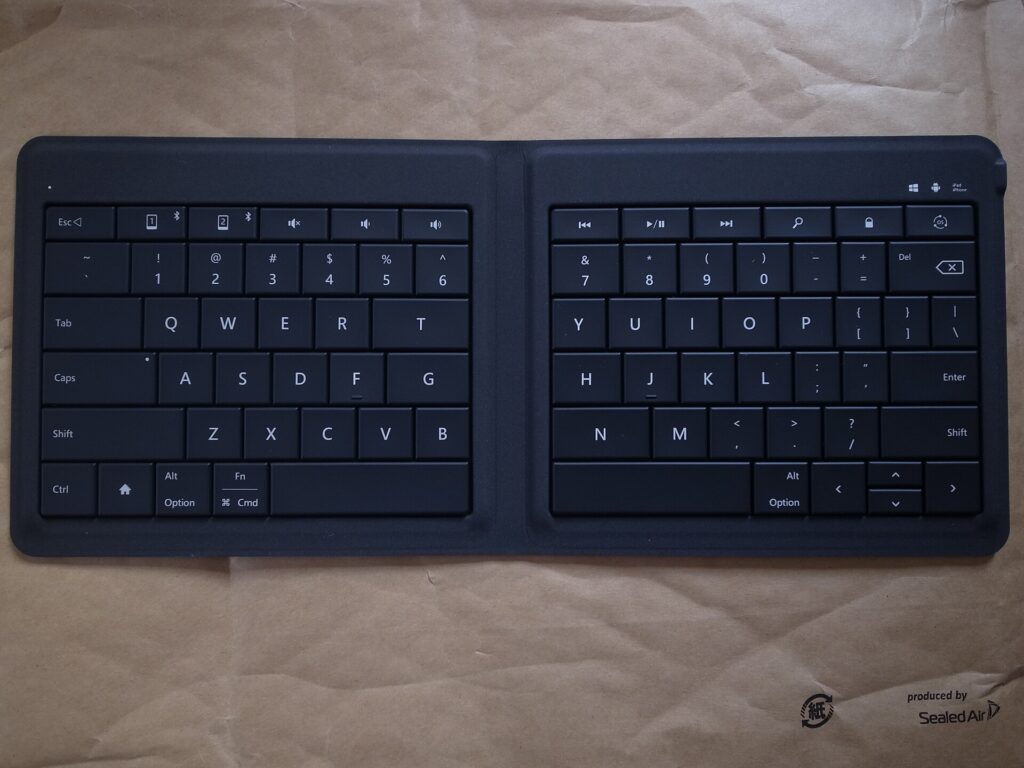
    A folding Bluetooth keyboard opened flat, showing its two halves
    Folding keyboards open to near full-size keys and close to about the size of a large phone (Photo: Toshiyuki IMAI via Wikimedia Commons, CC BY-SA 2.0)

    Why carry a travel keyboard at all?

    A keyboard is not essential for everyone. It earns its place if any of these sound familiar:

    • You want to leave the laptop at home. For writing, email and messaging, a tablet or even a phone plus a keyboard can handle a lot of work, and the combination is lighter than most laptops.
    • You work long hours from hotels. Raising the laptop screen on a stand improves your posture, but then you need a separate keyboard to type comfortably.
    • You write on the move. Journalists, students, novelists and bloggers often find that writing on trains and in cafés goes faster with real keys.
    • You switch devices a lot. A multi-device keyboard lets you answer a message on your phone and go straight back to a document on your tablet without changing keyboards.

    If you only write the occasional short message on a trip, you probably do not need one. If you plan to work on the road, it is one of the lightest upgrades you can pack, alongside the other items in our guide to laptop travel accessories.

    Types of travel keyboards

    Folding keyboards

    Folding keyboards hinge in the middle, or in two places for a tri-fold design, and close to roughly the size of a large phone or a paperback. Open, they give you something close to full-size keys. The trade-off is the fold itself: keys near the hinge can be split between halves or pushed slightly apart, which takes some getting used to, and the hinge is the part most likely to wear out. Many folding keyboards include a small stand for a phone.

    Slim non-folding keyboards

    These are thin, light keyboards with compact layouts that do not fold. Some include a cover that protects the keys in your bag and flips round to act as a surface or stand. They avoid the hinge problem and usually feel more solid to type on, but they are longer when packed, roughly the width of a small tablet.

    Split ergonomic folding keyboards

    Some folding keyboards turn the fold into a feature: the two halves angle apart so your hands sit in a more natural position. They take a few days to adjust to if you are used to a standard layout, and they suit people who type a lot and already like ergonomic keyboards at home.

    Tablet keyboard cases

    A keyboard case attaches to a specific tablet and doubles as protection. It is the tidiest option if you only ever type on one tablet, but it ties you to that device, adds weight to the tablet all the time and usually cannot be used with a phone or laptop.

    Keyboard and mouse combos

    Some folding keyboards are sold with a small wireless mouse. The pair gives you a complete setup for a laptop on a stand or a tablet that supports a mouse, useful for spreadsheets and editing work.

    Roll-up silicone keyboards

    Flexible silicone keyboards roll up and resist spills, but most people find their soft, mushy keys slow and tiring for real typing. They are a niche choice rather than a general recommendation.

    TypePacked sizeTyping feelBest forWatch out for
    Folding (bi-fold or tri-fold)Pocket or phone sizeGood once used to the splitPhone and tablet users who pack lightKeys near the hinge, hinge wear
    Slim non-folding with coverSmall-tablet widthSolid, familiarTablet writers, laptop-on-stand setupsLonger to pack
    Split ergonomic foldingPocket or phone sizeComfortable after adjustingHeavy typists who like ergonomic layoutsLearning curve
    Tablet keyboard caseAttached to tabletVaries by modelOne-tablet usersTied to one device, adds weight
    Keyboard and mouse comboPocket plus mouseSimilar to foldingLaptop on a stand, spreadsheet workTwo items to charge
    Roll-up siliconeRolled tubeSoft and slowSpill-prone environmentsPoor for long typing

    What matters when you choose

    Key size and spacing

    The single biggest factor in typing comfort is whether the keys are close to full size and spaced like a normal keyboard. Your fingers are trained on standard spacing, and a keyboard that shrinks it by even a little slows you down and adds typos. Check that the letter keys are full width and that important keys such as Shift, Enter, Backspace and the arrow keys are not squeezed into odd positions.

    Key feel

    Scissor-switch keys, similar to many laptop keyboards, feel crisp and stable. Softer membrane keys are quieter but can feel vague. Very short key travel is common on slim keyboards; some people like it and some find it tiring. If you can, try a keyboard in a store or buy from a seller with an easy return policy.

    Layout and operating system

    Windows, macOS, iPadOS, Android and ChromeOS use different modifier keys and shortcuts. Many travel keyboards support several systems and switch layouts automatically or with a key combination, and some brands sell separate versions for Apple devices. Choose one whose modifier keys match what you use most, or you will be fighting muscle memory every time you copy and paste.

    Multi-device pairing

    Many travel keyboards remember two or three devices and switch between them with a button. For travelers who use a phone, a tablet and a laptop, this is one of the most useful features, since it saves re-pairing every time you change device.

    Battery and charging

    Rechargeable keyboards with a USB-C port share a cable with the rest of your gear, which means one fewer thing to pack. Keyboards that use replaceable coin cells or AAA batteries can run a long time, but you need spares for a long trip. Whatever the type, look for an automatic sleep mode or a power switch, so the keyboard does not drain in your bag.

    Connection type

    Bluetooth connects directly to phones, tablets and most laptops without an extra part. Some keyboards also offer a small USB receiver or a wired USB-C connection, which can be steadier in places crowded with wireless signals and useful for devices without Bluetooth. A receiver is small and easy to lose, so keep it in a pocket of your cable pouch.

    Size, weight and protection

    A keyboard you leave at home helps nobody. Weigh the packed size against how much you type. A cover or case protects the keys in a packed bag and stops keys being pressed accidentally, which can wake your devices or drain the battery.

    Stand for a phone or tablet

    Some keyboards include a fold-out stand or a slot for a phone or tablet. Without one, you need a separate stand or a tablet case that props the screen up. A small, light stand is worth carrying if your keyboard does not include one.
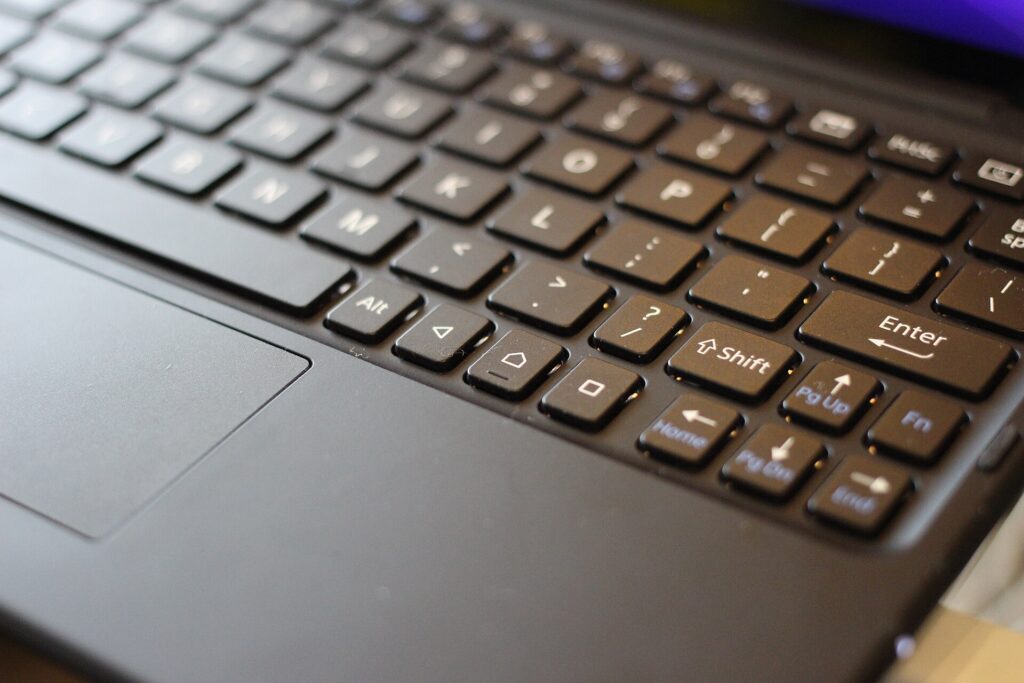
    Close-up of a slim Bluetooth keyboard attached to a tablet
    Paired with a tablet, a slim keyboard handles email and writing for far less weight than a laptop (Photo: Maurizio Pesce from Milan, Italia via Wikimedia Commons, CC BY 2.0)

    Options from our original list

    The keyboards below were featured in the original version of this guide. They cover different needs rather than a strict ranking. Models, layouts and features change, so check the current specifications from the maker or seller before you buy.

    TECKNET wireless foldable Bluetooth keyboard

    TECKNET’s foldable Bluetooth keyboard is a full-size folding design that includes a numeric keypad, which is unusual in a folding keyboard. It suits travelers who work with numbers, such as accountants, analysts and anyone who lives in spreadsheets, and who want a number pad without carrying a full desk keyboard. A keyboard with a number pad is wider when open, so check that it fits the tray tables and café tables you use.

    Logitech Keys-To-Go 2

    The Logitech Keys-To-Go 2 is a slim, non-folding keyboard with a built-in cover that protects the keys in your bag. Logitech describes it as using low-profile scissor keys, connecting to up to three devices and working with Android, ChromeOS, Windows, iPadOS, iOS and macOS, and it offers a universal version and a version with an Apple layout. It suits tablet users and anyone who wants a thin keyboard that slides into a sleeve or a handbag and feels more solid than a folding design.

    Targus Ergonomic Foldable Bluetooth Antimicrobial Keyboard

    The Targus Ergonomic Foldable Bluetooth Antimicrobial Keyboard uses a split layout that angles the two halves for a more natural hand position. Targus says it folds to about the size of a smartphone, pairs with up to three devices over Bluetooth, recharges over USB-C and is treated with its DefenseGuard antimicrobial additive. It suits travelers who already prefer ergonomic keyboards and do a lot of typing. The antimicrobial treatment is a surface feature, not a reason to skip cleaning, and the split layout takes a few days to get used to.

    Portable foldable keyboard and mouse combo

    The original list included an unbranded folding keyboard sold with a wireless mouse, listed with Bluetooth as well as USB-A and USB-C connection options. A combo like this suits travelers who want a complete, inexpensive setup for a laptop on a stand or a tablet that supports a mouse. With unbranded products, check the seller’s return policy and read the listing carefully for the connection types and operating systems it supports.

    Samsers foldable keyboard and mouse combo

    Samsers sells a folding keyboard with a rechargeable wireless mouse, and the original list featured it in more than one color. It is a budget-friendly way to put together a portable workstation for hotel rooms and coworking spaces. Check the listing for the exact connection options and which devices it supports before you buy.

    Samsers full-size foldable Bluetooth keyboard (KF08S)

    The Samsers KF08S is a folding Bluetooth keyboard without a mouse, sold with a protective cover. It suits travelers who want a full-size folding layout for a phone or tablet and do not need a mouse. As with any folding keyboard, pay attention to the keys near the fold when you first try it.

    Setting up a travel keyboard

    • Charge it fully at home and pair it with every device you plan to use, assigning each to a channel if it supports multi-device switching.
    • Set the layout on each device, especially the language and the operating-system mode, so symbols and shortcuts are where you expect.
    • Learn the switch keys for changing devices and for special functions like brightness, volume and the home screen on a tablet.
    • Practice for a few days. Write something real at home. It is much better to discover that you hate the split in your living room than on deadline in an airport.
    • Pack the charging cable in your cable pouch, or confirm that the keyboard charges from a cable you already carry.

    Using a keyboard on planes, trains and in hotels

    On a plane

    Economy tray tables are small, and the seat in front may recline into your space. A tablet in a stand plus a folding keyboard often fits better than a laptop, because the screen and keyboard can be arranged separately. Put the tablet at the back of the tray and the keyboard in front, or rest the keyboard on your lap. Bluetooth accessories are generally allowed during flights with the device in airplane mode and Bluetooth switched back on, but crew instructions and airline policies come first, especially during takeoff and landing. If the flight is long, a pair of noise-cancelling headphones makes focused work much easier.

    On a train

    Trains are often better than planes for working: bigger tables, more legroom and sometimes power outlets. A folding keyboard and a phone or tablet stand make good use of a small table seat. Keep the keyboard close when the train brakes, and put the whole setup away before your stop so nothing slides off the table.

    In a hotel room

    Hotel desks are often too high for comfortable laptop typing. Raise the laptop screen on a stand or a stack of books and put the keyboard lower on the desk, or on your lap in a chair, so your elbows are near a right angle. If you are choosing a hotel for a work trip, our business travel hotels guide explains what to look for in a room you will work from.

    In cafés and coworking spaces

    Café tables are small and crowded, and a keyboard plus a phone or tablet takes up less space than a laptop. Keep your bag at your feet with a strap around your leg, and never leave devices on the table when you go to order. Our guide to anti-theft backpacks covers habits and bag features that help in busy places.
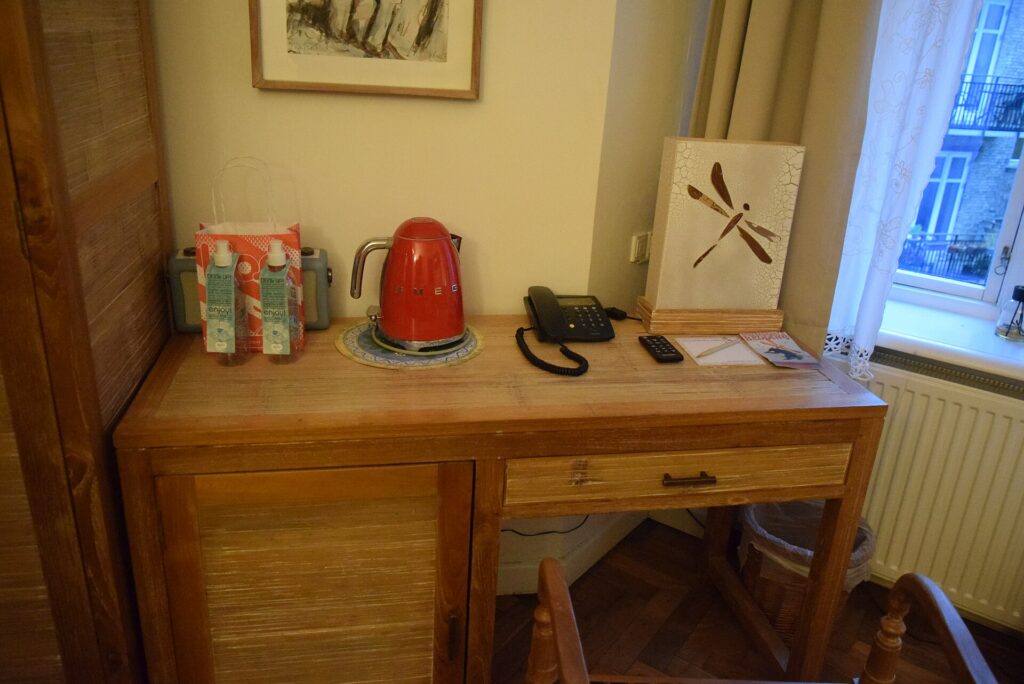
    A wooden writing desk with a phone and kettle in a hotel room
    Hotel desks are often too high for laptop typing; a stand and a separate keyboard fix the posture (Photo: Haydn Blackey from Cardiff, Wales via Wikimedia Commons, CC BY-SA 2.0)

    Tablet plus keyboard or laptop?

    For some trips, a tablet with a keyboard can replace a laptop entirely. It works well when your work is mainly writing, email, messaging, video calls and web-based tools, and when you value a light bag. It works less well when you need desktop software, many windows side by side, complex file management or a company laptop with its own security tools. Many travelers take both on long work trips and leave the laptop behind on short ones. Try a full working day on the tablet at home before you commit.
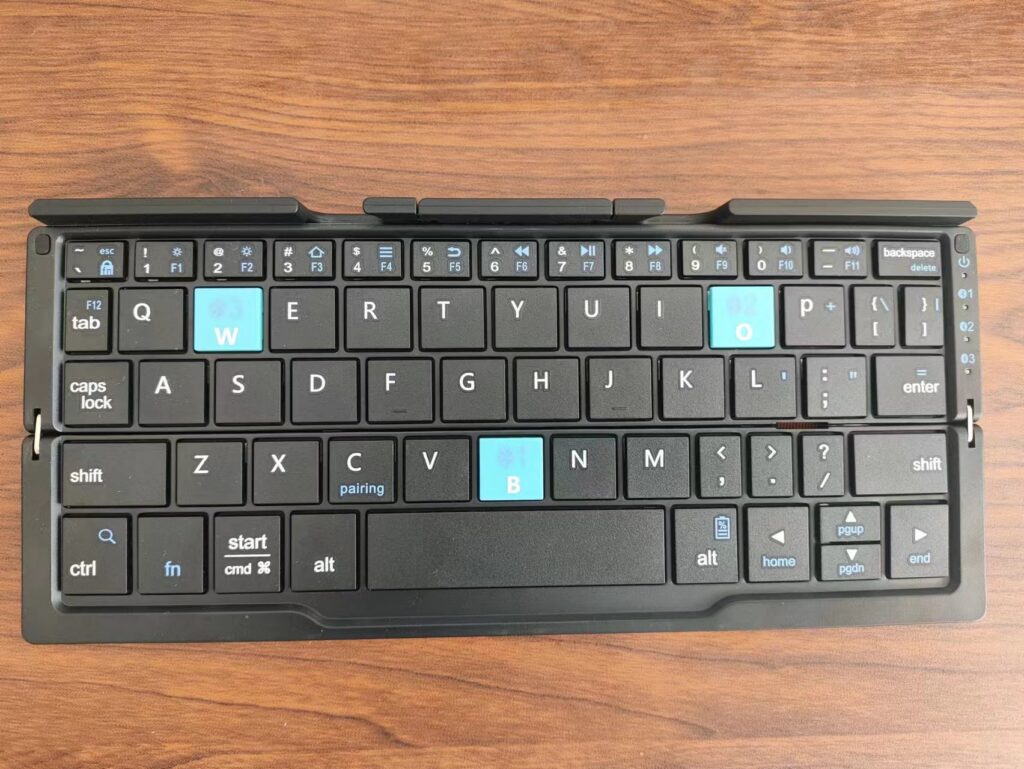
    A compact folding Bluetooth keyboard opened on a wooden table
    Keys near the fold take a little practice, so try a new keyboard at home before a work trip (Photo: Cartonfox via Wikimedia Commons, CC0)

    Flying with keyboards and small gadgets

    Keyboards, mice and other small accessories with built-in rechargeable batteries are generally fine in carry-on bags. The stricter rules apply to spare lithium batteries and power banks, which must travel in the cabin rather than in checked baggage. As principles:

    • Keep battery-powered gadgets in your carry-on where possible, where you can reach them and they are safe from rough handling.
    • Spare lithium batteries and power banks are cabin only, and should be protected from short circuits in their packaging, a case or a separate bag.
    • Switch keyboards off or use the cover so keys are not pressed in your bag.
    • Check the official rules before you fly: the FAA’s PackSafe lithium battery guidance, the TSA’s What Can I Bring? tool and CATSA’s guidelines for batteries. Airlines can add their own rules.

    If you are trying to carry fewer chargers overall, our guide to 3-in-1 Apple chargers covers one way to consolidate them.

    Packing a keyboard setup

    A complete mobile workstation can be surprisingly small: a folding or slim keyboard, a compact mouse, a folding stand for a laptop or tablet, and one USB-C cable that charges all of them. Keep the keyboard in a padded pocket of your bag or in a sleeve so the hinge and keys are protected, and keep small parts like a USB receiver in a zip pocket. If you carry a heavy tech bag through big airports, a rolling laptop bag can take the weight off your shoulders. For the bag the rest of your trip goes into, see our main travel luggage guide.

    Care and longevity

    The hinge on a folding keyboard and the charging port are the parts most likely to fail. Open and close the keyboard gently, do not force it past its natural angle, and avoid carrying it loose where it can be bent. Wipe the keys with a slightly damp cloth and let it dry fully before closing; avoid soaking it or spraying liquid directly onto the keys. Charge the battery every few weeks if you store the keyboard between trips, since leaving a lithium battery fully empty for a long time is hard on it.

    Common mistakes

    • Choosing the smallest keyboard possible. Tiny keyboards are easy to pack and hard to type on. Size for comfort first.
    • Ignoring the operating system. A keyboard laid out for a different system makes every shortcut awkward.
    • Not testing before the trip. Folding layouts take practice.
    • Forgetting a stand. A keyboard without a way to prop up the screen is only half a setup.
    • Leaving it switched on in a bag. Keys get pressed, devices wake up and batteries drain.
    • Losing the receiver or the cable. Keep small parts in one pouch.

    Frequently asked questions

    Are folding keyboards good for typing?

    Good ones are comfortable for most people once they adjust to the fold. Check that the letter keys are full size and try typing a real paragraph before a trip. If you type all day, a slim non-folding keyboard can feel more solid.

    Can I use a Bluetooth keyboard on a plane?

    Generally yes, with your device in airplane mode and Bluetooth switched back on, but crew instructions and airline policy always come first, particularly during takeoff and landing.

    Will a travel keyboard work with both my iPhone and my Windows laptop?

    Many do. Look for multi-device pairing and support for both operating systems, and check how the keyboard handles the different modifier keys.

    Can a tablet and keyboard replace a laptop for travel?

    For writing, email and web-based work, often yes. For desktop software, heavy multitasking or a company-managed laptop, usually not. Test a full day at home first.

    Is a keyboard with a built-in battery allowed in checked luggage?

    Small devices with installed batteries are treated differently from spare batteries, but it is safest to keep them in your carry-on. Spare lithium batteries and power banks are not allowed in checked bags.

    Rechargeable or replaceable batteries?

    Rechargeable keyboards with USB-C share a cable with your other gear. Replaceable batteries can last a long time but mean carrying spares on long trips.

    Do I need a mouse as well?

    For writing, usually not. For spreadsheets, editing and design work on a laptop on a stand, a compact mouse makes a big difference.

    Once your mobile office is packed, plan where you will use it. Compare fares on our flight search, find a hotel with a proper desk and good Wi-Fi on our hotel search, and if your trip needs a car, check our car rental search. Working from a new city for a week? Flights to Vancouver and our guide to things to do in Vancouver make a fine start, with plenty of cafés to test your new keyboard in.

  • Top 10 Laptop Travel Accessories You Can’t Travel Without

    Top 10 Laptop Travel Accessories You Can’t Travel Without

    A laptop is the most expensive and most fragile thing most people travel with, and it depends on a surprising number of small companions to be useful on the road. Without the right plug, it dies in a hotel room abroad. Without a sleeve, it picks up a cracked corner in an overhead bin. Without a stand and a mouse, a week of working from hotel desks leaves you hunched and sore. The good news is that the kit you need is small, and most of it costs far less than a repair. This guide covers the ten laptop travel accessories from our original list, what each one actually does, what to look for when you buy, which ones matter for which kind of trip, and the rules that apply to batteries and chargers when you fly. It is part of our travel gear series, which starts with our main guide to choosing travel luggage.

    The short answer

    If you only buy three things, make them a padded sleeve or a bag with a proper laptop compartment, a plug adapter for the countries you visit and a cable pouch that keeps your charger, cables and adapters in one place. Add a power bank that can charge your laptop over USB-C if you work in airports or on trains, and a folding stand plus a compact mouse if you work from hotel desks for more than a few days. Everything else, from cooling pads to anti-theft backpacks, depends on how and where you travel. Before any flight, remember the one rule that is not optional: power banks and spare lithium batteries travel in the cabin, never in checked bags.

    Start with how you travel

    The right kit for a weekend city break is very different from the right kit for a month of remote work. Three questions narrow it down quickly:

    • How many hours a day will you work? An hour of email needs almost nothing. Full workdays from hotels, cafés and coworking spaces justify a stand, a mouse and possibly a travel keyboard.
    • Where will you plug in? Domestic trips need no adapter. International trips need the right plug for each country, and long travel days with no outlets need a power bank.
    • How will you carry it? A backpack, a rolling bag or a suitcase with a laptop pocket each changes which protection and organization accessories make sense.

    The ten laptop travel accessories

    1. Travel laptop backpack

    A good travel laptop backpack puts the computer in a padded compartment against your back, keeps chargers and cables organized in their own pockets and spreads the weight across both shoulders. For travelers it is often the single most useful accessory because it is both protection and luggage. Look for:

    • A suspended or raised laptop compartment, so the laptop does not hit the ground when you set the bag down.
    • A clamshell or wide opening that lets you reach the laptop at security without unpacking everything.
    • A luggage pass-through strap to slide the bag over a suitcase handle.
    • Dimensions that fit your airline’s personal-item limit if you want it under the seat, or the carry-on limit if it is your main bag.

    If the backpack is also your main luggage, our guide to the Peak Design Travel Backpack 45L explains how to choose and pack a carry-on travel pack.

    2. Slim laptop sleeve

    A sleeve is the cheapest insurance you can buy for a laptop. It adds a layer of padding when the computer goes into a tote, a suitcase or a bag without its own compartment, and it lets you carry the laptop on its own into a meeting or a café. Choose a sleeve sized to your laptop’s actual dimensions rather than just the screen size, with padding on the edges and corners, since that is where drops do the most damage. Water-resistant fabric and a zipper that does not scratch the lid are worth having. A sleeve with a small front pocket for the charger turns it into a minimalist laptop bag for short trips.

    3. Adjustable laptop stand

    Hotel desks, café tables and airport counters put your laptop screen far below eye level, which means hours of looking down. A folding stand raises the screen closer to eye level, and most fold flat or into a small tube for packing. The catch is that once the laptop is raised, its own keyboard is too high to type on comfortably, so a stand works best with a separate keyboard and mouse. Look for a stand that is light, folds small, locks at several heights and feels stable when you type. It can also help air circulate under the laptop on a hot day.

    4. Portable laptop charger (power bank)

    A power bank that can charge a laptop keeps you working through long layovers, train journeys and flights without a working seat outlet. Not every power bank can charge a laptop, so check these points:

    • USB-C Power Delivery output with enough wattage for your laptop. The laptop’s own charger shows its wattage; a power bank with much lower output may charge slowly or only slow the drain while you work.
    • A watt-hour rating printed on the case. Airline and security rules are based on watt-hours, not the milliamp-hour number in the marketing. If only mAh is listed, you can estimate watt-hours as mAh multiplied by the battery voltage, divided by 1,000.
    • Size and weight. Laptop-capable power banks are heavier than phone ones. Carry the smallest one that gets you through a typical travel day.

    The flying rules for power banks are covered in detail below. The short version: cabin only, under the common 100 Wh threshold unless your airline approves a larger one, and protected from short circuits.

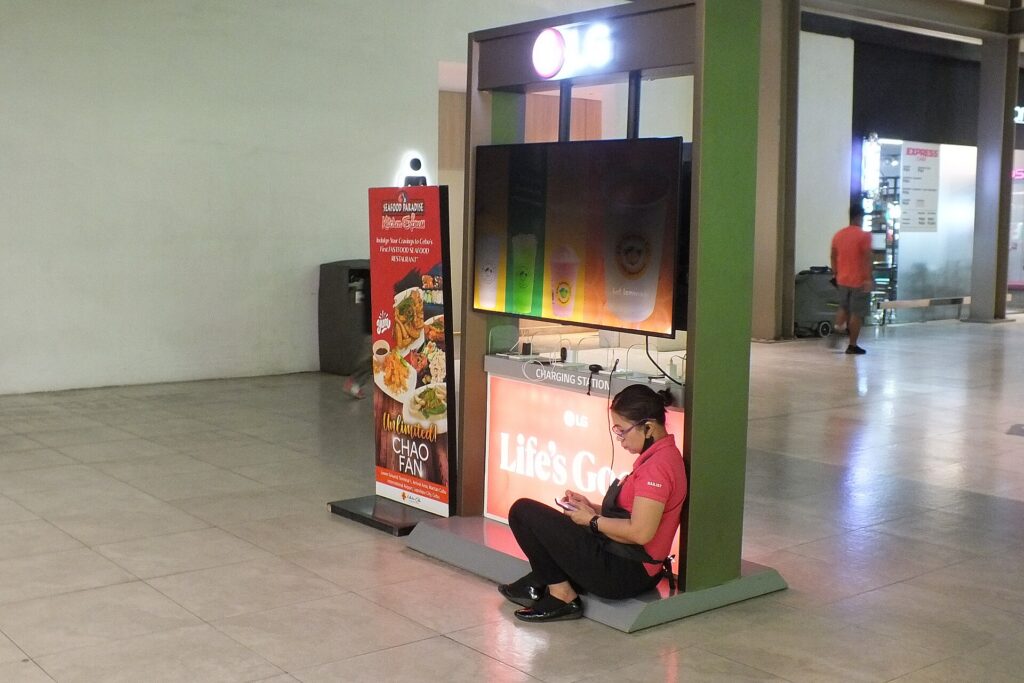
    A traveler charging a phone at a charging kiosk in an airport terminal
    Airport charging points are often busy or broken; a laptop-capable power bank keeps you independent of them (Photo: Wide Awake! via Wikimedia Commons, CC BY 4.0)

    5. Waterproof laptop bag

    Rain is the most common way travelers damage laptops without dropping them: a dash from a taxi to a hotel, a ferry deck, a sudden storm while sightseeing. A bag with water-resistant fabric, covered or coated zippers and a padded compartment keeps the laptop dry in ordinary weather. Truly waterproof bags with roll-top closures exist, mainly for outdoor and adventure travel, but for most trips water resistance plus a sleeve inside is enough. Whatever the bag claims, do not leave a laptop bag sitting in a puddle or on a wet boat deck.

    6. Anti-theft laptop backpack

    Anti-theft backpacks hide the main zipper against your back or let you lock it, add a hidden pocket for your passport and cards, and in some cases use cut-resistant fabric and straps. They make quick pickpocketing and grab-and-run theft harder, which is useful in busy cities, on crowded transit and in cafés where a bag sits on the floor. They are not theft-proof, and habits matter as much as features. Our full guide to anti-theft backpacks explains which features are worth paying for and which are marketing.

    7. Cable organizer pouch

    A cable pouch is the accessory that saves the most frustration for the least money. It keeps the laptop charger, phone cables, adapters, earbuds and a spare USB stick in one place, so you can pull them all out at a hotel desk and put them all back at checkout. It also makes security easier, since a tangle of loose cables around a laptop is more likely to need a second look. Choose a pouch with elastic loops or small mesh pockets, a zipper that opens wide and a bright interior color so you can see what is inside. Before a trip, pack it and check it against a list: laptop charger, phone cable, watch charger, plug adapter, power bank cable.

    8. Laptop cooling pad

    Cooling pads use one or more fans to push air under the laptop. They make the most sense for gaming laptops and powerful machines that run hot under sustained load, or for working in very warm rooms without air conditioning. For most travelers and most laptops, a cooling pad is optional; keeping the vents clear and working on a hard, flat surface rather than a bed or a sofa does most of the job. If you do pack one, choose a slim, light model that runs from a USB port, and remember it adds bulk. A folding stand that lifts the laptop off the table gives some of the same airflow benefit with less to carry.

    9. Universal travel adapter

    Plug shapes differ around the world, and an adapter lets your laptop charger fit a foreign outlet. A universal adapter with sliding pins covers many plug types in one block and often adds USB ports for phones and watches. Two things matter more than the number of countries on the box:

    • An adapter is not a voltage converter. It changes the plug shape, not the electricity. Most laptop and phone chargers are designed for a wide input range; Apple, for example, says its USB power adapters are designed for 100 to 240 volts. Check the input rating printed on your own charger before you rely on this. Hair dryers and other heating appliances are a different story.
    • Choose a solid, well-made adapter. A laptop charger is heavy, and a cheap adapter can sag out of the wall or fit loosely. An adapter with a safety shutter and a fuse is worth the small extra cost.

    If you travel with several devices, a single multi-port USB-C charger with interchangeable plug heads can replace several bricks and an adapter at once.

    10. Compact wireless mouse

    A trackpad is fine for an hour, but a small mouse makes long sessions of spreadsheets, design work or editing much more comfortable. Travel mice are smaller than desk mice and often connect by Bluetooth, which saves a USB port and removes the tiny receiver that is so easy to lose. Rechargeable models avoid carrying spare batteries. Look for one that fits your hand without cramping, has an on-off switch so it does not drain in your bag, and works on the surfaces you will actually use, such as glossy hotel desks.

    Comparison: which accessories matter for which trip

    AccessoryWeekend or city breakBusiness tripInternational tripLong-term remote work
    Laptop backpack or bagUsefulEssentialEssentialEssential
    Slim sleeveEssential if no laptop bagUsefulUsefulUseful
    Folding standOptionalUsefulUsefulEssential
    Laptop power bankOptionalUsefulUsefulUseful
    Water-resistant bagUsefulUsefulUsefulUseful
    Anti-theft backpackUseful in busy citiesOptionalUsefulUseful
    Cable pouchUsefulEssentialEssentialEssential
    Cooling padRarely neededRarely neededHot climatesPowerful laptops
    Travel adapterOnly abroadOnly abroadEssentialEssential abroad
    Compact mouseOptionalUsefulUsefulEssential

    Flying with a laptop, chargers and batteries

    Laptops, chargers and power banks all contain or depend on lithium batteries, which are regulated in aviation because a damaged or short-circuited battery can overheat. The details are set by each authority and airline and can change, but the principles are consistent:

    • Keep the laptop with you in the cabin. Devices with installed batteries are allowed in the cabin, and keeping them there also protects them from theft and rough handling.
    • Power banks and spare batteries are cabin only. They are not allowed in checked baggage. If your bag is gate-checked or taken at the aircraft door, take the power bank and any spare batteries out first.
    • Watt-hours decide what is allowed. Most phone and laptop batteries and power banks fall under the common 100 Wh threshold. Larger batteries usually need airline approval, and there is an upper limit beyond which they are not allowed as passenger baggage.
    • Protect the terminals. Keep spares in their packaging, a case or a separate plastic bag, away from keys and coins.
    • Your airline may be stricter. Some airlines have added their own limits on using or charging power banks during flights. Check the airline’s page as well as the government rules.
    • Damaged batteries stay home. A swollen, cracked or recalled battery should not fly.

    Read the official pages before you fly: the FAA’s PackSafe guidance on lithium batteries, the TSA’s power banks entry and its What Can I Bring? tool, and CATSA’s guidelines for batteries for Canadian airports. Transport Canada also has a plain-language explainer on travelling with lithium batteries.

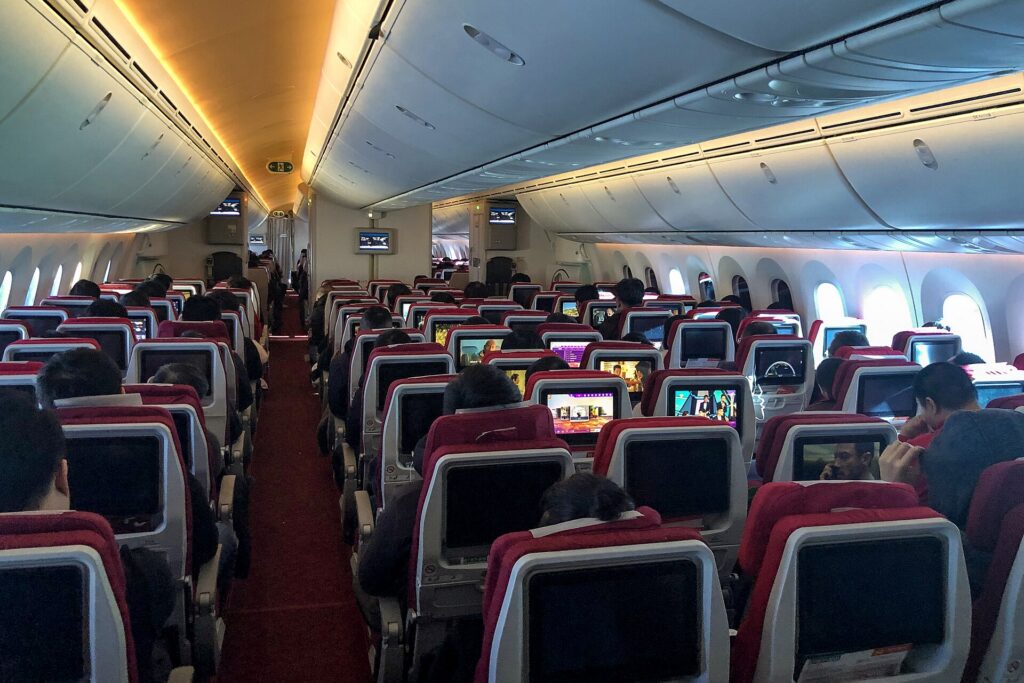
    The economy cabin of a widebody airliner with rows of seats and seatback screens
    Laptops, power banks and spare batteries fly in the cabin with you, never in a checked bag (Photo: N509FZ via Wikimedia Commons, CC BY-SA 4.0)

    Getting through security smoothly

    Laptop screening rules vary by airport, checkpoint and screening program. Some checkpoints still ask you to remove laptops and place them in a separate bin; newer screening lanes and some trusted traveler programs let them stay in the bag. Pack so either works:

    • Laptop in its own compartment near the top or back of the bag, so it slides out in one move.
    • Cables in the pouch, not wrapped around the laptop.
    • Power bank in an outside pocket in case officers want to see it.
    • Take off smart watches and put phones in the bag or bin before you reach the belt, so you are not the person holding up the line.
    • Watch your laptop come out of the scanner. The belt is one of the easiest places to leave a laptop behind or have it picked up by someone else.

    Working on the road: making a hotel room or café into an office

    With a stand, a mouse and a keyboard, almost any table becomes a reasonable workstation. A few habits make it work better:

    • Choose the room for the work. If you need to work from the hotel, look for a room with a real desk and a proper chair, and ask about Wi-Fi quality. Our business travel hotels guide explains what to look for.
    • Carry a short extension or small multi-outlet charger. Hotel outlets are often behind the bed or far from the desk.
    • Bring your own sound. Cafés, airport gates and planes are noisy; our guide to noise-cancelling headphones for flying covers how to choose a pair for calls and focus.
    • Protect the screen from eyes. A privacy screen filter narrows the viewing angle so the person next to you on the plane cannot read your email.
    • Treat public Wi-Fi with caution. Stick to secure sites, use your company’s security tools if you have them and avoid sensitive logins on networks you do not trust.

    Worth adding beyond the top ten

    • A travel keyboard. If you use a stand, or you want to work from a tablet instead of a laptop, a folding or slim Bluetooth keyboard completes the setup. See our guide to travel keyboards.
    • A multi-device charger. If you carry an iPhone, an Apple Watch and AirPods, a 3-in-1 Apple charger cuts three chargers down to one.
    • A rolling laptop bag. If your tech bag is heavy and your trips are mostly airports and offices, a rolling laptop bag takes the weight off your shoulders.
    • A cable lock. Useful in coworking spaces, shared offices and hostels, as long as your laptop has a lock slot or you use an adapter designed for it.
    • A small USB-C hub. Many thin laptops have few ports. A compact hub adds HDMI for hotel TVs and meeting-room screens, plus USB-A for older accessories.

    Before the trip: a laptop checklist

    • Back up your files to the cloud or an external drive before you leave.
    • Update the operating system and apps at home, not on hotel Wi-Fi the night before a presentation.
    • Download what you need offline: documents, maps, entertainment and boarding passes.
    • Turn on device encryption and a strong password, and make sure you can locate or wipe the laptop remotely.
    • Charge everything, including the power bank, the mouse and the keyboard.
    • Pack the cable pouch from a list, and check it again when you leave each hotel.
    • Photograph the serial number of your laptop and keep a copy of the receipt, in case you need to report a loss or make an insurance claim.
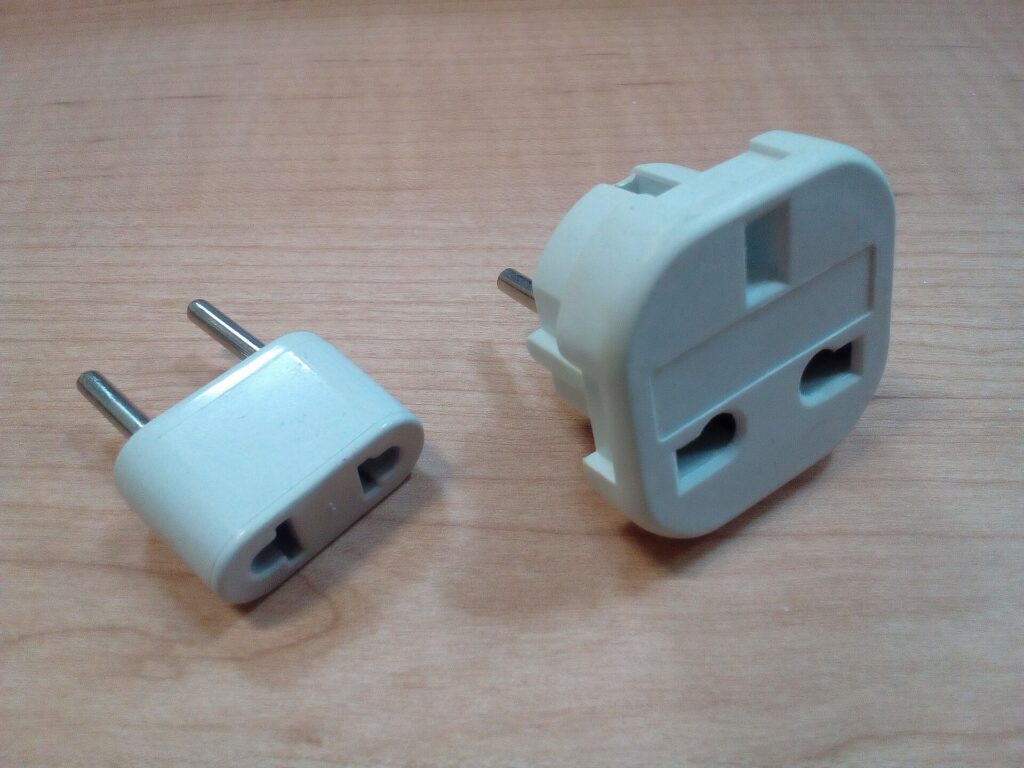
    Two plug adapters for different electrical outlet types on a wooden table
    A plug adapter changes the plug shape, not the voltage; check the input rating on your charger (Photo: Fructibus via Wikimedia Commons, CC0)

    Common mistakes

    • Checking the laptop or power bank. Laptops belong in the cabin, and spare batteries are not allowed in checked bags at all.
    • Buying a sleeve by screen size alone. Measure the laptop.
    • Assuming an adapter converts voltage. It does not. Check the input range on the charger itself.
    • Carrying a phone power bank for a laptop. Check the USB-C output wattage before you depend on it.
    • Leaving cables behind. Hotel rooms are full of forgotten chargers. A single pouch and a quick check at checkout prevent it.
    • Working hunched over for a week. A stand and a separate keyboard or mouse are small, light and make a big difference.
    • Relying on seat power. Not every plane has working outlets, and many that do deliver limited power. Arrive fully charged.

    Frequently asked questions

    What are the most important laptop travel accessories?

    A padded sleeve or laptop bag, a plug adapter for international trips and a cable pouch cover most travelers. A laptop-capable power bank, a folding stand and a compact mouse are the next most useful.

    Can I bring a laptop power bank on a plane?

    Yes, in your carry-on. Power banks are not allowed in checked baggage. Most fall under the common 100 Wh threshold; larger ones generally need airline approval. Check the FAA, TSA or CATSA pages linked above and your airline’s policy.

    Do I need a voltage converter for my laptop abroad?

    Usually not. Most laptop chargers accept a wide range of input voltages, so a plug adapter is enough. Check the input rating printed on your charger to be sure.

    Is a laptop cooling pad worth taking on a trip?

    For most laptops and most trips, no. Keeping the vents clear and using a hard, flat surface is enough. Cooling pads make more sense for powerful laptops or very hot rooms.

    Should I use a laptop sleeve inside a laptop backpack?

    It is not necessary if the backpack has a well-padded, suspended laptop compartment, but a sleeve adds protection and lets you carry the laptop on its own at your destination.

    Do I need to take my laptop out at airport security?

    It depends on the checkpoint and your screening program. Pack the laptop so it can come out quickly, and follow the officers’ instructions.

    How can I keep my laptop safe from theft while traveling?

    Keep it in the cabin, never leave it unattended at a café or gate, use a bag with lockable or hidden zippers in busy places and lock it in the room safe or your locked luggage when you go out without it.

    With your kit packed, the only thing left is the trip itself. Compare fares on our flight search, find a hotel with a real desk and reliable Wi-Fi on our hotel search, and if your work trip needs wheels, check our car rental search. Heading to a conference or client meeting in Chicago? Our guide to things to do in Chicago helps you make the most of the evenings, and flights to Chicago are a good place to start. For bags, suitcases and the rest of your gear, return to our main guide to travel luggage.

  • 7 Must-Have 3 in 1 Apple Chargers That Make Charging Effortless

    7 Must-Have 3 in 1 Apple Chargers That Make Charging Effortless

    If you travel with an iPhone, an Apple Watch and AirPods, you know the nightly ritual: three cables, two or three bricks, a hunt for enough outlets behind the hotel bed, and at least one device that did not charge because its cable slipped out. A 3-in-1 Apple charger replaces all of that with one stand or pad that charges your phone, your watch and your earbuds at the same time from a single outlet. For travelers that is a real improvement: less to pack, less to forget at checkout and a tidy spot on the nightstand where everything goes every evening. Not every 3-in-1 charger is a good travel charger, though. Some are heavy desk stands, some charge slowly, some leave you to find your own power adapter, and some do not charge an Apple Watch properly at all. This guide explains how these chargers work, what to look for when you buy one for travel, the seven styles from our original list and who each one suits, how to use one abroad, and the rules that apply when you fly with chargers and power banks. It is part of our travel gear series, which starts with our main guide to choosing travel luggage.

    The short answer

    For travel, choose a foldable 3-in-1 charger that closes to pocket size, with magnetic alignment for the iPhone (MagSafe or Qi2), a proper Apple Watch charging puck from a certified module, and a pad or cradle for AirPods with a wireless case. Make sure you know which power adapter it needs and whether one is included, and pick one that runs from a USB-C adapter that accepts 100 to 240 volts, so all you need abroad is a plug adapter. Leave the heavy, weighted desk stands at home. And if you also carry a power bank, remember that power banks travel in the cabin only, never in checked bags.

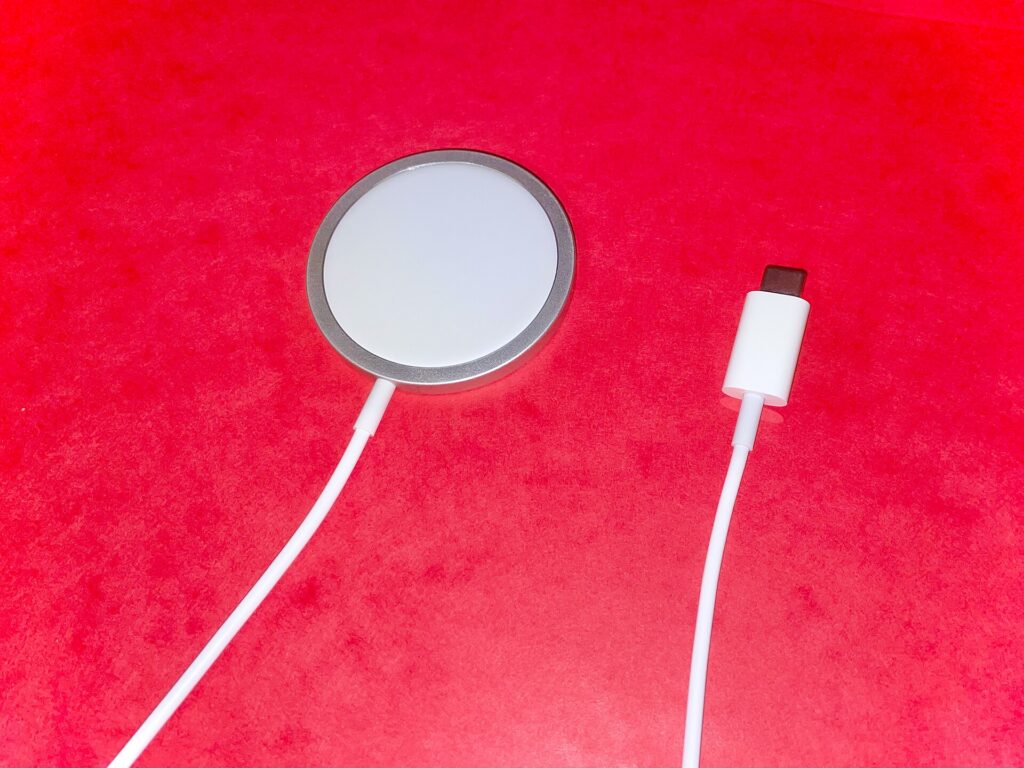
    A round magnetic MagSafe charging puck with its USB-C cable
    Magnetic alignment is what makes wireless phone charging reliable on a hotel nightstand (Photo: James Tamim via Wikimedia Commons, CC BY-SA 4.0)

    How 3-in-1 Apple chargers work

    A 3-in-1 charger combines three different chargers in one housing, powered from one cable:

    • The iPhone charger is a wireless charging pad, usually magnetic. Most iPhone models from the iPhone 12 onward support MagSafe, Apple’s magnetic wireless charging system (Apple’s MagSafe guide lists the exact models), and newer iPhones also support Qi2, the magnetic wireless charging standard from the Wireless Power Consortium. Magnets hold the phone in the right spot, which matters because wireless charging is sensitive to alignment.
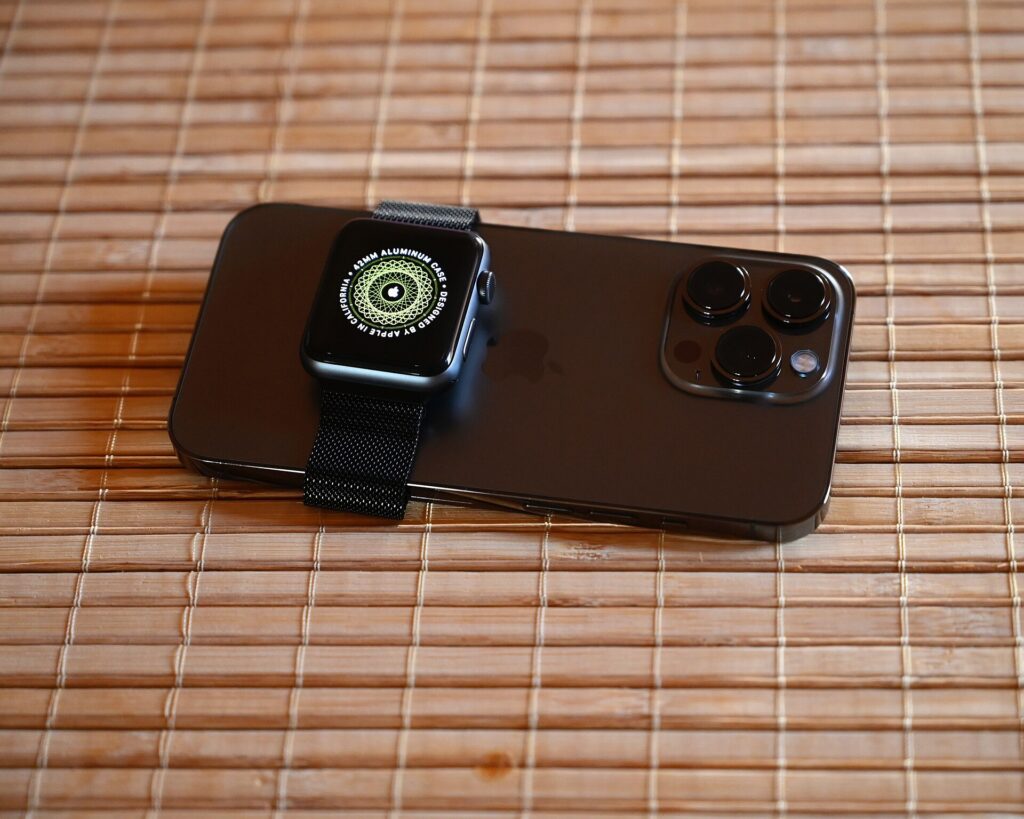
    • The Apple Watch charger is a separate magnetic puck. Apple Watch does not charge on an ordinary phone wireless pad; it needs its own charger. Apple recommends chargers made by Apple or chargers that have completed its MFi certification and carry the “Made for Apple Watch” badge, and it explains how to spot them on its page about identifying authentic and certified Apple Watch chargers.
    • The AirPods charger is usually a small wireless pad or cradle. It works with AirPods cases that support wireless charging; a case that charges only by cable will not charge on the pad.

    The whole unit then draws power from a wall adapter, usually through a USB-C cable. The adapter matters more than people realize: an underpowered adapter can make everything charge slowly, or leave one device not charging at all.

    MagSafe, Qi2 and plain Qi

    These labels cause more confusion than anything else on charger listings:

    • MagSafe is Apple’s magnetic wireless charging for iPhone. Apple’s own MagSafe Charger guide lists the iPhone models it supports and the adapter wattage it recommends for the fastest charging.
    • Qi2 is an open standard from the Wireless Power Consortium that adds magnetic attachment to Qi wireless charging. Certified Qi2 chargers are designed to work with recent iPhones in much the same way as MagSafe, and the consortium keeps a database of certified products.
    • Qi is the older, non-magnetic wireless standard. It still charges an iPhone, but without magnets the phone can slip out of position, and charging is generally slower.
    • “MagSafe-compatible” on a third-party product usually means it has magnets that attach to an iPhone, not that it is certified by Apple or charges at the same speed as Apple’s own charger. Look for Qi2 certification or official MagSafe certification if speed matters to you.

    Who needs a 3-in-1 charger, and who does not

    A 3-in-1 makes the most sense if you carry all three devices every day and travel often enough that packing three separate chargers has become a chore. Frequent business travelers, people who wear an Apple Watch to track sleep or workouts on the road, and couples who share one nightstand in a hotel room get the most out of one. It makes less sense if you do not own an Apple Watch or wireless-charging AirPods, since a 2-in-1 or a single magnetic charger will be smaller and cheaper. It also makes less sense if you mostly charge in the car or at your desk by cable, or if you are happy with a single multi-port USB-C charger and three short cables, which is lighter still. Be honest about your routine before you buy.

    What to look for in a travel 3-in-1 charger

    Folded size and weight

    The biggest difference between a travel charger and a desk charger is how it packs. Foldable 3-in-1 chargers close into a flat square or a small block that fits in a cable pouch. Weighted desk stands are stable on a nightstand but heavy and awkward in a bag. For travel, folded size and weight matter more than looks.

    Charging speed

    Speed is set by the charger’s rating, its certification and the adapter you plug it into. Watch and earbud chargers are slower by design. For most travelers, overnight charging is what matters, and nearly any decent 3-in-1 fills everything by morning. Faster charging helps if you top up during a short hotel stop or an airport lounge visit.

    Power adapter included or not

    Some 3-in-1 chargers come with a wall adapter, others only with a cable. If an adapter is not included, check the minimum wattage the maker recommends and make sure the adapter you already carry meets it. Using an underpowered adapter is the most common reason a 3-in-1 charger seems slow or unreliable.

    Apple Watch module

    Check that the watch puck supports your watch model and, ideally, that the charger is MFi-certified for Apple Watch. Some chargers let the puck tilt to a flat position so the watch can sit in nightstand mode on its side, which is a nice touch in a dark hotel room.

    Case compatibility

    Magnetic chargers work best with the phone bare or in a case designed for MagSafe. Thick, rugged or non-magnetic cases can weaken the magnetic hold and slow charging or stop it entirely. Remove card wallets before charging; Apple warns not to put credit cards, security badges, passports or key fobs between an iPhone and a MagSafe charger because it can damage magnetic strips or chips.

    Stand or flat pad

    A stand holds the phone upright so you can see notifications, use it as a bedside clock or take a video call while it charges. A flat pad packs thinner. Many foldable designs manage both, with a panel that props up or lies flat.

    Heat and safety

    Wireless charging creates heat. Good chargers include temperature protection, and iPhones manage battery heat themselves; Apple notes that if the battery gets too warm, software might limit charging above 80 percent. Charge on a hard surface with some air around it, not under a pillow or on a bed, and do not charge in direct hot sun.

    FeatureWhy it matters for travelWhat to check
    Foldable designPacks flat in a cable pouchFolded size and weight
    MagSafe or Qi2 for iPhoneMagnetic alignment and faster wireless chargingCertification, not just “compatible”
    Apple Watch puckCharges the watch without a separate cableMFi “Made for Apple Watch” badge, model support
    AirPods padCharges wireless-charging casesYour case supports wireless charging
    Included adapterOne less thing to buy and matchWattage, plug type, 100 to 240 V input
    USB-C inputShares a cable and adapter with other gearCable length for hotel outlets
    Stand modeBedside clock, video callsStability when you tap the screen
    Temperature protectionSafer overnight chargingMaker’s stated protections
    An Apple Watch resting on an iPhone on a bamboo mat
    iPhone and Apple Watch charge differently, so a 3-in-1 needs a proper watch puck as well as a phone pad (Photo: SimonWaldherr via Wikimedia Commons, CC BY-SA 4.0)

    Seven styles from our original list

    The original version of this guide featured seven chargers. Most were listed by description rather than by brand and model, so we have kept them as styles, with what each is good for. Two were Anker MagGo models, which we describe below. Designs change and third-party listings change often, so check the current details from the maker before you buy.

    1. Foldable magnetic 3-in-1 dock

    A tri-fold or bi-fold magnetic dock that charges iPhone, Apple Watch and AirPods and closes flat for packing. This is the classic travel 3-in-1: small enough for a cable pouch, quick to set up on a nightstand. It suits frequent flyers and minimalist packers. Check the certification for the iPhone pad, whether the watch puck is certified, and whether an adapter is included.

    2. Desk charging station

    A heavier stand with the phone held upright, the watch on an arm and AirPods on a base. It keeps a desk tidy and makes notifications easy to see, which is why the original list included one for workstations. It is a better fit for a home office than a suitcase, but worth it if you split time between home and a regular second base, such as a company apartment.

    3. Anker MagGo 3-in-1 charging station

    Anker’s MagGo line includes several 3-in-1 chargers for iPhone, Apple Watch and AirPods built around Qi2 wireless charging for the phone. Anker makes both stand-style and foldable versions, so look at the current range on Anker’s official product page and compare the folded size, the included accessories and the watch models listed as compatible. A MagGo station suits Apple users who want a charger from a well-known accessory brand with Qi2 certification rather than a generic “magnetic” label.

    4. Slim charger for the nightstand

    A low-profile charger designed to look tidy on a bedside table, often with indicator lights. It suits people who want one charger for home and occasional trips. If you want it for travel, check that the indicator lights can be dimmed or are not too bright; a glowing charger in a dark hotel room is surprisingly distracting.

    5. Foldable magnetic dock for travel

    A compact folding dock sold specifically as a travel charger, with magnetic alignment for the phone and room for the watch and earbuds. It is aimed at the same traveler as the first style but usually prioritizes the smallest folded size. Small chargers can be light enough to be pulled off a nightstand by a cable, so check how stable it feels with the phone attached.

    6. Anker MagGo foldable Qi2 charger

    The original list also featured a foldable Anker MagGo charger. On Anker’s product page, the MagGo Wireless Charging Station (Foldable 3-in-1) is listed with Qi2 charging for the iPhone, separate charging for Apple Watch and AirPods, a folding design, and a USB-C wall charger and cable in the box. It is a strong fit for travelers who want a certified, foldable 3-in-1 with the adapter included, so there is nothing extra to match. Check the compatibility list on the product page for your watch and earbud models.

    7. Travel 3-in-1 charger with a night light

    A magnetic 3-in-1 charger with a built-in soft light. In an unfamiliar hotel room, a gentle light by the bed is genuinely useful for finding the bathroom at night without switching on the room lights. It also makes a practical gift for a frequent traveler. Check that the light can be turned off completely for people who sleep better in full darkness.

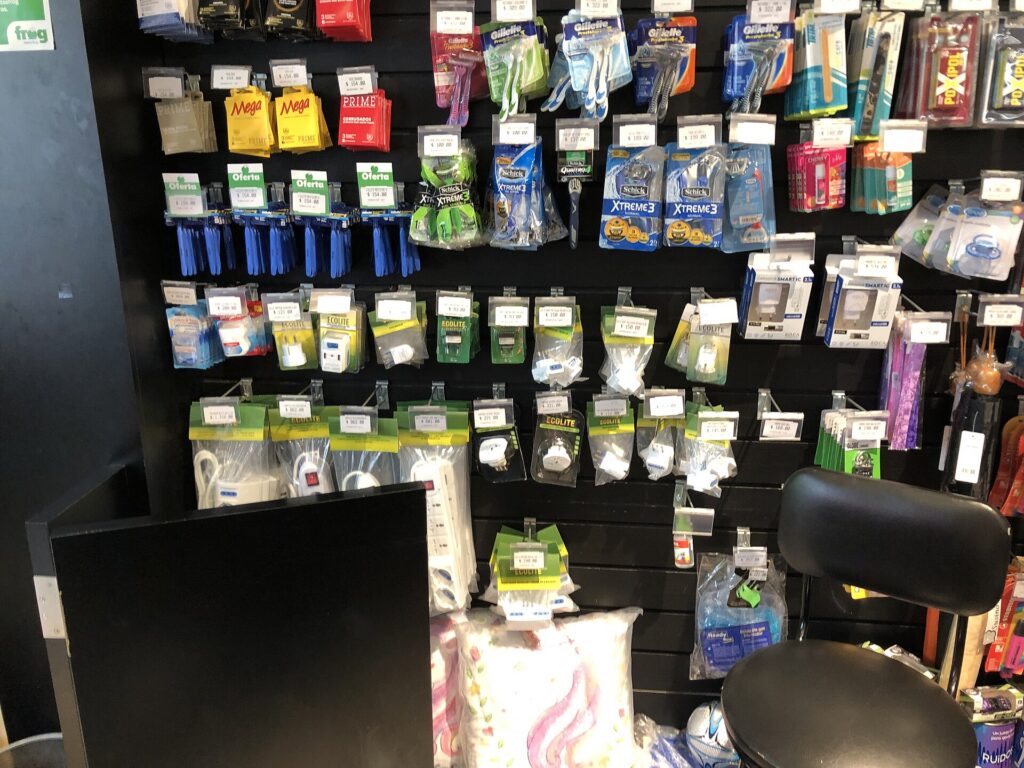
    Travel plug adapters and power strips hanging on a store display
    With a 100 to 240 volt USB-C adapter, all you need abroad is the right plug (Photo: Grandmaster Huon via Wikimedia Commons, CC0)

    Using a 3-in-1 charger abroad

    Most of the work is in the adapter, not the charger:

    • Check the adapter’s input rating. Apple says its USB power adapters are designed for power sources from 100 to 240 volts at 50 to 60 hertz, which covers most of the world. Many third-party USB-C adapters are similar, but check the small print on yours.
    • Bring a plug adapter, not a converter. If the power adapter accepts 100 to 240 volts, you only need the right plug shape for the country.
    • Consider a multi-port USB-C charger with swappable plugs. One well-made charger can run the 3-in-1 and your laptop, and replace several bricks.
    • Pack a longer cable. Hotel outlets are often behind the bed or across the room. A cable long enough to reach the nightstand saves you from charging on the floor.

    For the rest of your tech kit, from adapters to cable pouches, see our guide to laptop travel accessories.

    Flying with chargers and power banks

    A 3-in-1 wireless charger has no battery of its own, so it is simply an electronic accessory. Magnetic power banks and other battery packs are different, because they contain lithium batteries. The principles:

    • Power banks and spare lithium batteries go in your carry-on only. They are not allowed in checked baggage. If your carry-on is gate-checked, take them out first.
    • Watt-hours set the limits. Most phone power banks fall well under the common 100 Wh threshold. Larger batteries generally need airline approval, and there is an upper limit beyond which they are not allowed.
    • Protect the terminals by keeping spares in their packaging, a case or a separate bag, away from keys and coins.
    • Airlines can be stricter. Some carriers have added their own rules about using or charging power banks during flights, so check your airline before you fly.
    • Damaged or swollen batteries should not fly.

    Official guidance: the FAA’s PackSafe page on lithium batteries, the TSA’s power banks entry and CATSA’s guidelines for batteries for Canadian airports. Rules change, so confirm before each trip.

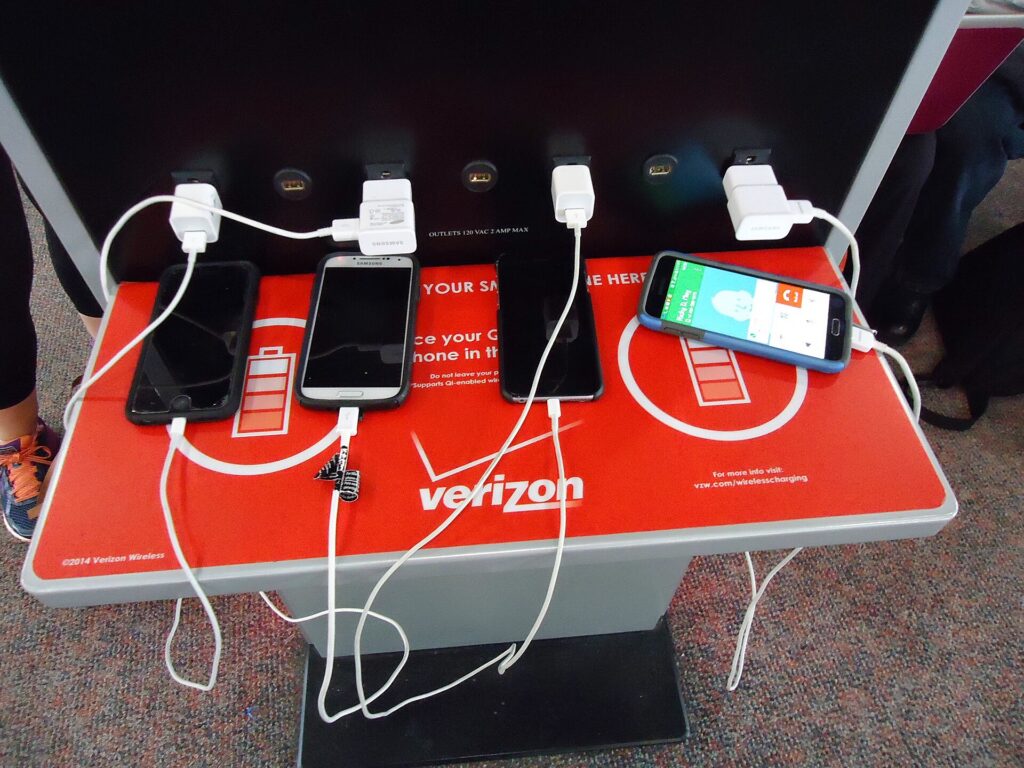
    Several phones plugged into a public charging station at an airport
    Treat airport charging stations as a bonus and arrive with everything charged (Photo: Tomwsulcer via Wikimedia Commons, CC0)

    Charging on the move: airports, planes and hotels

    At the airport

    Airport charging stations and seat outlets are handy, but they are often crowded or broken. Arrive with everything charged and treat airport outlets as a bonus. Use your own adapter and cable in public outlets rather than unknown cables left at a station.

    On the plane

    Seat power varies by aircraft. Some seats have USB ports that deliver limited power, some have AC outlets and some have nothing. A 3-in-1 charger is not practical on a tray table; a short cable or a small magnetic power bank is better in the air.

    At the hotel

    Set up the charger on the nightstand as soon as you arrive, and make it the one place your phone, watch and earbuds go every night. That habit alone stops most lost-charger and dead-watch mornings. When you check out, the charger is the last thing you pack, and one quick look at the nightstand tells you if you have left anything behind.

    On a road trip

    In a rental car, a magnetic car mount and a single USB-C cable are more useful than a 3-in-1. Save the 3-in-1 for the hotel. If you are planning a driving trip, our car rental search helps you compare options.

    Building a smaller charging kit

    A 3-in-1 charger is one part of a lighter, simpler travel kit. A good all-Apple setup might be: a foldable 3-in-1 for the nightstand, one multi-port USB-C adapter with swappable plugs, one USB-C cable for the laptop, one short cable for the phone in transit and a small power bank for long days. Keep it all in one cable pouch in your personal item. If you work on the road, add a folding travel keyboard, and if your tech bag is heavy, a rolling laptop bag keeps it off your shoulders. For long flights, noise-cancelling headphones are the other piece of tech most travelers are glad they packed. And for keeping the pouch safe in busy places, our guide to anti-theft backpacks covers bags that make pickpocketing harder.

    Common mistakes

    • Buying a desk stand for travel. Weighted stands are great at home and heavy in a bag.
    • Using a weak adapter. An underpowered adapter makes all three devices charge slowly or not at all.
    • Assuming “MagSafe-compatible” means certified. Look for Qi2 or official MagSafe certification if speed matters.
    • Forgetting the watch puck matters. Uncertified watch chargers can charge slowly or unreliably.
    • Charging through a thick case or a card wallet. Take them off, or use a MagSafe case.
    • Packing a power bank in a checked bag. Power banks are cabin only.
    • Leaving it on the nightstand. Make the charger the last thing you pack.

    Frequently asked questions

    Are 3-in-1 Apple chargers safe?

    Chargers from reputable brands with proper certification, such as Qi2 for the phone and MFi for the Apple Watch module, and with temperature protection are designed to charge safely. Use the recommended adapter, charge on a hard surface and avoid uncertified no-name chargers.

    Will a 3-in-1 charger work with my Apple Watch?

    Only if it has a proper Apple Watch charging puck that supports your model. Apple Watch does not charge on a standard phone wireless pad. Check the compatibility list and look for the “Made for Apple Watch” badge.

    Can I charge my iPhone through a case?

    Usually, if the case is designed for MagSafe or is thin and non-metallic. Thick or rugged cases can weaken the magnets and slow or stop charging. Remove card wallets, badges and key fobs before charging.

    Do I need a voltage converter to use a 3-in-1 charger abroad?

    Usually not. If your USB-C power adapter accepts 100 to 240 volts, as Apple’s adapters do, you only need a plug adapter. Check the rating printed on your adapter.

    Do 3-in-1 chargers come with a power adapter?

    Some do and some do not. Check the box contents on the maker’s page and make sure your adapter meets the recommended wattage.

    Can I bring a 3-in-1 charger on a plane?

    Yes. A wireless charger with no built-in battery is an ordinary electronic accessory. Power banks and other battery packs are different: they must travel in the cabin, not in checked baggage.

    Will it charge AirPods?

    Yes, if your AirPods case supports wireless charging. Cases that charge only by cable will not charge on the pad.

    Is Qi2 the same as MagSafe?

    They are different names from different organizations, but both use magnetic alignment for wireless charging, and recent iPhones support both. Qi2 is the open standard; MagSafe is Apple’s own system.

    With your charging kit down to one pouch, all that is left is the trip. Compare fares on our flight search, find a hotel on our hotel search and, for road trips, compare rentals on our car rental search. Planning a long weekend? Flights to New York and our guide to things to do in New York will keep your phone busy all day, and your new charger busy all night. For bags and the rest of your gear, start with our main guide to travel luggage.

  • Top 10 Noise Cancelling Headphones For Airplane Travel in 2025: Comfort Meets Silence

    Top 10 Noise Cancelling Headphones For Airplane Travel in 2025: Comfort Meets Silence

    An airplane cabin is a loud place to spend a few hours. Engines and air-conditioning produce a steady low roar, and on top of that come galley carts, announcements, conversations and the occasional crying baby. You stop noticing it after a while, but it keeps wearing on you, and it is a big part of why a long flight leaves you more tired than a day of sitting still should. Good noise-cancelling headphones take much of that edge off. They make movies and podcasts easier to hear at lower volume, they make sleep more likely, and they make it possible to read or work without your brain filtering noise the whole time. This guide explains how noise cancelling works, which features matter on a plane and which are marketing, over-ear versus earbuds, how to connect to seatback entertainment, the airline and battery rules that apply, and the models from our original list with who each one suits. It is part of our travel gear series, which starts with our main guide to choosing travel luggage.

    The short answer

    For most flyers, the best choice is a pair of over-ear headphones with active noise cancelling (ANC) that fold into a protective case, can be used with a cable for seatback screens, and have a battery that comfortably outlasts your longest flight plus the journey either side. Comfort matters more than a small difference in noise-cancelling strength, because you will wear these for hours: look for soft, deep ear cushions and moderate clamping force. If you hate the bulk, noise-cancelling earbuds with a good seal are the lighter alternative, at the cost of some low-frequency quiet and a harder time with wired seatback systems. Whatever you choose, pack a 3.5 mm cable and a two-prong airline adapter if your headphones support wired use, charge them before you leave home, and check what your airline allows during takeoff, landing and the safety briefing.

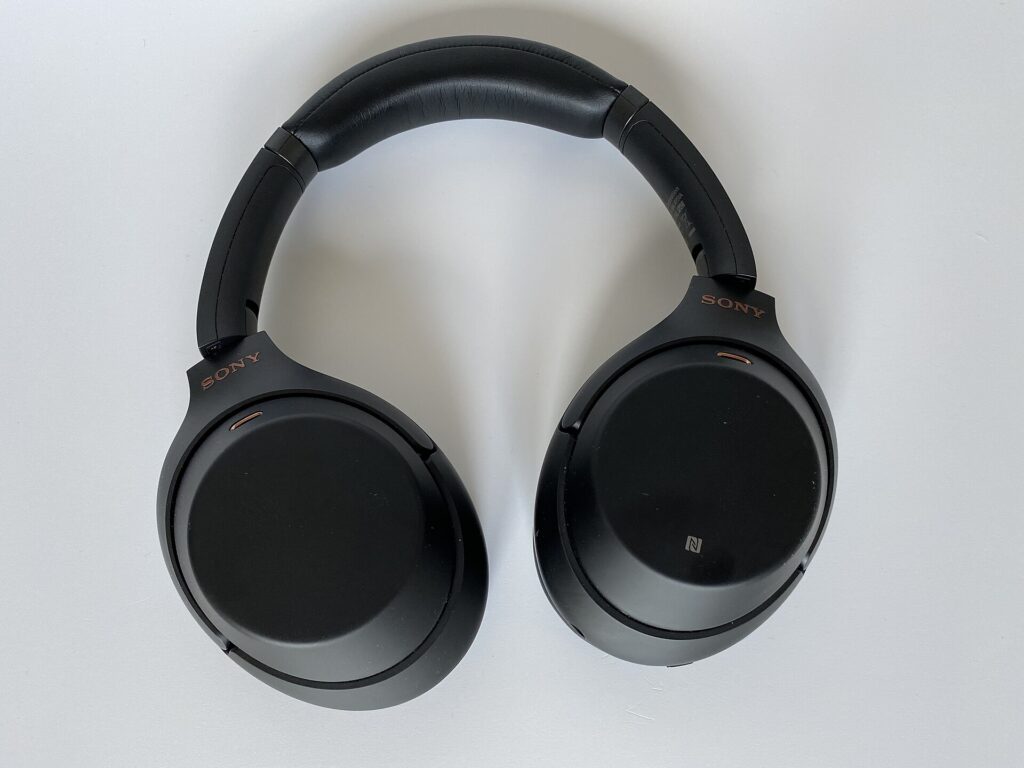
    A pair of black over-ear wireless noise-cancelling headphones lying flat on a white surface
    Deep, soft ear cushions matter as much as the noise cancelling when you wear headphones for hours (Photo: www.digitalpush.net via Wikimedia Commons, CC BY 4.0)

    How noise cancelling actually works

    There are two kinds of quiet at work in a good pair of travel headphones, and understanding them helps you choose.

    Passive isolation

    Passive isolation is simply blocking sound physically. Thick, well-sealed ear cushions on over-ear headphones, or snug tips on earbuds, stop a lot of higher-pitched sound such as voices, clinking cutlery and the rattle of a trolley. It needs no battery and it works even when the headphones are switched off. The quality of the seal matters a great deal: glasses arms, long hair or a poor fit can break the seal and let noise in.

    Active noise cancelling

    Active noise cancelling uses small microphones to listen to the noise around you and produces an opposing sound wave that cancels much of it before it reaches your ear. It is most effective against steady, low-frequency noise, which is exactly what engine and air-system noise is. It is less effective against sudden or irregular sounds, like a nearby conversation or a call button chime. That is why the best travel headphones combine both: ANC for the low drone and a good passive seal for everything else.

    Hybrid ANC

    “Hybrid” ANC means the headphones use microphones on both the outside and the inside of the ear cup, which generally lets them cancel a wider range of noise than systems with outside microphones only. Many mid-priced and premium headphones use this approach, and it is a reasonable feature to look for, though real-world results depend on the whole design, not one label.

    Transparency or ambient modes

    Most noise-cancelling headphones also offer a mode that deliberately lets outside sound in through the microphones, variously called transparency, ambient or aware mode. On a plane, it is useful for hearing a crew member’s question or a boarding announcement without taking the headphones off. Some models can switch into it automatically when you start speaking.

    What matters on a plane

    Comfort over hours

    This is the most underrated factor. A pair that sounds wonderful in a shop can become painful after three hours if the headband presses on the top of your head, the ear cups press on your glasses, or the cushions trap heat. Look for deep, soft cushions that surround your ears rather than sitting on them, a padded headband and moderate clamping force. If you wear glasses, try them on with your glasses. If you plan to sleep in them, consider how they feel when you lean your head against a window or a neck pillow: flatter, smaller ear cups are easier to rest against.

    Noise-cancelling strength

    Premium models from long-established audio brands generally lead on noise cancelling, and budget models have improved a lot. The difference between a good budget pair and a premium pair is most noticeable on long-haul flights and in the loudest seats, which tend to be further back near the engines. If you fly long-haul often, the premium end is easier to justify. For occasional short flights, a well-reviewed budget hybrid-ANC pair can be plenty.

    Battery life and charging

    Your headphones need to last the whole journey, not just the flight: the train to the airport, the wait at the gate, a delay, a connection and the ride to your hotel. Look at the maker’s figure for battery life with ANC switched on, which is usually lower than the headline figure, and aim for a comfortable margin over your longest door-to-door trip. Quick charging, where a short charge gives a few hours of use, is useful when you realize at the gate that you forgot. A USB-C port lets the headphones share a charger and cable with your phone and laptop, which is one fewer thing to pack.

    Wired use

    Many seatback entertainment systems still need a wire. Headphones with a 3.5 mm input and a supplied cable can plug straight into the seat, and many keep noise cancelling working while wired as long as they are switched on. Some also play passively when the battery is flat, without ANC, which is a useful fallback. Check this before you buy if you watch a lot of in-flight movies.

    Folding design and a case

    A hard or semi-hard case protects the headband hinges and ear cups from being crushed in a backpack, and keeps the cable and adapter together. Headphones that fold flat or fold inward take up less room. If space is tight, earbuds win easily; our guide to laptop travel accessories covers other small items that are easy to lose in a bag, and why a single pouch helps.

    Microphones and calls

    If you take calls at airports and in hotel rooms, microphone quality matters. Most noise-cancelling headphones handle calls in quiet places reasonably well; busy terminals are the hard test. On the plane itself, calls are rarely allowed or practical, so this is mainly an airport and destination feature.

    Multipoint and app features

    Multipoint Bluetooth lets the headphones stay connected to two devices at once, such as a phone and a laptop, which saves re-pairing when you switch. Companion apps can offer an equalizer, adjustable noise cancelling and firmware updates. These are nice extras; they do not make up for poor comfort or weak battery life.

    Over-ear, on-ear or earbuds?

    Each style has a place. This table sums up the trade-offs for flying.

    StyleNoise reductionComfort on long flightsPackingBest for
    Over-ear ANC headphonesUsually the strongest, especially for low engine noiseVery good if cushions are deep and soft; can feel warmBulky; needs a caseLong-haul flights, frequent flyers, watching movies
    On-ear ANC headphonesModerate; passive seal is weakerCan press on ears after a few hoursSmaller than over-earShort flights, people who dislike covering the whole ear
    ANC earbudsGood, depends heavily on tip fitGood for side sleepers; can tire ear canalsPocket sizeLight packers, side sleepers, travelers with small bags
    Wired earbuds or basic headphonesPassive onlyVariesTinyBackup pair, children, seatback screens only

    Many frequent flyers carry over-ear headphones for the flight and a small pair of earbuds as a backup and for the gym or the street at their destination. If you only want one, choose based on how you sleep on planes: if you rest your head sideways, earbuds and a good neck pillow are usually more comfortable than bulky ear cups.

    Connecting to seatback entertainment

    This catches out many travelers with new wireless headphones.

    • Most seatback screens use a wired jack. Some are standard 3.5 mm sockets; older aircraft may use a two-prong socket, which needs a small airline adapter. Some headphones include one, and they are inexpensive to buy.
    • Some newer systems support Bluetooth pairing. It depends on the airline and the aircraft, so you cannot count on it. If it is available, it will be explained on the seatback screen.
    • Bluetooth transmitters are small battery-powered dongles that plug into the seat jack and send the audio to wireless headphones. They are handy if your headphones have no cable input, but they are another thing to charge.
    • Check the wired-mode behavior. Some headphones keep noise cancelling working while wired only if they are switched on, and some play without power at all. Know which before you board.
    • Bring your own cable. Airline-supplied headphones are usually basic, and the seat jack only helps if you have a cable to plug in.
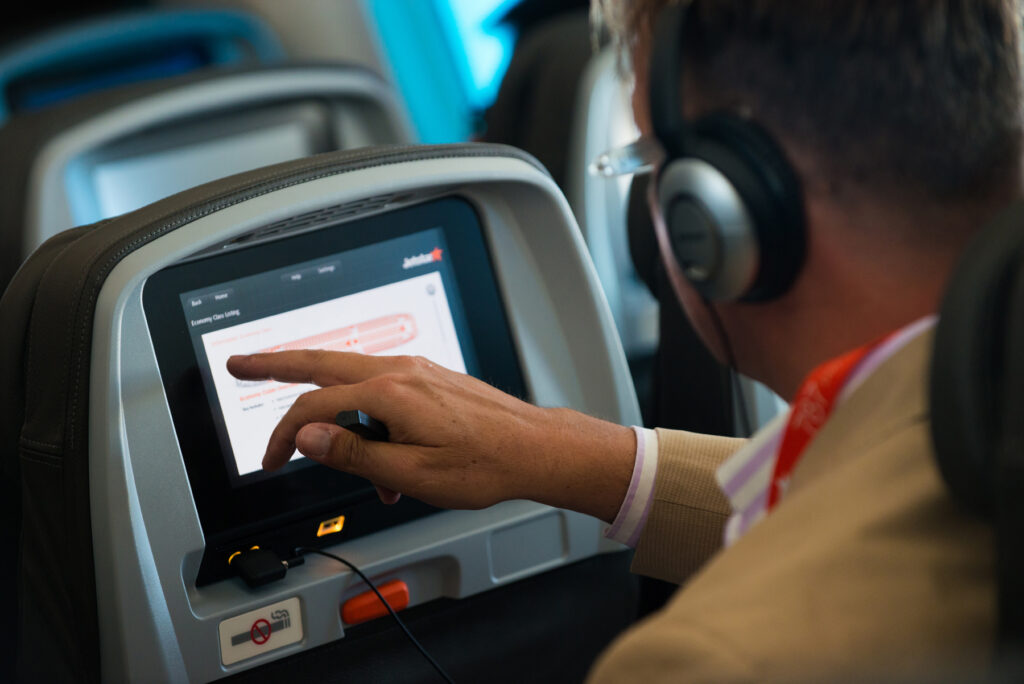
    A passenger wearing headphones using a seatback entertainment screen in an economy cabin
    Most seatback screens still need a wire, so pack the cable and a two-prong adapter (Photo: Jetstar Airways from Melbourne, Australia via Wikimedia Commons, CC BY-SA 2.0)

    Airline rules and etiquette

    Rules on using headphones and wireless devices on board vary by airline and country, and they change. We will not quote specific policies here, because they go out of date. The principles are stable:

    • Crew instructions always come first. Some airlines ask passengers to remove headphones, or at least one ear, during the safety briefing, taxi, takeoff and landing, so that you can hear instructions in an emergency. Do so when asked.
    • Airplane mode is expected. Phones and tablets are generally used in airplane mode or with the cellular connection switched off. Whether you can use Bluetooth accessories, and when, is the airline’s decision. The FAA explained when it expanded device use that policies would vary by airline, and that passengers should check with their airline.
    • Use transparency mode or remove a cup to talk to crew. It is quicker and more polite than asking someone to repeat themselves.
    • Keep the volume sensible. Sound leaks from open or poorly sealed headphones, and a neighbor trying to sleep will notice. A side benefit of noise cancelling is that you can listen at lower volume, which is kinder to your ears too.
    • Tell the person next to you if you plan to sleep. If you are in the window seat with headphones on, a small note on the seatback or a quick word before you nod off saves an awkward shoulder tap when they need to get out.

    Batteries and security screening

    Headphones and earbuds contain small lithium-ion batteries built into the device. As principles:

    • Headphones and earbuds are generally fine in carry-on bags, and it is sensible to keep them there anyway so they are not crushed or lost.
    • Spare lithium batteries and power banks must travel in the cabin, not in checked baggage, and should be protected from short circuits. If you carry a power bank to top up headphones, it goes in your carry-on.
    • Check the official guidance before flying: the FAA’s PackSafe lithium battery page, the TSA’s What Can I Bring? tool and CATSA’s guidelines for batteries in Canada. Airlines can add their own rules.
    • At security, large electronics may need to come out of your bag depending on the airport and the screening lane. Headphones in a case can usually stay in the bag, but follow the officer’s instructions.

    To keep the number of chargers down, a multi-device charger is worth considering; our guide to 3-in-1 Apple chargers covers one approach.

    Headphones from our original list

    The headphones below were featured in the original version of this guide. They cover a range of budgets and styles rather than a strict ranking. Models are updated and replaced often, and prices change constantly, so check the current specifications and battery figures from the maker before you buy. Where we have linked to a maker’s page, the details mentioned come from that page.

    Soundcore Life Q20

    The Soundcore Life Q20 from Anker’s audio brand is a budget over-ear pair with hybrid active noise cancelling. Soundcore describes memory foam ear cups and says the headphones target low- and mid-frequency noise such as airplane engines, and the product page lists AUX wired use. It suits travelers who fly a few times a year and want real noise cancelling without spending much. Budget ANC is not as strong as the premium end, but it is a large step up from basic earbuds.

    Soundcore Life Q30 and Soundcore Q20i

    Two more Soundcore models appeared on the original list. The Life Q30 sits above the Q20 in the range and was featured for its multiple noise-cancelling modes and app-based sound customization. The Q20i is another budget hybrid-ANC model with app support. Both suit value-minded travelers. Soundcore’s lineup changes often, so compare the current models on the maker’s site before you buy.

    TOZO HT2

    The TOZO HT2 was featured as a budget over-ear pair with hybrid noise cancelling and app-based sound adjustment. It suits travelers who want long battery life and a basic app at a low price. As with any budget pair, check the current listing for the battery figure with ANC on and whether a cable is included for seatback screens.

    INFURTURE active noise cancelling headphones

    The original list included a pair of INFURTURE over-ear ANC headphones, featured in a rose gold finish. They are a budget option for travelers who care about looks as well as function. With lesser-known brands, pay particular attention to the seller’s return policy and read the listing carefully for battery and wired-use details.

    Beats Studio Pro

    The Beats Studio Pro is an over-ear pair with fully adaptive active noise cancelling and a transparency mode. Beats describes a foldable design with a carrying case, lossless audio over USB-C, and a 3.5 mm analog input for wired sources and in-flight entertainment. It suits travelers in the Apple ecosystem who want quick pairing, and also works with Android. Beats lists separate battery figures for ANC on and off, so look at the lower one when planning a long flight.

    Beats Studio3 Wireless

    The Studio3 was on the original list as an earlier Beats noise-cancelling model. Beats’ website now sends visitors looking for the Studio3 to the Studio Pro, a sign that the older model has been superseded. If you find a Studio3 as remaining stock or refurbished at a good price, it can still be a reasonable choice, but compare it with the Studio Pro first.

    Sony WH-1000XM4

    Sony’s WH-1000XM4 has been a popular choice among frequent flyers for years. Sony’s help guide for the XM4 explains using the supplied headphone cable on an airplane, where noise cancelling keeps working while the headset is switched on, and mentions a supplied plug adaptor for in-flight use. It also supports Speak-to-Chat, which pauses playback when you start talking. Sony has released newer models since, so the XM4 is often found at lower prices; compare it with the current generation before deciding.

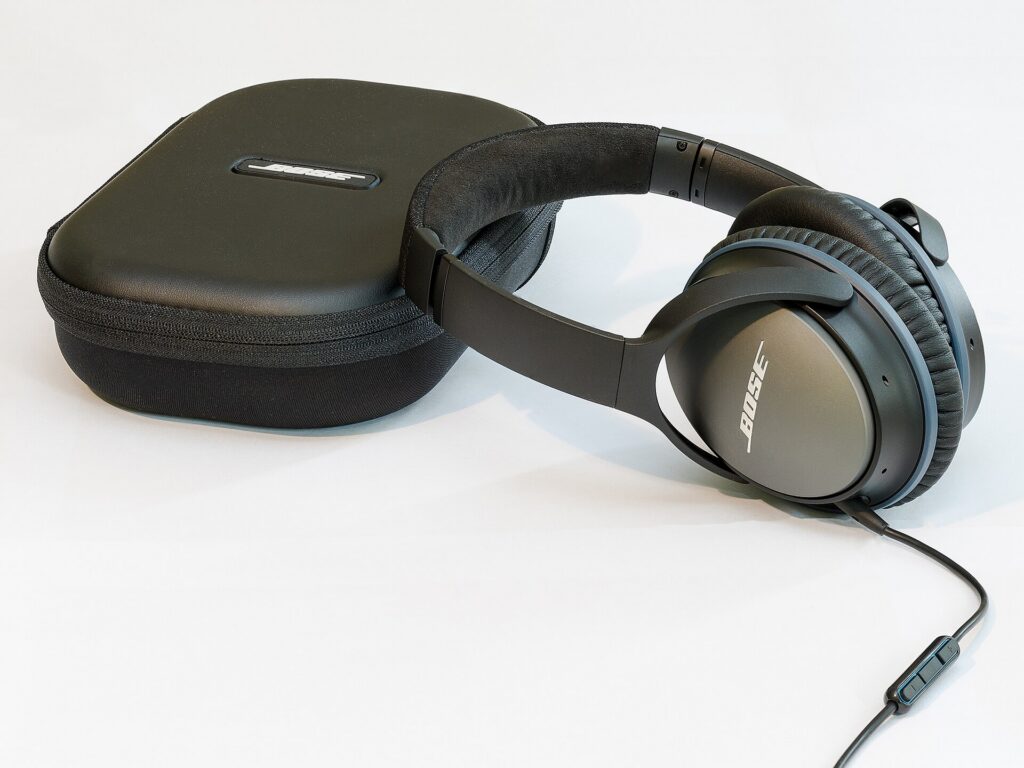
    Bose QuietComfort Headphones and QuietComfort Ultra Headphones

    Bose has made noise-cancelling headphones for travelers for a long time, and two of its models were on the original list. The QuietComfort Headphones are the more affordable of the two. The QuietComfort Ultra Headphones are Bose’s premium over-ear model, which Bose describes with an Aware mode for hearing your surroundings and Bose Immersive Audio for spatialized sound. Bose announced a second-generation QuietComfort Ultra in 2025, so check which version you are buying. These suit frequent long-haul flyers who put noise cancelling and comfort first.

    How to choose between them

    • Occasional flyer on a budget: a Soundcore or TOZO hybrid-ANC pair, as long as it has a cable input for seatback screens.
    • Apple user who wants seamless pairing: Beats Studio Pro.
    • Frequent long-haul flyer: a premium Sony or Bose model, chosen for the fit that feels best on your head.
    • Value in a premium model: the previous generation of a premium pair, such as the Sony WH-1000XM4, when it is discounted after a newer model arrives.
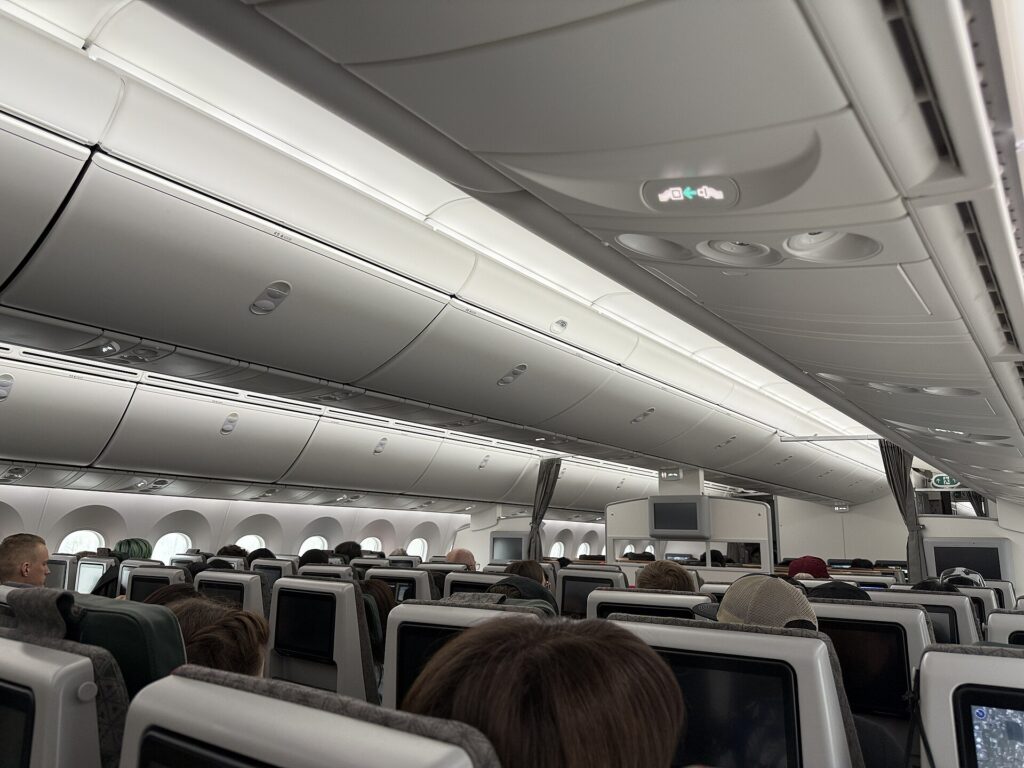
    The economy cabin of a widebody Boeing 787 with rows of seats and overhead bins
    Engine and air-system noise is a steady low drone, exactly what active noise cancelling handles best (Photo: 4300streetcar via Wikimedia Commons, CC BY 4.0)

    Getting the most from your headphones on a flight

    • Charge fully the night before, and top up at the gate if there is an outlet.
    • Download content before you leave. In-flight Wi-Fi can be slow, expensive or unavailable, and streaming apps often let you download for offline use.
    • Keep the case, cable and adapter together in your personal item, not the overhead bin, so you can reach them without standing up.
    • Switch ANC on at the gate. Airports are loud too, and starting the journey calm helps.
    • Take short breaks. On a long flight, give your ears and head a rest every couple of hours, which also reminds you to stand up and stretch.
    • Use a sleep playlist or white noise if you want to sleep. Silence plus ANC can feel odd at first; a quiet steady sound helps many people drift off. Our guide to sleeping on flights covers routines, light and seat choice.
    • Keep one ear free on the ground in busy streets and stations at your destination. Transparency mode helps, but staying aware of traffic and your bag matters more.

    Choosing a seat for a quieter flight

    Headphones do most of the work, but where you sit helps too. Seats toward the front of the cabin are generally quieter than seats near the engines or behind the wing on many aircraft, and seats close to galleys and lavatories see more foot traffic, conversation and door noise. Bulkhead rows are often near bassinet positions, which some travelers prefer to avoid if they want to sleep. When you compare flights, look at the aircraft type as well as the time and price, and use the airline’s seat map when you select a seat. If a quiet flight really matters to you, our guide to the difference between first class and business class explains what premium cabins add beyond the seat.

    Headphones for other parts of the trip

    Noise-cancelling headphones earn their keep beyond the plane. On trains and buses, they cut the rumble of the track and road. In hotel rooms near elevators, busy streets or nightlife, they can make it possible to sleep, although soft foam earplugs are more comfortable for side sleepers. In coworking spaces and cafés, they help you focus on work; our guide to travel keyboards covers the rest of a portable work setup. If you are choosing a room for a work trip, our business travel hotels guide explains how to find a quieter room.

    Care, storage and hygiene

    • Store them in the case whenever they are not on your head. Crushed headbands and snapped hinges are the most common travel failures.
    • Wipe the ear cushions with a slightly damp cloth after long flights and let them dry fully. Avoid soaking them or using harsh cleaners that can crack synthetic leather.
    • Replace worn cushions. Many premium headphones sell replacement ear pads, which restore comfort and passive isolation for a fraction of the cost of a new pair.
    • Keep the battery healthy by charging it every few weeks if the headphones sit unused between trips.
    • Update firmware through the companion app before a big trip, not at the gate.
    • Label the case or add a luggage tag. Headphones are among the items most often left behind in seat pockets.

    Common mistakes

    • Buying on noise cancelling alone. The quietest pair is no good if it hurts after two hours.
    • Forgetting the cable. Without it, many seatback screens are useless to you.
    • Trusting the headline battery figure. Look at the figure with ANC on, and plan for delays.
    • Packing headphones in checked luggage. They can be crushed or lost, and you will not have them on the flight.
    • Ignoring crew requests. When asked to remove headphones, do it promptly.
    • Turning the volume up to drown out the engines. Let the noise cancelling do the work and keep the volume moderate.
    Over-ear noise-cancelling headphones beside their protective carrying case
    A protective case keeps the hinges, cable and adapter safe in a packed backpack (Photo: Florian Fuchs via Wikimedia Commons, CC BY-SA 3.0)

    Frequently asked questions

    Can I use Bluetooth headphones on a plane?

    Usually yes, with your phone or tablet in airplane mode and Bluetooth switched back on, but it is up to the airline, and crew instructions come first. Some airlines ask passengers to remove headphones during the safety briefing, takeoff and landing.

    Will wireless headphones work with the seatback screen?

    Only if the headphones have a cable input, the seat supports Bluetooth pairing, or you use a Bluetooth transmitter plugged into the seat jack. Most seatback systems still expect a wire.

    Are noise-cancelling earbuds as good as over-ear headphones on a plane?

    Good earbuds with a snug seal work well, but over-ear headphones usually cut more low engine noise. Earbuds are lighter, smaller and better for sleeping on your side.

    Do noise-cancelling headphones block voices and crying babies?

    Partly. Active noise cancelling works best on steady low sounds like engines. Voices and sudden sounds are reduced mainly by the passive seal, so fit matters, and some sound always gets through.

    How much battery life do I need?

    Enough for your longest door-to-door journey with noise cancelling switched on, plus a margin for delays. Check the maker’s figure for ANC-on use, which is lower than the headline number.

    Can I bring headphones and a power bank in my carry-on?

    Headphones are generally fine in carry-on bags. Power banks and spare lithium batteries must travel in the cabin, not in checked luggage. Check the FAA, TSA or CATSA guidance and your airline’s rules before flying.

    What is the two-prong adapter for?

    Some older aircraft use a two-prong audio socket. A small adapter lets you plug a standard 3.5 mm headphone cable into it. Some headphones include one, and they are inexpensive to buy separately.

    Can I sleep in over-ear headphones?

    Many people do, especially sitting upright or leaning back. If you rest your head on the side, the ear cups can press uncomfortably; earbuds or soft earplugs with a neck pillow may be better.

    With the cabin noise handled, the rest is choosing the flight. Compare fares, aircraft and schedules on our flight search, find a quiet room on our hotel search, and if your trip continues by road, check our car rental search. Planning a long-haul trip to try your new headphones? Flights to London and our guide to things to do in London are a good place to start.