Tag: Business Travel

  • The Ultimate Guide to Business Travel Hotels in 2026

    The Ultimate Guide to Business Travel Hotels in 2026

    On a work trip, the hotel is your office, your bedroom and your base of operations, and it is chosen under constraints a leisure traveler never faces: a meeting at a fixed address, a travel policy with a nightly cap, a flight home that leaves before breakfast, and a need to be sharp on camera or in a boardroom the next morning. The right business hotel is not necessarily the most expensive one or the one with the grandest lobby. It is the one that removes friction: a short, predictable commute, a quiet room, reliable Wi-Fi, a desk you can actually work at, breakfast that opens early enough, and a receipt your finance team will accept without questions. This guide explains how to choose one, which amenities really matter and which are marketing, how to handle conference room blocks, airport stays and extended trips, how loyalty programs and corporate rates work, and the mistakes that cost business travelers the most time and money.

    The short answer

    Choose on location first: the shortest reliable door-to-door time to where you need to be, at the time you need to be there. Then check the work essentials: recent reviews that mention the Wi-Fi, a real desk, a quiet room and breakfast hours that suit your schedule. Book a flexible rate, because business plans change, and book through a channel that produces an itemized folio in your or your company’s name. Join the chain’s loyalty program even if you only travel a few times a year. For conferences, book inside the official room block through the organizer’s link. For early flights, stay at the airport. Compare options on our hotel search, and see our pillar guide to hotel booking tips for the fundamentals.

    What makes a hotel good for business travel

    Hotels market themselves to business travelers with business centers, meeting rooms and executive lounges. Some of that matters; much of it does not, because most professionals now travel with a laptop and a phone and never touch a business center. What actually decides whether a work trip goes smoothly is more basic.

    • Commute time. The hours you spend getting between the hotel and your meetings are the single largest variable in a business trip. Fifteen minutes on foot beats forty in a taxi at rush hour, every day.
    • Sleep. A quiet, dark room with a good bed and working climate control is the amenity that most affects your performance. It rarely appears in the marketing.
    • Connectivity. Wi-Fi that handles video calls from the room, not just email in the lobby.
    • A place to work. A desk at the right height, a chair you can sit in for an hour, and power outlets where you need them.
    • Timing. Breakfast that opens before your first meeting, a gym that opens before breakfast, a front desk that can store luggage after checkout, and late checkout when your flight is in the evening.
    • Clean billing. An accurate, itemized receipt with the right name and company on it.

    Everything else, from the lobby design to the rooftop bar, is secondary. When you compare two hotels, compare them on those six things.

    Location: how to choose it properly

    “Near the meeting” is not the same as “a short commute”. A hotel two kilometers away across a river with one congested bridge can take longer to reach than one five kilometers away on a direct subway line. Before booking, check the route at the actual time you will travel, on the actual day of the week, using a map app’s departure-time setting. Consider:

    • Walkability. If you can walk to your meetings, you remove traffic, taxi queues and ride-hail surge pricing from the equation, and you arrive with a clear head.
    • Transit. In cities with good rail systems, a hotel on the same line as your office, the airport train or the convention center is often better than one closer by distance. Our city transport guides, such as Toronto: car rental or public transit, explain how each system works.
    • Multiple meeting locations. If you are visiting several clients across a city, stay near the best transit hub or the center of gravity of your appointments, not next to any single one.
    • Evening plans. A hotel in an empty office district may be ideal at 8 a.m. and bleak at 8 p.m. If you are entertaining clients, a location near restaurants matters.
    • Parking and driving. If you are driving or renting, factor in hotel parking, which in downtown cores can be a significant nightly charge, often valet-only. Our car rental search compares airport and downtown pickups.

    A slightly more expensive hotel with a ten-minute walk frequently costs less in total than a cheaper one that requires two taxis a day, and it gives you back the time. Most travel policies care about total trip cost, and a short explanation of the saving will usually justify a higher room rate.

    A hotel lobby with a small business center
    Most business travelers now work from the room, not the business center (Photo: Opera Cadet from PARIS, FRANCE via Wikimedia Commons, CC BY-SA 2.0)

    The work essentials, and how to check them before you book

    Wi-Fi

    Almost every hotel advertises free Wi-Fi. What varies is whether it can handle a video call from your room at 9 a.m. when half the building is doing the same. The listing will not tell you; recent guest reviews will. Search the reviews for “Wi-Fi”, “internet” and “video call”, and weight comments from the last few months most heavily. Some hotels offer a faster paid tier or a faster tier for loyalty members. If a call or presentation matters, bring a backup: your phone’s hotspot, a travel eSIM with data, or a portable router. Public Wi-Fi, including hotel networks, should be treated as untrusted; use your company’s VPN, keep devices updated, and follow the guidance from the Canadian Centre for Cyber Security on connecting safely away from the office.

    The desk and the chair

    Room photos show whether there is a desk. They do not show whether it is a proper work surface or a narrow shelf beside the television. Look for photos taken by guests, and for rooms described as having a work desk or an ergonomic chair. Some newer select-service hotels have replaced desks with lounge seating and communal work areas; that suits some people and not others. If you need to take calls privately, check that the room, not only the lobby, is a usable work space.

    A quiet room

    Request a room away from the elevators, ice machines, the street side and any rooftop bar or event space, and on a higher floor. You can add this as a request at booking and repeat it at check-in. Loyalty members are more likely to have requests honored. If the room is noisy, ask to move on the first night rather than enduring it; it is much easier for the front desk to reassign a room before the hotel fills.

    Breakfast, gym and hours

    Check when breakfast opens. A hotel restaurant that starts serving at 7 a.m. is no use for a 7:30 meeting across town. Many select-service hotels offer a grab-and-go option from early morning. If you exercise, check the gym’s hours and equipment in recent photos. A 24-hour gym with two treadmills is different from a proper fitness center.

    Check-in and checkout

    Mobile check-in and digital room keys, now offered by the major chains through their apps, let you go straight to your room after a late arrival. Late checkout is often available on request, especially for elite members, and is invaluable when your flight is in the evening. If you cannot get it, ask the front desk to store your bags and find out whether the gym or lounge has showers you can use before the flight.

    A neatly made hotel room with a king bed and bedside lamps
    A quiet, dark room with a good bed matters more on a work trip than any lobby (Photo: PattayaPatrol via Wikimedia Commons, CC BY-SA 4.0)

    Types of business hotel, and when each makes sense

    Hotel typeBest forWatch for
    Downtown full-service hotelClient meetings, entertaining, trips with evening eventsHigher rates on weekdays, paid parking, paid breakfast
    Select-service hotelSolo trips with a tight budget cap; practical rooms and included breakfast at many brandsLimited dining, smaller desks at some brands, no room service
    Airport hotelEarly departures, late arrivals, meetings held at the airportIsolation from the city; shuttle schedules; noise on some sides
    Convention or attached hotelMulti-day conferences and trade showsRates rise sharply outside the official block; lines at peak times
    Extended-stay or apartment-hotelProjects of a week or more; relocations; training coursesFewer staff and services; housekeeping may be weekly
    Boutique or independent hotelCharacter, neighborhood locations, shorter tripsVariable Wi-Fi and desks; may not earn chain points or accept corporate rates

    Airport hotels: when they are the right call

    For a 6 a.m. departure, an airport hotel can be the difference between a normal night’s sleep and a 3:30 alarm and a taxi in the dark. They also work for late arrivals, for one-day trips where the meeting is near the airport, and as a fallback when a flight is cancelled. Several major Canadian airports have hotels connected to the terminal: at Toronto Pearson the Sheraton Gateway is linked to Terminal 3, Vancouver International has the Fairmont Vancouver Airport inside the terminal, Montreal-Trudeau has an in-terminal Marriott, and Calgary International has one as well. Elsewhere, airport hotels are usually a short shuttle ride away; check the shuttle’s hours, because some stop overnight or start after the first flights leave.

    Before booking, compare the total trip. An airport hotel plus a quick walk to security may cost less than a downtown hotel plus a pre-dawn taxi, and it buys you sleep. Our airport arrival time guide explains how early you need to be at the airport for different kinds of flight.

    Conferences, trade shows and room blocks

    Large events negotiate a block of rooms at one or more hotels near the venue, at an agreed group rate, and publish a booking link or housing service to attendees. Book inside that block when you can:

    • The block rate is often lower than what the same hotel charges the public during a big event, and it sometimes includes Wi-Fi or other extras.
    • The block has a cut-off date, usually weeks before the event, after which unsold rooms return to general inventory at regular prices. Book early.
    • Organizers rely on the block. Events often commit to filling a certain number of rooms, and attendees booking inside the block help keep registration prices and future venues viable.
    • Beware of unofficial housing offers. Exhibitors and attendees at large events are sometimes contacted by companies claiming to be the official housing provider. Book only through the link on the event’s own website or in the organizer’s official communications, and be suspicious of anyone who calls or emails you offering rooms.

    If the block is full, look at hotels one transit stop away rather than paying peak rates next door, and remember that during a citywide convention, rates across the whole city rise. Canada’s major convention centers, including the Metro Toronto Convention Centre, the Vancouver Convention Centre, the Palais des congrès de Montréal and the Shaw Centre in Ottawa, all have hotels within walking distance; our neighborhood pages for the Toronto Entertainment District, Old Montreal and the ByWard Market show nearby options.

    The Fairmont Vancouver Airport hotel inside the YVR terminal
    The Fairmont Vancouver Airport sits inside the terminal at YVR, ideal before an early flight (Photo: BriYYZ from Toronto, Canada via Wikimedia Commons, CC BY-SA 2.0)

    Rates, policies and paying for the room

    Corporate and negotiated rates

    Many companies negotiate rates with specific hotels or chains in the cities their staff visit most, often through a travel management company. If your employer has negotiated rates, use them: they are usually flexible, sometimes include breakfast or Wi-Fi, and keep you inside policy. Some chains also offer a general corporate rate to anyone traveling for business; it is not always cheaper than the best public rate, so compare. Government employees and contractors have their own rate programs.

    Per diems and policy caps

    If your employer sets a nightly cap, check it against the destination before you book; a cap that works in a mid-size city may not cover a downtown hotel in a major city during a busy week. Government per diem tables are a useful public benchmark for what lodging reasonably costs in a given place: the US General Services Administration publishes per diem rates by city, and the Government of Canada’s National Joint Council publishes its Travel Directive for public servants. If you have to exceed your policy, document why, such as a citywide event, before you book.

    Flexible rates

    Business plans change: meetings move, projects slip, a client cancels. For most work trips, a flexible rate with free cancellation until a day or two before arrival is worth the small premium over a prepaid rate. Note the deadline and time zone. If your trip is truly fixed and your company accepts the risk, prepaid rates can save money, but a no-show on a non-refundable rate is a cost nobody wants to explain.

    Fees, deposits and receipts

    Compare totals, not nightly rates: taxes, destination or resort fees, parking and paid Wi-Fi can change the ranking. At check-in, hotels usually place a hold on a card for incidentals. If you use a corporate card, make sure it is the card on file for the room and incidentals, and ask the front desk to email you an itemized folio at checkout. Expense teams generally need the folio, not just a credit card slip or a booking confirmation, and in Canada, a business registered for GST/HST may be able to recover the tax paid on accommodation; ask your finance team what documentation they need.

    Loyalty programs: worth it even for occasional travelers

    Joining a hotel chain’s loyalty program is free and pays off even at a few stays a year. Members typically get the best available rates on the chain’s own site, free or faster Wi-Fi at many brands, mobile check-in and digital keys, and a better chance of having room requests honored. Frequent travelers who reach elite status add late checkout, upgrades, lounge access and breakfast at some brands, depending on the program and tier. The largest programs include Marriott Bonvoy, Hilton Honors, World of Hyatt and IHG One Rewards; check each program’s current terms, because benefits change.

    Two practical points. First, if you want points and elite credit, book in a way that the program recognizes: usually directly with the hotel or through your company’s approved channel. Stays booked through some third parties may not earn. Second, do not let points override judgment. A hotel of your preferred chain that adds thirty minutes of commuting each way is not a good trade for the points it earns.

    Extended stays and project work

    For a week or more in one place, the math changes. An extended-stay hotel or apartment-hotel with a kitchen, a proper table and in-room laundry can cost less per night than a standard hotel and makes long trips far more livable. Ask about weekly or monthly rates, which are often not shown in standard searches, and about how often housekeeping comes. For very long stays, check whether your company has a preferred provider, and whether there are tax implications for stays beyond a certain length in the destination.

    Extending a work trip into the weekend

    Downtown hotels that are full of business travelers from Monday to Thursday often drop their rates on Friday and Saturday nights, when the business crowd leaves. That makes adding a weekend to a work trip, with a partner or family joining you, better value than it looks. Check your company’s policy on mixing personal and business travel: usually the employer pays for the business nights and you pay for the rest, and the flight change must not cost the company more. If your family is joining, our guide to booking hotels for family vacations covers room sizes and occupancy.

    Crossing the Canada-US border for work

    Business travel between Canada and the United States is routine, but the entry requirements are not the hotel’s problem, they are yours. Frequent cross-border travelers should look at NEXUS, the joint trusted-traveler program, and US citizens who travel internationally should consider Global Entry. Visa-exempt visitors flying to Canada from countries other than the US generally need an Electronic Travel Authorization. Rules about what counts as permitted business activity differ by country and change over time, so confirm on the official pages before you travel. For hotel advice specific to Canada, see our guide to hotel booking in Canada.

    The Metro Toronto Convention Centre in downtown Toronto
    The Metro Toronto Convention Centre: book inside the official room block before the cut-off (Photo: Raysonho @ Open Grid Scheduler / Grid Engine via Wikimedia Commons, Public domain)

    Safety and security on the road

    • Protect your room number. A good front desk writes it down rather than announcing it. If yours says it aloud in a busy lobby, ask for a different room.
    • Use the door’s secondary lock and check that connecting doors are locked.
    • Use the room safe or keep your laptop with you; do not leave devices unlocked.
    • Treat unexpected calls to your room with caution, especially ones asking you to confirm card details. Go to the front desk in person instead.
    • Know your exits. Take thirty seconds on arrival to find the nearest stairwell.
    • Share your itinerary with your company’s travel team if it has one; many employers have a duty-of-care process that relies on knowing where staff are staying.

    Common mistakes business travelers make

    Booking on price alone

    The cheapest hotel that meets policy can cost more once taxis, parking and lost time are counted. Compare the whole trip.

    Trusting “free Wi-Fi” without checking

    Free and usable are different things. Read recent reviews and bring a backup connection for anything important.

    Missing the conference block

    Booking after the cut-off, or outside the official link, often means paying more for a worse location.

    Forgetting the folio

    Ask for an itemized receipt at checkout, check it for errors before you leave, and file it with your expenses right away.

    A pre-trip checklist

    • Map the commute from each shortlisted hotel at the time you will travel.
    • Read recent reviews for Wi-Fi, noise and the desk.
    • Check breakfast and gym hours against your schedule.
    • Book a flexible rate within policy, under your loyalty number, with the right name and company.
    • For a conference, book through the organizer’s official link before the cut-off date.
    • Add requests: quiet room, high floor, late checkout if needed.
    • Book the flight on our flight search and, if needed, a car on our car rental search.
    • Save the hotel’s direct phone number and the cancellation deadline.

    Frequently asked questions

    What should I look for in a business travel hotel?

    A short, reliable commute to your meetings, a quiet room, Wi-Fi that handles video calls, a real desk, breakfast that opens early enough, flexible cancellation and an itemized receipt.

    Is it better to stay near the airport or downtown for a business trip?

    Downtown if your meetings are there and you have daytime flights. At the airport if you have a very early departure or a late arrival, or if your meeting is near the airport.

    How far ahead should I book a hotel for a work trip?

    As soon as the trip is confirmed, on a flexible rate. For conferences, book inside the official block well before its cut-off date. During citywide events, book as early as you can.

    Are hotel loyalty programs worth joining for occasional business travel?

    Yes. They are free, member rates are often the best available on the chain’s site, and members typically get better Wi-Fi and are more likely to have requests honored.

    Should I book the conference hotel or somewhere nearby?

    The official block is usually the best value and the most convenient. If it is full or over budget, look one transit stop away rather than paying peak public rates next to the venue.

    What receipt do I need for expenses?

    Usually the hotel’s itemized folio showing each night, taxes and any extras, in your name. Ask for it at checkout and check it before you leave.

    Why are downtown hotels cheaper on weekends?

    Because their weekday guests are business travelers who go home on Friday. With fewer guests on Friday and Saturday nights, many downtown hotels lower their rates.

    Ready to book your next work trip? Compare downtown, airport and convention-area options on our hotel search, find the right flight on our flight search, and price a rental on our car rental search. Headed to Canada’s biggest business city? Start with hotels in Toronto, and see our tips on finding the best hotel deals online and last-minute hotel booking for trips that come up at short notice.

  • Travel Keyboard: 7 Best Portable Foldable Keyboards for Work & Travel in 2026

    Travel Keyboard: 7 Best Portable Foldable Keyboards for Work & Travel in 2026

    Typing a long email on a phone screen is slow. Writing a report on a tablet’s on-screen keyboard is worse. And a laptop keyboard, perched on a hotel desk that is too high or a tray table that is too small, can leave your neck and wrists complaining by the end of a trip. A travel keyboard fixes a surprising amount of that for very little weight. It can turn a phone or a tablet into something close to a laptop for writing, and it can turn a laptop on a stand into a proper workstation. This guide explains the different kinds of travel keyboards, what actually matters when you choose one, how to set it up and use it on planes, trains and in hotel rooms, the options from our original list and who each one suits, and the few rules that apply when you fly with small battery-powered gadgets. It is part of our travel gear series, which starts with our main guide to choosing travel luggage.

    The short answer

    If you want to write on a phone or tablet, a slim Bluetooth keyboard with a built-in cover or a folding keyboard that packs to pocket size is the most practical. If you use a laptop on a stand, a compact Bluetooth keyboard with a normal key layout and a small mouse will serve you better than a tiny folding one. If you type all day, prioritize full-size key spacing and a layout without an awkward split, or choose an ergonomic split design deliberately. Whatever you pick, choose multi-device pairing so you can switch between phone, tablet and laptop, a rechargeable battery with USB-C so it shares a cable with your other gear, and a layout that matches your operating system. Try typing a paragraph on it at home before you rely on it for a deadline on the road.

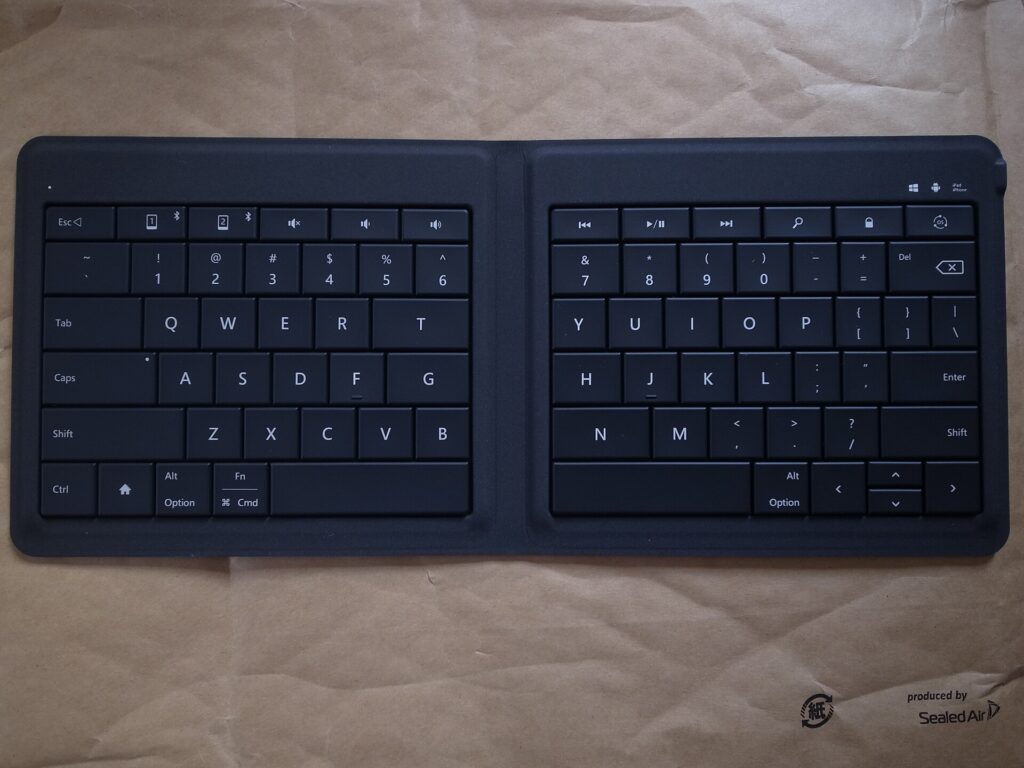
    A folding Bluetooth keyboard opened flat, showing its two halves
    Folding keyboards open to near full-size keys and close to about the size of a large phone (Photo: Toshiyuki IMAI via Wikimedia Commons, CC BY-SA 2.0)

    Why carry a travel keyboard at all?

    A keyboard is not essential for everyone. It earns its place if any of these sound familiar:

    • You want to leave the laptop at home. For writing, email and messaging, a tablet or even a phone plus a keyboard can handle a lot of work, and the combination is lighter than most laptops.
    • You work long hours from hotels. Raising the laptop screen on a stand improves your posture, but then you need a separate keyboard to type comfortably.
    • You write on the move. Journalists, students, novelists and bloggers often find that writing on trains and in cafés goes faster with real keys.
    • You switch devices a lot. A multi-device keyboard lets you answer a message on your phone and go straight back to a document on your tablet without changing keyboards.

    If you only write the occasional short message on a trip, you probably do not need one. If you plan to work on the road, it is one of the lightest upgrades you can pack, alongside the other items in our guide to laptop travel accessories.

    Types of travel keyboards

    Folding keyboards

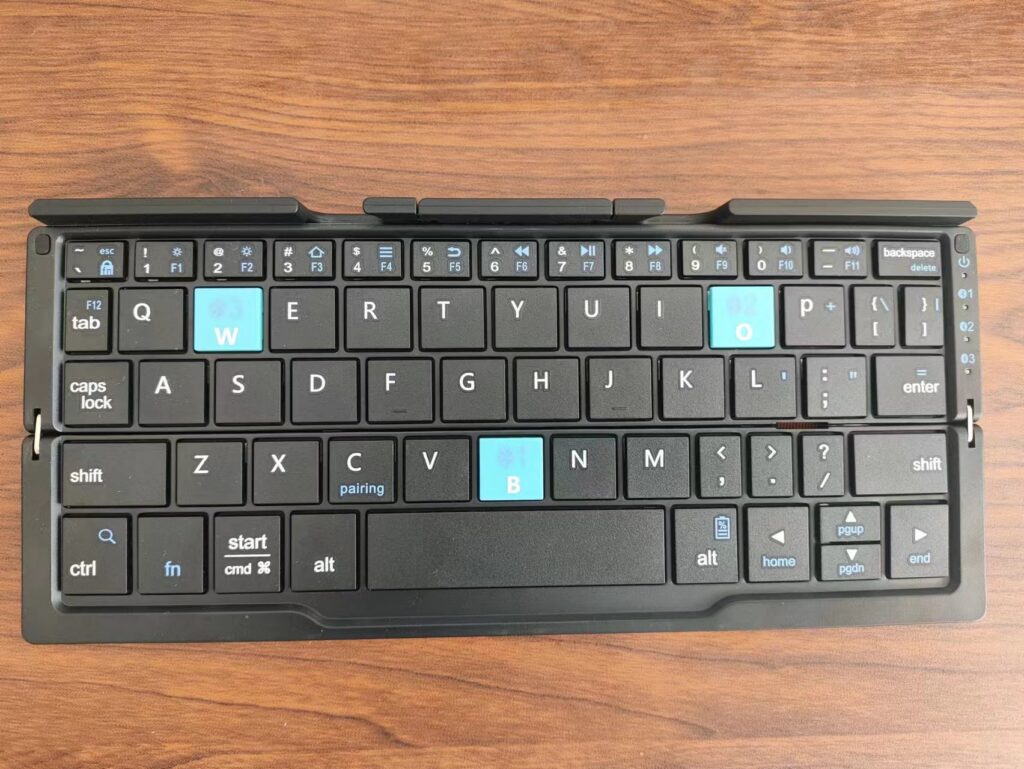
    Folding keyboards hinge in the middle, or in two places for a tri-fold design, and close to roughly the size of a large phone or a paperback. Open, they give you something close to full-size keys. The trade-off is the fold itself: keys near the hinge can be split between halves or pushed slightly apart, which takes some getting used to, and the hinge is the part most likely to wear out. Many folding keyboards include a small stand for a phone.

    Slim non-folding keyboards

    These are thin, light keyboards with compact layouts that do not fold. Some include a cover that protects the keys in your bag and flips round to act as a surface or stand. They avoid the hinge problem and usually feel more solid to type on, but they are longer when packed, roughly the width of a small tablet.

    Split ergonomic folding keyboards

    Some folding keyboards turn the fold into a feature: the two halves angle apart so your hands sit in a more natural position. They take a few days to adjust to if you are used to a standard layout, and they suit people who type a lot and already like ergonomic keyboards at home.

    Tablet keyboard cases

    A keyboard case attaches to a specific tablet and doubles as protection. It is the tidiest option if you only ever type on one tablet, but it ties you to that device, adds weight to the tablet all the time and usually cannot be used with a phone or laptop.

    Keyboard and mouse combos

    Some folding keyboards are sold with a small wireless mouse. The pair gives you a complete setup for a laptop on a stand or a tablet that supports a mouse, useful for spreadsheets and editing work.

    Roll-up silicone keyboards

    Flexible silicone keyboards roll up and resist spills, but most people find their soft, mushy keys slow and tiring for real typing. They are a niche choice rather than a general recommendation.

    TypePacked sizeTyping feelBest forWatch out for
    Folding (bi-fold or tri-fold)Pocket or phone sizeGood once used to the splitPhone and tablet users who pack lightKeys near the hinge, hinge wear
    Slim non-folding with coverSmall-tablet widthSolid, familiarTablet writers, laptop-on-stand setupsLonger to pack
    Split ergonomic foldingPocket or phone sizeComfortable after adjustingHeavy typists who like ergonomic layoutsLearning curve
    Tablet keyboard caseAttached to tabletVaries by modelOne-tablet usersTied to one device, adds weight
    Keyboard and mouse comboPocket plus mouseSimilar to foldingLaptop on a stand, spreadsheet workTwo items to charge
    Roll-up siliconeRolled tubeSoft and slowSpill-prone environmentsPoor for long typing

    What matters when you choose

    Key size and spacing

    The single biggest factor in typing comfort is whether the keys are close to full size and spaced like a normal keyboard. Your fingers are trained on standard spacing, and a keyboard that shrinks it by even a little slows you down and adds typos. Check that the letter keys are full width and that important keys such as Shift, Enter, Backspace and the arrow keys are not squeezed into odd positions.

    Key feel

    Scissor-switch keys, similar to many laptop keyboards, feel crisp and stable. Softer membrane keys are quieter but can feel vague. Very short key travel is common on slim keyboards; some people like it and some find it tiring. If you can, try a keyboard in a store or buy from a seller with an easy return policy.

    Layout and operating system

    Windows, macOS, iPadOS, Android and ChromeOS use different modifier keys and shortcuts. Many travel keyboards support several systems and switch layouts automatically or with a key combination, and some brands sell separate versions for Apple devices. Choose one whose modifier keys match what you use most, or you will be fighting muscle memory every time you copy and paste.

    Multi-device pairing

    Many travel keyboards remember two or three devices and switch between them with a button. For travelers who use a phone, a tablet and a laptop, this is one of the most useful features, since it saves re-pairing every time you change device.

    Battery and charging

    Rechargeable keyboards with a USB-C port share a cable with the rest of your gear, which means one fewer thing to pack. Keyboards that use replaceable coin cells or AAA batteries can run a long time, but you need spares for a long trip. Whatever the type, look for an automatic sleep mode or a power switch, so the keyboard does not drain in your bag.

    Connection type

    Bluetooth connects directly to phones, tablets and most laptops without an extra part. Some keyboards also offer a small USB receiver or a wired USB-C connection, which can be steadier in places crowded with wireless signals and useful for devices without Bluetooth. A receiver is small and easy to lose, so keep it in a pocket of your cable pouch.

    Size, weight and protection

    A keyboard you leave at home helps nobody. Weigh the packed size against how much you type. A cover or case protects the keys in a packed bag and stops keys being pressed accidentally, which can wake your devices or drain the battery.

    Stand for a phone or tablet

    Some keyboards include a fold-out stand or a slot for a phone or tablet. Without one, you need a separate stand or a tablet case that props the screen up. A small, light stand is worth carrying if your keyboard does not include one.

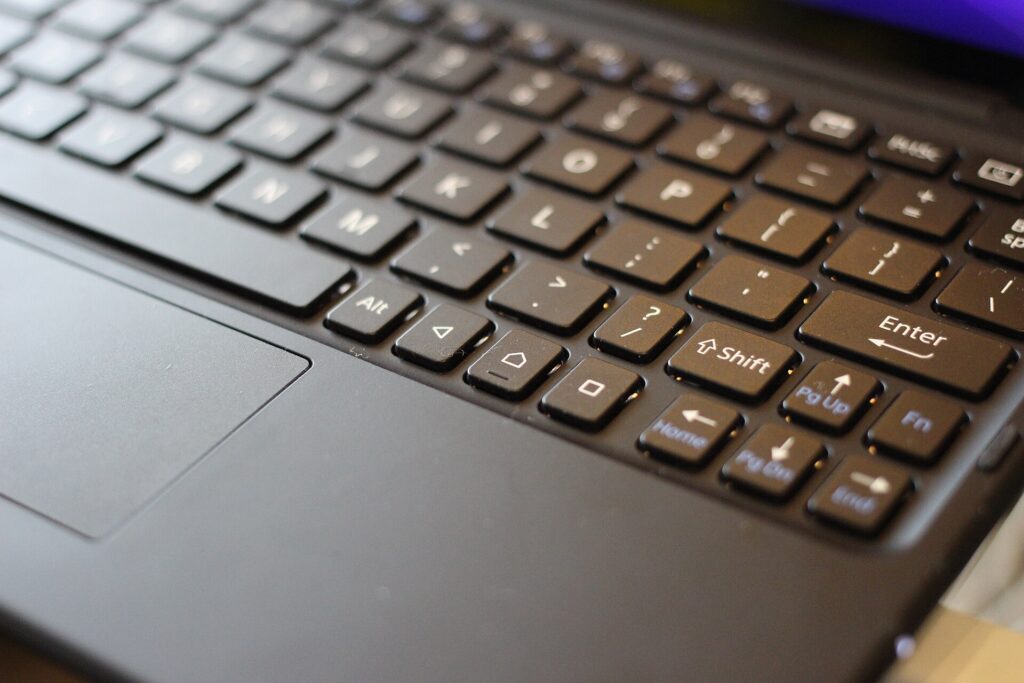
    Close-up of a slim Bluetooth keyboard attached to a tablet
    Paired with a tablet, a slim keyboard handles email and writing for far less weight than a laptop (Photo: Maurizio Pesce from Milan, Italia via Wikimedia Commons, CC BY 2.0)

    Options from our original list

    The keyboards below were featured in the original version of this guide. They cover different needs rather than a strict ranking. Models, layouts and features change, so check the current specifications from the maker or seller before you buy.

    TECKNET wireless foldable Bluetooth keyboard

    TECKNET’s foldable Bluetooth keyboard is a full-size folding design that includes a numeric keypad, which is unusual in a folding keyboard. It suits travelers who work with numbers, such as accountants, analysts and anyone who lives in spreadsheets, and who want a number pad without carrying a full desk keyboard. A keyboard with a number pad is wider when open, so check that it fits the tray tables and café tables you use.

    Logitech Keys-To-Go 2

    The Logitech Keys-To-Go 2 is a slim, non-folding keyboard with a built-in cover that protects the keys in your bag. Logitech describes it as using low-profile scissor keys, connecting to up to three devices and working with Android, ChromeOS, Windows, iPadOS, iOS and macOS, and it offers a universal version and a version with an Apple layout. It suits tablet users and anyone who wants a thin keyboard that slides into a sleeve or a handbag and feels more solid than a folding design.

    Targus Ergonomic Foldable Bluetooth Antimicrobial Keyboard

    The Targus Ergonomic Foldable Bluetooth Antimicrobial Keyboard uses a split layout that angles the two halves for a more natural hand position. Targus says it folds to about the size of a smartphone, pairs with up to three devices over Bluetooth, recharges over USB-C and is treated with its DefenseGuard antimicrobial additive. It suits travelers who already prefer ergonomic keyboards and do a lot of typing. The antimicrobial treatment is a surface feature, not a reason to skip cleaning, and the split layout takes a few days to get used to.

    Portable foldable keyboard and mouse combo

    The original list included an unbranded folding keyboard sold with a wireless mouse, listed with Bluetooth as well as USB-A and USB-C connection options. A combo like this suits travelers who want a complete, inexpensive setup for a laptop on a stand or a tablet that supports a mouse. With unbranded products, check the seller’s return policy and read the listing carefully for the connection types and operating systems it supports.

    Samsers foldable keyboard and mouse combo

    Samsers sells a folding keyboard with a rechargeable wireless mouse, and the original list featured it in more than one color. It is a budget-friendly way to put together a portable workstation for hotel rooms and coworking spaces. Check the listing for the exact connection options and which devices it supports before you buy.

    Samsers full-size foldable Bluetooth keyboard (KF08S)

    The Samsers KF08S is a folding Bluetooth keyboard without a mouse, sold with a protective cover. It suits travelers who want a full-size folding layout for a phone or tablet and do not need a mouse. As with any folding keyboard, pay attention to the keys near the fold when you first try it.

    Setting up a travel keyboard

    • Charge it fully at home and pair it with every device you plan to use, assigning each to a channel if it supports multi-device switching.
    • Set the layout on each device, especially the language and the operating-system mode, so symbols and shortcuts are where you expect.
    • Learn the switch keys for changing devices and for special functions like brightness, volume and the home screen on a tablet.
    • Practice for a few days. Write something real at home. It is much better to discover that you hate the split in your living room than on deadline in an airport.
    • Pack the charging cable in your cable pouch, or confirm that the keyboard charges from a cable you already carry.

    Using a keyboard on planes, trains and in hotels

    On a plane

    Economy tray tables are small, and the seat in front may recline into your space. A tablet in a stand plus a folding keyboard often fits better than a laptop, because the screen and keyboard can be arranged separately. Put the tablet at the back of the tray and the keyboard in front, or rest the keyboard on your lap. Bluetooth accessories are generally allowed during flights with the device in airplane mode and Bluetooth switched back on, but crew instructions and airline policies come first, especially during takeoff and landing. If the flight is long, a pair of noise-cancelling headphones makes focused work much easier.

    On a train

    Trains are often better than planes for working: bigger tables, more legroom and sometimes power outlets. A folding keyboard and a phone or tablet stand make good use of a small table seat. Keep the keyboard close when the train brakes, and put the whole setup away before your stop so nothing slides off the table.

    In a hotel room

    Hotel desks are often too high for comfortable laptop typing. Raise the laptop screen on a stand or a stack of books and put the keyboard lower on the desk, or on your lap in a chair, so your elbows are near a right angle. If you are choosing a hotel for a work trip, our business travel hotels guide explains what to look for in a room you will work from.

    In cafés and coworking spaces

    Café tables are small and crowded, and a keyboard plus a phone or tablet takes up less space than a laptop. Keep your bag at your feet with a strap around your leg, and never leave devices on the table when you go to order. Our guide to anti-theft backpacks covers habits and bag features that help in busy places.

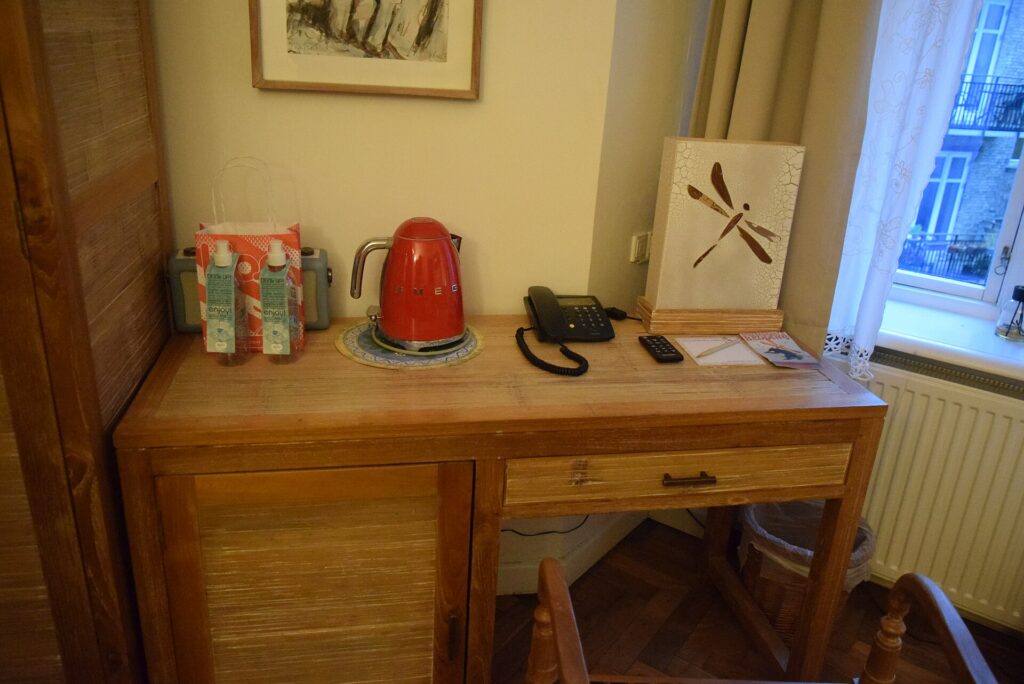
    A wooden writing desk with a phone and kettle in a hotel room
    Hotel desks are often too high for laptop typing; a stand and a separate keyboard fix the posture (Photo: Haydn Blackey from Cardiff, Wales via Wikimedia Commons, CC BY-SA 2.0)

    Tablet plus keyboard or laptop?

    For some trips, a tablet with a keyboard can replace a laptop entirely. It works well when your work is mainly writing, email, messaging, video calls and web-based tools, and when you value a light bag. It works less well when you need desktop software, many windows side by side, complex file management or a company laptop with its own security tools. Many travelers take both on long work trips and leave the laptop behind on short ones. Try a full working day on the tablet at home before you commit.

    A compact folding Bluetooth keyboard opened on a wooden table
    Keys near the fold take a little practice, so try a new keyboard at home before a work trip (Photo: Cartonfox via Wikimedia Commons, CC0)

    Flying with keyboards and small gadgets

    Keyboards, mice and other small accessories with built-in rechargeable batteries are generally fine in carry-on bags. The stricter rules apply to spare lithium batteries and power banks, which must travel in the cabin rather than in checked baggage. As principles:

    • Keep battery-powered gadgets in your carry-on where possible, where you can reach them and they are safe from rough handling.
    • Spare lithium batteries and power banks are cabin only, and should be protected from short circuits in their packaging, a case or a separate bag.
    • Switch keyboards off or use the cover so keys are not pressed in your bag.
    • Check the official rules before you fly: the FAA’s PackSafe lithium battery guidance, the TSA’s What Can I Bring? tool and CATSA’s guidelines for batteries. Airlines can add their own rules.

    If you are trying to carry fewer chargers overall, our guide to 3-in-1 Apple chargers covers one way to consolidate them.

    Packing a keyboard setup

    A complete mobile workstation can be surprisingly small: a folding or slim keyboard, a compact mouse, a folding stand for a laptop or tablet, and one USB-C cable that charges all of them. Keep the keyboard in a padded pocket of your bag or in a sleeve so the hinge and keys are protected, and keep small parts like a USB receiver in a zip pocket. If you carry a heavy tech bag through big airports, a rolling laptop bag can take the weight off your shoulders. For the bag the rest of your trip goes into, see our main travel luggage guide.

    Care and longevity

    The hinge on a folding keyboard and the charging port are the parts most likely to fail. Open and close the keyboard gently, do not force it past its natural angle, and avoid carrying it loose where it can be bent. Wipe the keys with a slightly damp cloth and let it dry fully before closing; avoid soaking it or spraying liquid directly onto the keys. Charge the battery every few weeks if you store the keyboard between trips, since leaving a lithium battery fully empty for a long time is hard on it.

    Common mistakes

    • Choosing the smallest keyboard possible. Tiny keyboards are easy to pack and hard to type on. Size for comfort first.
    • Ignoring the operating system. A keyboard laid out for a different system makes every shortcut awkward.
    • Not testing before the trip. Folding layouts take practice.
    • Forgetting a stand. A keyboard without a way to prop up the screen is only half a setup.
    • Leaving it switched on in a bag. Keys get pressed, devices wake up and batteries drain.
    • Losing the receiver or the cable. Keep small parts in one pouch.

    Frequently asked questions

    Are folding keyboards good for typing?

    Good ones are comfortable for most people once they adjust to the fold. Check that the letter keys are full size and try typing a real paragraph before a trip. If you type all day, a slim non-folding keyboard can feel more solid.

    Can I use a Bluetooth keyboard on a plane?

    Generally yes, with your device in airplane mode and Bluetooth switched back on, but crew instructions and airline policy always come first, particularly during takeoff and landing.

    Will a travel keyboard work with both my iPhone and my Windows laptop?

    Many do. Look for multi-device pairing and support for both operating systems, and check how the keyboard handles the different modifier keys.

    Can a tablet and keyboard replace a laptop for travel?

    For writing, email and web-based work, often yes. For desktop software, heavy multitasking or a company-managed laptop, usually not. Test a full day at home first.

    Is a keyboard with a built-in battery allowed in checked luggage?

    Small devices with installed batteries are treated differently from spare batteries, but it is safest to keep them in your carry-on. Spare lithium batteries and power banks are not allowed in checked bags.

    Rechargeable or replaceable batteries?

    Rechargeable keyboards with USB-C share a cable with your other gear. Replaceable batteries can last a long time but mean carrying spares on long trips.

    Do I need a mouse as well?

    For writing, usually not. For spreadsheets, editing and design work on a laptop on a stand, a compact mouse makes a big difference.

    Once your mobile office is packed, plan where you will use it. Compare fares on our flight search, find a hotel with a proper desk and good Wi-Fi on our hotel search, and if your trip needs a car, check our car rental search. Working from a new city for a week? Flights to Vancouver and our guide to things to do in Vancouver make a fine start, with plenty of cafés to test your new keyboard in.

  • Rolling Laptop Bag: 5 Best Picks for Business Travel & Daily Commutes in 2026

    Rolling Laptop Bag: 5 Best Picks for Business Travel & Daily Commutes in 2026

    A heavy laptop bag feels fine for the first ten minutes. By the time you have walked the length of a big-airport concourse, stood in a security line and crossed a convention center, the strap has dug a groove into your shoulder and you are shifting the bag from side to side every few steps. A rolling laptop bag solves that by putting the weight on wheels: a padded compartment for your computer, room for chargers and files, and a telescoping handle so you pull it instead of carrying it. It is not the right bag for everyone, though. Wheels add weight, a wheeled case can count as your full carry-on rather than your personal item, and stairs, cobblestones and crowded trains are much less friendly to wheels than airport floors. This guide explains the different kinds of rolling laptop bags, how airline size rules affect which one you should buy, what to look for in wheels, handles, materials and organization, how to get through security and pack batteries correctly, and the options from our original list with who each one suits. It is part of our travel gear series, which starts with our main guide to choosing travel luggage.

    The short answer

    If you fly often with a laptop and your shoulders object to a heavy tech bag, a rolling laptop bag is worth it, but choose the type carefully. For day commutes and short work trips, a compact wheeled briefcase with a padded laptop sleeve and a trolley strap is the most practical. For overnight trips, an overnight roller or laptop spinner with a separate clothing section can replace a suitcase entirely. If you already travel with a carry-on suitcase, consider a carry-on with a built-in laptop pocket plus a slim personal item instead of two wheeled bags. Before you buy, measure your laptop, not just its screen size, and compare the bag’s outside dimensions, wheels included, with the carry-on and personal-item limits of the airlines you use. Spare batteries and power banks always go in the cabin, never in a checked bag, and the rolling bag is a good place for them.

    Travelers walking with bags along a long concourse at Chicago O'Hare International Airport
    Long concourses are where wheels earn their keep: a rolling bag takes the laptop's weight off your shoulder (Photo: N i c o l a from Fiumicino (Rome), Italy via Wikimedia Commons, CC BY 2.0)

    What counts as a rolling laptop bag?

    The term covers several quite different bags. Knowing which kind you are looking at saves a lot of confusion when you compare product listings.

    Wheeled briefcase or laptop roller

    This is the classic design: a briefcase-shaped bag, usually upright, with two inline wheels, a telescoping handle and a padded laptop compartment. It holds a laptop, a tablet, files, a notebook and a charger or two, with perhaps enough spare room for a shirt. It is aimed at commuters and day trips, and it is often the smallest and lightest wheeled option.

    Laptop spinner

    A laptop spinner has four wheels that turn in every direction, so you can push it beside you rather than tow it behind. Spinners are easy to steer on smooth floors and in tight spaces like airplane aisles. They are usually a little taller and heavier than a two-wheel roller, and the exposed wheels are more vulnerable on rough ground.

    Overnight roller

    An overnight roller adds a clothing compartment to the laptop section. It is designed for one- or two-night business trips where you want a single wheeled bag for everything: laptop, chargers, a change of clothes and a toiletry kit. Many are sized close to a full carry-on, which matters for airline rules.

    Carry-on suitcase with a laptop pocket

    Many softside carry-ons now have a padded front compartment for a laptop. This is not a laptop bag in the strict sense, but for many business travelers it is the better answer: one wheeled bag for clothes and computer, and a small personal item for the flight.

    TypeBest forStrengthsWatch out for
    Wheeled briefcase (two wheels)Daily commutes, day trips, meetingsCompact, light for a wheeled bag, handles curbs wellLimited space; strains the wrist on long pulls
    Laptop spinner (four wheels)Frequent flyers, big airportsPushes beside you, easy in aisles and crowdsExposed wheels, rolls away on slopes and trains
    Overnight rollerOne- or two-night business tripsReplaces a suitcase; clothes and tech in one bagOften counts as your full carry-on
    Hardside rolling caseFragile gear, rainy climatesCrush and water protection, wipes cleanRigid, fewer pockets, can scuff
    Carry-on with laptop pocketTravelers who already use a carry-onOne wheeled bag for everythingLaptop pocket may be less padded than a dedicated case

    The airline question: personal item or carry-on?

    This is the most important thing to get right, and the one most product listings gloss over. Most airlines allow two cabin items on standard fares: a carry-on for the overhead bin and a smaller personal item that must fit under the seat in front of you. A slim laptop bag usually counts as the personal item. A wheeled laptop bag, because of the wheel housing and the handle, is often big enough to count as the carry-on instead.

    That has real consequences:

    • If the rolling bag is your carry-on, you cannot also bring a carry-on suitcase on most fares. That works for day trips and one-night stays, but not for longer trips unless you check a bag.
    • If you want the rolling bag as your personal item, it has to fit the airline’s personal-item dimensions and go under the seat. Only the most compact wheeled briefcases manage this, and under-seat space varies between aircraft and seat rows.
    • Basic and ultra-low-cost fares sometimes include only a personal item. A wheeled bag that counts as a carry-on may trigger a fee at the gate.
    • Measurements include wheels and handles. A bag listed as fitting a 15.6-inch laptop says nothing about its outside dimensions. Look for the full external measurements, or measure it yourself with the pockets packed.

    Rules differ between airlines and change often, so check the official page before you buy and again before you fly. Good starting points are Air Canada carry-on baggage, WestJet carry-on baggage and Delta carry-on baggage. Our guide to Delta carry-on size rules walks through one airline in detail, and the travel luggage guide explains how carry-on and personal-item limits fit together across a whole bag system.

    A practical rule: if you usually travel with a carry-on suitcase, look for a rolling laptop bag with a trolley sleeve that slides over the suitcase handle, or skip wheels on the laptop bag entirely and let the suitcase do the rolling. If the laptop bag is your only bag, a larger overnight roller makes sense.

    Passengers lined up at a TSA security checkpoint in a bright airport terminal
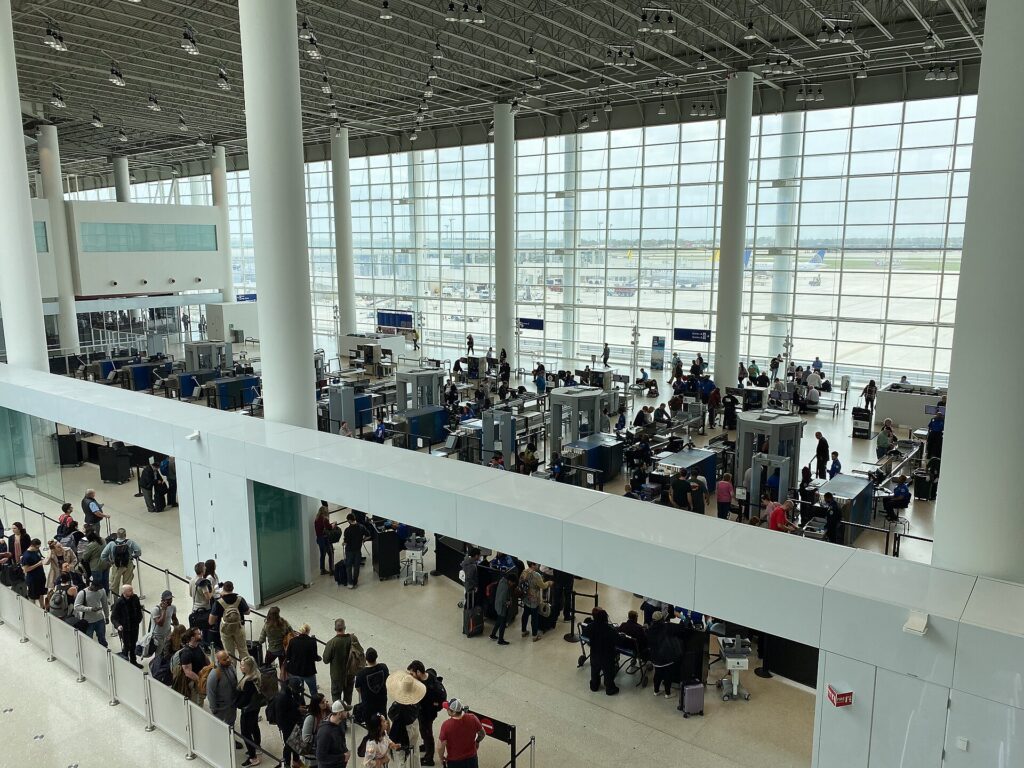
    Pack the laptop where it slides out in one move, since many checkpoints still ask for it in its own bin (Photo: Tony Webster via Wikimedia Commons, CC BY 2.0)

    How to choose a rolling laptop bag

    Laptop fit

    Screen size is only a rough guide. Two laptops with 15.6-inch screens can differ in width, depth and thickness, and a gaming or workstation laptop can be much thicker than an ultrabook. Measure your laptop’s actual width, depth and thickness and compare them with the internal dimensions of the laptop compartment if the maker lists them. The compartment should hold the laptop snugly, with padding on all sides and a raised or suspended floor so the laptop does not take the impact when the bag is set down hard.

    Wheels

    Two inline wheels are recessed into the frame, which protects them and handles curbs, gravel and uneven sidewalks better. Four spinner wheels let you push the bag upright beside you and turn in place, which is easier in terminals, aisles and elevators. Larger wheels roll more smoothly over cracks and thresholds. Replaceable wheels are a sign of a bag built to be repaired rather than thrown away.

    Handle

    A telescoping handle should lock firmly at more than one height and not rattle when extended. Twin-pole handles are generally steadier than single-pole designs. Tall travelers should check the fully extended height; a handle that is too short makes you stoop and swing the bag into your heels. Carry handles on the top and side matter every time you lift the bag into a bin or a trunk, and the wheels and handle add weight, so when two bags seem equal, choose the lighter one.

    Materials

    Higher-denier ballistic nylon and polyester resist abrasion well and hide scuffs. Water-resistant fabric and coated zippers protect electronics in a sudden downpour between a taxi and a lobby, which is more common than most people expect. Hardshell cases protect against crushing but scuff visibly.

    Organization

    Look for a front panel with slots for pens, cards and a phone; a zip pocket or pouch for chargers and cables; a file section for documents; and a quick-access pocket for a passport and boarding pass. Our guide to laptop travel accessories covers cable pouches, adapters and stands that fit inside.

    Security features

    Lockable zippers, a hidden pocket against the back panel and puncture-resistant zippers make a bag harder to open quietly. They are not a replacement for keeping the bag in sight. If theft in crowds is your main worry, our guide to anti-theft backpacks explains which features actually matter and why.

    Security screening with a rolling laptop bag

    Airport screening rules for laptops are not the same everywhere. At many checkpoints you still need to take a laptop out and place it in its own bin; at checkpoints with newer screening technology, or for travelers in trusted traveler programs, laptops can sometimes stay in the bag. The rule is whatever the officers at that checkpoint tell you, so pack for the strictest case:

    • Put the laptop in the compartment closest to the top or back, so it slides out without unpacking anything else.
    • Keep liquids, gels and aerosols in one clear bag in an outside pocket, ready to remove if asked. The TSA liquids rule covers US airports, and CATSA’s what-can-I-bring page covers Canadian ones.
    • Avoid dense clutter around the laptop. A tangle of cables and chargers packed tightly around the computer is more likely to need a second look.

    Allow enough time for all of this, especially on international departures. Our guide to airport arrival times for international flights explains how early to get there.

    Power banks, spare batteries and your laptop bag

    A laptop bag is where most travelers keep their power bank, a spare camera battery or a charging case, so the lithium battery rules matter here. The principles are consistent across North America, even though the details are set by each authority and airline:

    • Spare lithium batteries and power banks go in the cabin, never in checked baggage. Batteries installed in a laptop or phone are treated differently from spares, but the safest habit is to keep all battery-powered devices with you.
    • Size limits are based on watt-hours. Most phone power banks and laptop batteries sit under the common 100 Wh threshold. Larger batteries generally need airline approval, and very large ones are not allowed at all.
    • Protect the terminals. Keep spares in their original packaging, a protective case or a separate plastic bag, away from keys and coins.
    • If a rolling bag gets gate-checked, take the laptop, power bank and any spare batteries out before you hand it over. This is the most common way batteries end up in the hold by accident.
    • Airlines can be stricter. Some carriers have added their own limits on using or charging power banks during the flight, so read your airline’s page as well.

    Read the official guidance before you fly: the FAA’s PackSafe page on lithium batteries, the TSA’s power banks entry and CATSA’s guidelines for batteries. If you want fewer chargers in the bag to begin with, our guide to 3-in-1 Apple chargers shows how one charger can cover a phone, a watch and earbuds.

    Rows of seats in an airport gate area with large windows onto the airfield
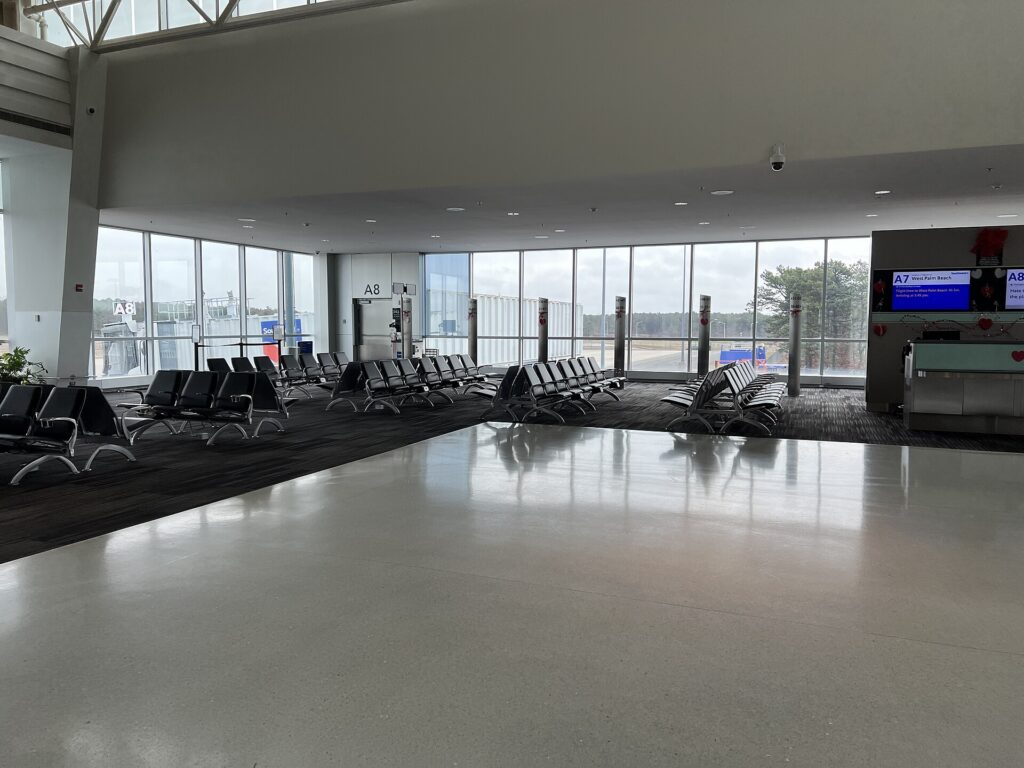
    At the gate, a wheeled bag that counts as your carry-on may be the only cabin bag your fare allows (Photo: AITFFan1 via Wikimedia Commons, CC0)

    Options from our original list

    The bags below were featured in the original version of this guide. They cover different needs rather than a strict ranking, and designs, sizes and features change between versions and sellers, so confirm the current details and outside dimensions before you buy.

    Amazon Basics 15.6-inch rolling laptop bag

    Amazon Basics sells a simple wheeled laptop case designed for laptops up to 15.6 inches, with a telescoping handle and a main compartment for files and accessories. It is a budget option for commuters and occasional business travelers who want to get the weight off their shoulders without spending much. As with any budget bag, check the wheels and zippers when it arrives, and treat it as a commuting bag first and a heavy-duty travel bag second.

    Rockland Revolution hardside rolling computer case

    Rockland’s Revolution rolling computer case uses a hard shell instead of fabric, with wheels and a pull handle. A hardside case like this suits travelers who worry about crushing and rain more than about outside pockets, and people who like a clean, wipeable exterior. Check the outside dimensions against your airline’s carry-on limit, and remember that a rigid case will not flex to fit a tight under-seat space.

    Travelpro Maxlite 5 carry-on spinner

    The Travelpro Maxlite 5 21-inch expandable carry-on spinner is a suitcase rather than a laptop bag, but it earned its place on the original list as an alternative for people who want one wheeled bag for clothes and work gear. Travelpro describes the Maxlite line as one of its lightest wheeled carry-ons, with four spinner wheels and an expansion zipper, and notes that a fully expanded case may not meet airline carry-on limits. Pair it with a slim laptop sleeve or a small personal item and you have a complete business-trip setup.

    Kensington Contour 2.0 laptop spinner

    Kensington’s Contour 2.0 Executive Balance Laptop Spinner is a four-wheel laptop spinner for 15.6-inch laptops. Kensington describes it as a four-wheeled spinner made from water-resistant ballistic polyester, with a lockable zip and a trolley pass-through for stacking it on a larger roller. It suits frequent business travelers who want a dedicated, well-organized laptop spinner, and the line also includes larger overnight versions with a clothing compartment.

    BAGSMART 17.3-inch quilted rolling laptop bag

    BAGSMART’s rolling laptop bag pairs a quilted exterior with wheels and a compartment designed for laptops up to 17.3 inches. It is marketed mainly to women, but it suits anyone who carries a large laptop and wants a bag that looks more like a stylish tote than a standard black briefcase. With a laptop this large, check both the compartment size and the bag’s outside dimensions, since big-laptop bags often end up counting as your carry-on.

    Rolling bag, backpack or shoulder bag?

    Wheels are not always the answer. Here is how the three main ways to carry a laptop compare:

    • Rolling bag: best for heavy loads, long airport walks, flat cities and anyone who finds carrying weight on the shoulders uncomfortable. Weaker on stairs, cobblestones, crowded trains and anywhere without elevators.
    • Backpack: best for mixed terrain, public transit, multi-city trips and travelers who want their hands free. It spreads weight across both shoulders and is usually lighter than a wheeled bag. Our guide to the Peak Design Travel Backpack 45L covers carry-on travel packs with laptop compartments, and anti-theft backpacks add security features for busy cities.
    • Shoulder bag or briefcase: best for light loads and short carries, and it looks the most formal. It becomes uncomfortable quickly once it holds a heavy laptop, chargers and files.

    Many business travelers own both and pick by trip.

    How to pack a rolling laptop bag

    • Laptop first, in the padded compartment, with nothing hard pressing against the screen side.
    • Heavy items low and near the wheels: the power brick, a power bank in its pouch, a mouse. This keeps the bag stable and stops it tipping forward when you let go.
    • Cables and small chargers in one pouch so you can pull them all out at a hotel desk or a security bin in one move.
    • Documents and a notebook flat in the file section, away from anything that could leak.
    • Liquids bag and passport in outside pockets for quick access at security and check-in.
    • A layer and a snack on top for cold cabins and delayed flights.
    • Leave some room. An overstuffed laptop bag puts pressure on the laptop and makes zippers fail.

    If you type a lot on the road, a folding travel keyboard slips into the front panel and turns a tablet or a hotel desk into a proper workstation. For long flights, noise-cancelling headphones are the one extra most business travelers never leave behind.

    Vintage photo of passengers with luggage walking along a platform beside a train at Chicago Union Station
    Platforms, stairs and moving trains are harder on wheels than airport floors; a two-wheel roller stands steadier (Photo: Charles O'Rear via Wikimedia Commons, Public domain)

    Using a rolling bag on real trips

    Trains and transit

    On trains and subways, a spinner will roll with every brake and curve. Lay it on its back, wedge it between your feet or choose a two-wheel roller that stands more steadily. Stairs at older stations are the weak point; a shoulder strap or a grab handle at the base makes carrying easier.

    Hotels and offices

    Rolling bags are at home on hotel corridors and office carpets. When you arrive, unpack the laptop and chargers onto the desk rather than working out of the bag; it is easier to see what you have and harder to leave something behind at checkout. If you are choosing where to stay for a work trip, our business travel hotels guide covers what to look for in a room you need to work from.

    Care, repairs and warranties

    Wheels, handles and zippers fail first, so check them a week before a trip rather than the night before. Wipe wheels clean after rain or grit, push the handle fully down before lifting by the side handle and never sit on a spinner. Many brands sell replacement wheels and handles, and a luggage repair shop can often fix a wheel for much less than a new bag. Warranties vary widely, from short defect-only coverage to long guarantees that include damage from travel. Keep the receipt, register the bag if the brand asks you to and read the warranty terms before you choose between two similar bags.

    Common mistakes

    • Buying by screen size alone. Measure the laptop, especially if it is thick or has a large power brick.
    • Forgetting that wheels change the category. A wheeled bag often counts as your carry-on, not your personal item.
    • Packing batteries loose. Keep power banks and spares protected and in the cabin, and remove them if the bag is gate-checked.
    • Ignoring the handle height. A short handle is tiring and makes the bag clip your heels.

    Frequently asked questions

    Is a rolling laptop bag allowed as a personal item?

    Sometimes, but not usually. Only compact wheeled briefcases that fit the airline’s personal-item dimensions and go under the seat qualify. Many rolling laptop bags are large enough to count as the carry-on. Check the airline’s official limits and measure the bag with wheels and handle included.

    Are spinner wheels or two wheels better for a laptop bag?

    Spinners are easier in airports and aisles and can be pushed beside you. Two inline wheels handle curbs, cobblestones and sidewalks better and are less likely to break. Choose based on where you roll most.

    What size rolling laptop bag do I need?

    Measure your laptop’s width, depth and thickness and compare them with the compartment, not just the listed screen size. Then choose the smallest bag that holds everything you carry on a typical trip.

    Can I keep my power bank in a rolling laptop bag?

    Yes, as long as the bag stays with you in the cabin. Spare lithium batteries and power banks are not allowed in checked baggage, so take them out if the bag is gate-checked. See the FAA, TSA and CATSA pages linked above.

    Do I have to take my laptop out at security?

    It depends on the checkpoint and your screening program. Many checkpoints still require it, while some newer ones do not. Pack the laptop where you can slide it out quickly and follow the officers’ instructions.

    Is a rolling laptop bag better than a backpack?

    For heavy loads and airport-heavy trips, often yes. For trains, stairs, old cities and hands-free travel, a backpack is usually better. Many frequent travelers own both.

    Once the bag is sorted, focus on the trip. Compare fares for your next work trip on our flight search, find a hotel with a proper desk on our hotel search, and pick up a car with room for your bags on our car rental search. If your next meeting is in Toronto, our guide to getting around Toronto will help you decide between a rental and transit, and flights to Toronto are a good place to start. For the rest of your kit, head back to our main guide to travel luggage.

  • The Complete Guide to Rental Car Booking Tips for Every Traveler

    The Complete Guide to Rental Car Booking Tips for Every Traveler

    A rental car can be the best money you spend on a trip or the most frustrating line item on your credit card statement, and the difference is rarely luck. It comes down to a handful of decisions made before you ever reach the counter: whether you need a car at all, which class to book, when and where to pick it up, how the insurance and fuel rules work, and what you agree to when you sign. This guide walks through every one of those decisions in the order you will face them, explains what the jargon on the rental agreement actually means, and flags the mistakes that cost travelers the most. It is written for North American travelers renting at home or abroad, whether you are picking up a compact for a weekend in Chicago, a minivan in Orlando or a manual hatchback in Rome.

    If you already know you need a car, you can compare rates from the major companies side by side on our car rental search. If you are still deciding, start with the first section.

    The short version

    If you read nothing else, these are the habits that save the most money and trouble:

    • Decide whether you need a car for the whole trip. Many city trips need a car for one or two days, not seven.
    • Book early on a free-cancellation rate, then keep checking. If the price drops, rebook and cancel the original.
    • Compare the total price, not the daily rate. Taxes, airport fees and add-ons can change the ranking completely.
    • Know your insurance before you arrive. Call your auto insurer and your card issuer, and write down exactly what each covers.
    • Choose full-to-full fuel and refill close to the return location.
    • Photograph and video the car at pickup and at return, including the fuel gauge and odometer.
    • Return on time. Rental days are usually counted in 24-hour blocks from pickup, and a short delay can cost a full day.

    Step 1: Decide whether you need a car, and for how long

    The cheapest rental is the one you do not take. In dense cities with good transit, such as New York, London, Paris, Toronto or Montreal, a car is often a liability: parking is scarce and expensive, hotels charge nightly for it, and traffic eats the time you saved. In spread-out places such as Los Angeles, Phoenix, Orlando, Dallas or Calgary, or anywhere your plans include national parks, small towns or a coastline, a car is often the only practical way to get around.

    The smartest answer is frequently a split: go without a car for the city days, then rent for the day trips or the road-trip leg. Neighborhood branches often open later and close earlier than airport counters, but their rates can be lower and they save you paying for a car that sits in a hotel garage. Our guide to renting a car versus public transport versus taxis works through the decision in detail, and our city guides answer it for specific places, for example New York, Los Angeles and Las Vegas.

    Step 2: Choose the right car class

    Rental companies sell car classes, not specific models. The listing will show one model with the words “or similar”, and you are guaranteed the class, not the car in the picture. Book the smallest class that genuinely fits your people and your luggage; bigger cars cost more per day, burn more fuel and are harder to park in old city centers. But do not squeeze four adults and four suitcases into a compact to save a little, because you will pay for it in comfort on every drive.

    ClassRealistic fitBest forWatch out for
    Economy / compactTwo adults, two carry-ons and one checked bagCity driving, tight parking, short tripsSmall trunk; can feel underpowered on mountain roads or highways
    Intermediate / standard sedanTwo to four adults, two large bagsMost couples and small familiesRear seats get tight for three adults on long drives
    Full-size sedanFour adults, three or four bagsLong highway drives, business travelParking in older European and downtown garages
    Compact or midsize SUVFour people, luggage plus a strollerFamilies, winter trips, gravel roadsHigher fuel use; “SUV” does not always mean all-wheel drive
    Full-size or three-row SUVFive to seven people with limited luggage when all rows are upLarger families, ski tripsLuggage space disappears with the third row in use
    MinivanSeven or eight people, or five with plenty of luggageFamilies with car seats, groupsLimited supply at peak times; book early
    Premium / luxuryAs a sedan, with more comfort and featuresBusiness travel, special occasionsOften excluded from credit card rental coverage

    Two class details trip travelers up regularly. First, if you need all-wheel or four-wheel drive, for a ski trip or a mountain road in winter, check whether the class guarantees it; many listings do not. Second, if you are renting in Europe, Latin America or much of Asia, the default is often a manual transmission. If you cannot drive stick confidently, filter for automatic and book early, because automatics are the smaller part of many fleets outside North America.

    A car rental counter in the arrivals area at Vancouver International Airport
    Airport rental counters are the most convenient place to pick up, and usually the most expensive (Photo: GoToVan from Vancouver, Canada via Wikimedia Commons, CC BY 2.0)

    Step 3: When to book

    Car rental prices move with supply and demand, and unlike airline seats, the fleet at a given location is fixed in the short term. When every car on the lot is spoken for, prices climb sharply and the minivans and SUVs go first. The periods that reliably tighten supply are summer, the Christmas and New Year weeks, spring break and school holidays, long weekends, and big local events such as a major conference, a championship game or a festival.

    The practical strategy is simple:

    1. Book as soon as your dates are firm, on a “pay later” or free-cancellation rate. For peak periods and larger vehicles, that means weeks or months ahead.
    2. Check the price again a few weeks out and a few days out. Rental rates do fall as well as rise, especially when a location has more cars than expected.
    3. If it drops, book the cheaper rate first, then cancel the original. Never cancel first; the lower price may disappear.

    Prepaid rates can be cheaper, but they usually carry cancellation fees or no refund at all, and some companies do not refund unused days if you return early. Use them only when your plans cannot change. It also pays to test slightly different pickup and return times: because rentals are priced in 24-hour periods, and weekly rates sometimes undercut five or six daily rates, a small shift can change the price noticeably.

    Step 4: Airport or neighborhood pickup?

    Airport locations are the most convenient and usually the most expensive. Many airports allow rental companies to pass on concession fees and facility charges, which appear on your bill as separate line items, and some add a customer facility charge that pays for a consolidated rental car center. Off-airport and neighborhood branches avoid some of those charges, but they add a shuttle ride or a taxi, and their opening hours are shorter; an office that closes at 6 pm on Saturday and reopens Monday is not much use for a Sunday afternoon return.

    A few rules of thumb:

    • Arriving late at night, with kids or with lots of luggage: pay for the airport location.
    • Spending the first days in a transit-friendly city: take the train or a taxi to your hotel and rent from a neighborhood branch on the day you leave town.
    • Flying in with a flight that might be delayed: add your flight number to the reservation, so the counter knows to hold the car rather than marking you a no-show.

    Our airport guides, such as Toronto Pearson, LAX and Denver International, explain where the rental counters are and how to reach them.

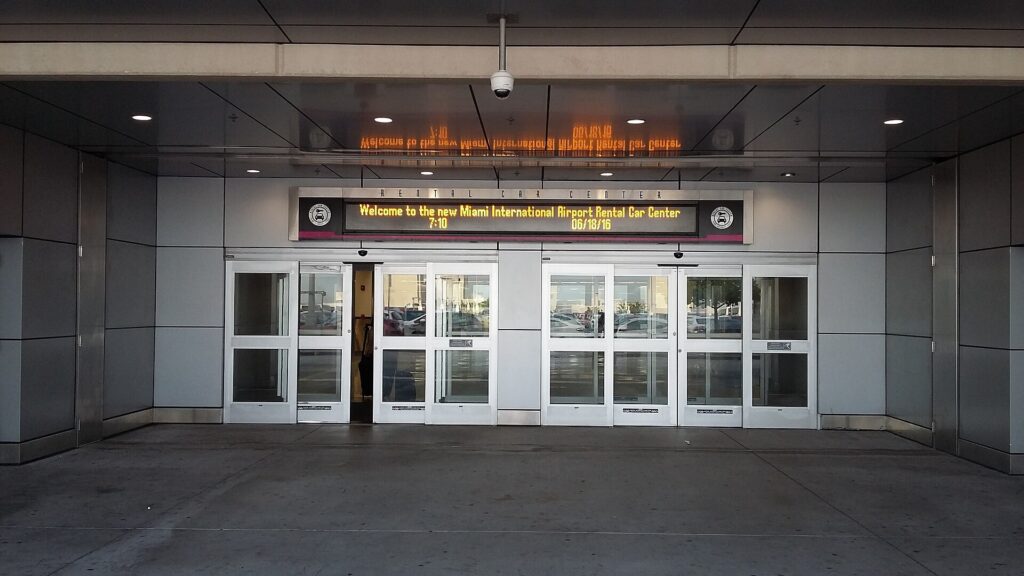
    The entrance to the consolidated Rental Car Center at Miami International Airport
    Many large airports group every company in one rental car center, often paid for through a facility charge on your bill (Photo: Xnatedawgx via Wikimedia Commons, CC BY-SA 4.0)

    Step 5: Read the whole price

    The daily rate in large type is the start of the price, not the end. Before you compare two offers, open the full breakdown and look for:

    • Taxes and airport fees, which vary widely by city and state or province.
    • Young driver surcharges, typically for drivers under 25.
    • Additional driver fees, charged per day at many companies.
    • One-way or drop fees if you return to a different location.
    • Equipment: child seats, GPS, ski racks, snow chains, each usually charged per day, often with a cap per rental.
    • Mileage limits, rare on North American leisure rentals but common on some specialty vehicles and international rentals.
    • Toll programs and their daily service fees.
    • Coverage products you may or may not need, covered in the next step.

    A rate that looks cheaper per day can end up costing more once these are added. Compare like for like: the same class, the same pickup and return times, the same drivers, the same coverage.

    Step 6: Understand rental car insurance

    Insurance is where most counter arguments happen and where most travelers either overpay or leave themselves exposed. There are four products you are likely to be offered, under slightly different names depending on the company and country.

    Collision damage waiver (CDW) or loss damage waiver (LDW)

    Strictly speaking, not insurance but a waiver: if you buy it, the company agrees not to charge you for damage to, or theft of, its car, subject to exclusions. Without it, you are responsible for the car’s damage, and sometimes also for “loss of use” while it is being repaired and for administrative fees. In Europe and many other regions a basic waiver is often included in the price but comes with a high deductible (called an “excess”), and the counter will offer a second product to reduce that deductible.

    Liability coverage

    Liability covers damage you cause to other people and their property. Rules differ sharply by country, state and province: some rentals include a legal minimum, some include very little, and in some countries, Mexico being the best-known example for North Americans, locally issued liability insurance is mandatory and your home policy is not accepted. Rental companies sell supplemental liability to top up the minimum.

    Personal accident and personal effects coverage

    These cover medical costs for you and your passengers and theft of belongings from the car. Many travelers already have this through health insurance, travel insurance or a home or renter’s policy.

    Where you may already be covered

    • Your own auto policy. In the US and Canada, many personal policies extend some coverage to rental cars for personal use, but often only within your home country, and not always collision.
    • Your credit card. Many cards include a rental collision benefit if you pay for the whole rental with that card and decline the company’s waiver. Some are primary, some are secondary to your own policy, and most have exclusions: certain countries, luxury and exotic cars, large vans and trucks, and rentals longer than a set number of days. Liability is almost never included.
    • Travel insurance. Some policies include rental car damage coverage as an option.

    Do this before the trip, not at the counter: call your insurer and your card issuer, ask exactly what is covered, in which countries, for which vehicle types and for how long, and ask them to send the benefit terms in writing. Then decide which of the counter products you actually need. Declining coverage you do not have is the expensive mistake; buying coverage you already have is the common one.

    Step 7: Drivers, age, license and payment

    • Minimum age. At most major companies in the US and Canada, the minimum is 21 (sometimes 20), with a daily surcharge for drivers under 25 and restrictions on premium classes. A few US states require companies to rent to younger drivers, with fees. Outside North America the rules vary, and some countries also have upper age limits or extra requirements for older drivers.
    • Additional drivers. Anyone who will drive must be on the agreement, present at pickup with a valid license. Some companies, and some jurisdictions, waive the fee for a spouse or domestic partner; ask. An unlisted driver in an accident can void your coverage.
    • Credit versus debit. Nearly every company prefers a credit card in the main driver’s name and places a hold for the estimated total plus a deposit. Debit cards are accepted at some locations with extra conditions, such as proof of a return flight or a credit check, and the hold ties up real money in your account for days after the return.
    • Your license. Bring the physical card. A digital license is not accepted everywhere, and an expired or temporary paper license can be refused.
    • International Driving Permit. An IDP is a translation of your license recognized under international conventions. Some countries require it, others recommend it, and rental companies sometimes ask for it even where the law does not. Canadians get one from CAA, as explained on the Government of Canada’s IDP page; Americans get one from the issuers listed by the US State Department. Get it before you leave; it cannot be issued abroad.

    Step 8: Fuel policies and electric cars

    PolicyHow it worksWhen it makes sense
    Full-to-fullPick up full, return full; you pay only for fuel you use, at pump pricesAlmost always the best value
    Prepaid fuel (full-to-empty)Pay for a full tank at pickup, return at any level, no refund for fuel leftOnly if you will genuinely return near empty and have no time to refuel
    Refuel on returnReturn below full and the company refills it at its own per-unit rate plus a service feeRarely; this is usually the most expensive way to buy fuel
    Same-to-sameReturn at the level you received itFine, but photograph the gauge at pickup

    Fill up within a few miles of the return location and keep the receipt; some companies ask for it if the gauge reads just below full. If you rent an electric vehicle, ask about the return charge requirement (many companies set a minimum percentage), where the nearest fast chargers are, which charging networks work with the car, and whether charging cables are included. EVs are excellent in cities with good charging and less relaxing on long rural drives where chargers are sparse. The US Department of Energy’s Alternative Fuels Data Center has a station locator that is useful for planning.

    A car dashboard fuel gauge showing a full tank
    On a full-to-full rental, photograph the gauge at pickup and bring the car back showing the same (Photo: Tony Webster via Wikimedia Commons, CC BY 2.0)

    Step 9: Mileage, one-way trips and borders

    Most leisure rentals in the US and Canada include unlimited mileage, but check, especially for specialty vehicles, local-renter rates and some international rentals. If you plan to drop the car somewhere else, price the one-way fee early; it can be large, but some popular routes are cheap in one direction when companies need to rebalance fleets. Our drive guides, such as Toronto to Montreal and Los Angeles to Las Vegas, are a good place to compare.

    Crossing a border needs to be declared at booking. Driving between the US and Canada is routine with the major companies, though some restrict certain vehicle classes; taking a US rental into Mexico, or driving between some European countries, can be restricted or require extra coverage and fees. Ask at booking and make sure the permission is written on the agreement.

    Step 10: Tolls

    Toll roads have increasingly gone cashless, charging by transponder or by photographing the license plate. Rental companies handle this through their own toll programs, which typically add a daily service fee on top of the tolls, sometimes for every day of the rental rather than only the days you use a toll road. Your options are to accept the program, use your own transponder where it is compatible and allowed, pay the toll operator directly online where that is possible, or plan routes that avoid tolls. Highway 407 ETR north of Toronto, for example, is fully electronic, and its operator’s site explains how unregistered vehicles are billed. Ask at the counter how tolls will be charged and read the program terms before you drive off.

    At the counter: handling the upsell

    Counter staff are often paid partly on what they sell, so expect offers of an upgrade, prepaid fuel, coverage and a toll package. None of that is a scam; some of it is useful. But decide in advance. A calm “no thank you, I have coverage through my card and my policy” is enough. Before you sign, check that the agreement matches your reservation: the class, the total estimate, the return date and time, the fuel policy, the drivers, and that nothing you declined has been added. If the class you booked is not available, the usual practice is a free upgrade to a larger class, not a paid one; ask for it.

    Loyalty programs are free to join at most companies and are worth it even if you rent once a year: members at many large airports skip the counter and go straight to the car, which saves time and removes the sales pitch entirely.

    Inspect the car before you leave the lot

    1. Walk around the car with your phone recording video. Get every panel, the bumpers, the wheels and the windshield, then close-ups of anything scratched, dented or chipped.
    2. Photograph the dashboard showing the fuel level, the odometer and any warning lights.
    3. Check the interior for stains, burns, damage and smells, and confirm the spare tire or inflation kit is present.
    4. Test the basics: lights, wipers, air conditioning, mirrors, seat adjustment and any child seat you rented.
    5. Get damage noted. Make sure anything you find is recorded on the checkout sheet or in the app, and ask an agent to initial it if possible.

    It is also worth entering the license plate or VIN into the recall lookup on the NHTSA recalls page if you are renting in the US; it takes a minute.

    While you have the car

    • Breakdowns: the roadside assistance number is usually on the key tag, the windshield sticker or the agreement. Call it before you call a tow truck yourself, or you may not be reimbursed.
    • Accidents: make sure everyone is safe, call the police if required locally, photograph everything, exchange details, and notify the rental company as soon as you can. Do not sign anything admitting fault.
    • Parking tickets and traffic cameras: fines follow the car. The company pays the authority, bills your card and usually adds an administrative fee, sometimes months later.
    • Changing plans: if you need the car longer, call and extend before your return time rather than just keeping it; the rate can be very different.
    Rows of rental cars parked in an airport rental lot
    Before you drive off, record a video walkaround of the car and photograph the dashboard (Photo: User:Mattes via Wikimedia Commons, Public domain)

    Returning the car

    Return timing matters more than most travelers expect. Rental days are usually counted in 24-hour blocks from pickup, grace periods are short, and being a few hours late can add a full day at a higher rate. Returning early is not always cheaper either, because rates may be recalculated. Allow extra time at airports, where the return garage can be a shuttle ride from the terminal, refill nearby, and do another video walkaround and dashboard photo. If you drop after hours, you normally remain responsible for the car until staff check it in, so your photos matter even more. Our guide to car rental return timing covers grace periods, late fees, early returns and after-hours drop-offs in detail. Check your final receipt before you leave and your card statement for the following weeks.

    Renting with kids

    Families have extra choices to make: vehicle size once car seats go in, whether to rent seats or bring your own, and which companies make pickup easiest with tired children. Child seats rented at the counter are charged per day, availability is not guaranteed unless reserved, and staff are generally not permitted to install them for you. Car seat laws vary by state, province and country; Transport Canada’s child car seat safety page is a good starting point for the principles. Our guide to the best car rental services for family vacations covers all of this, including seat math for three-across rows.

    Renting abroad

    • Check the license rules for each country, including whether you need an IDP.
    • Learn the road basics: which side of the road, how roundabouts work, speed units, and local rules such as low-emission zones and restricted historic centers, which are enforced by camera in many European cities and generate fines that reach you long after the trip.
    • Confirm what “included” means. Quoted rates abroad may or may not include basic collision cover, theft protection and liability, and deductibles can be large.
    • Expect smaller cars and manual gearboxes, and narrow streets and parking spaces to match.
    • Keep your passport with your license; many counters ask for both.

    Our city guides for Rome, London, Paris and Cancun go into local specifics.

    The mistakes that cost the most

    • Booking late for peak dates and paying whatever is left, often for a car that is too big or too small.
    • Comparing daily rates instead of totals, then discovering the fees at the counter.
    • Assuming a credit card covers everything, including liability, luxury cars or a country it excludes.
    • Letting an unlisted friend drive.
    • Skipping the pickup video, then having no proof about a scratch that was already there.
    • Accepting prepaid fuel and returning with half a tank.
    • Keeping the car an extra few hours without calling, and paying for an extra day at a walk-up rate.
    • Renting for the entire trip when you only needed a car for two days of it.

    Book the trip, not just the car

    A rental works best when it fits the rest of the itinerary. Match pickup to your flight’s arrival time, leaving a buffer for delays; choose a hotel with parking if you will keep the car overnight, and factor the parking fee into the room rate; and time the return so you are not racing for a flight. Our guide to the best time to book flights and hotels covers timing for the other two pieces, and our hotel booking tips explain how to read the fees on a room rate the same way you now read a rental agreement.

    Frequently asked questions

    How far in advance should I book a rental car?

    As soon as your dates are firm, on a free-cancellation rate. For summer, holidays, spring break and large vehicles, that means weeks to months ahead. Then keep checking and rebook if the price drops.

    Is it cheaper to rent a car at the airport or in town?

    Often in town, because airport locations pass on concession and facility fees. But neighborhood branches have shorter hours and require getting there, so the saving is only worth it when the timing works.

    Do I need the rental company’s insurance?

    It depends on what you already have. Check your own auto policy and your credit card’s rental benefit before the trip, get the terms in writing, and buy only what fills a real gap, especially liability and any coverage abroad.

    Can I rent a car with a debit card?

    At some locations, with conditions such as proof of travel or a credit check, and a hold on your funds. A credit card in the main driver’s name is far simpler.

    What happens if I return the car late?

    After a short grace period, most companies charge hourly and then a full extra day once you pass a threshold of a few hours. Call before your return time if you know you will be late.

    Which fuel option is best?

    Full-to-full in almost every case. Prepaid fuel only makes sense if you will return nearly empty.

    Do I need an International Driving Permit?

    For some countries, yes, and rental counters may ask for one even where it is only recommended. Check the official government guidance for your destination and get the permit before you leave home.

    Can I add a second driver?

    Yes, at pickup, with their license present. There is often a daily fee, sometimes waived for a spouse or partner. Never let an unlisted person drive.

    Ready to price it out? Compare rates from the major companies on our car rental search, or go straight to a destination such as Orlando, Calgary or Phoenix, and line up the rest of the trip with cheap flights and hotels.

  • Top 10 Laptop Travel Accessories You Can’t Travel Without

    Top 10 Laptop Travel Accessories You Can’t Travel Without

    A laptop is the most expensive and most fragile thing most people travel with, and it depends on a surprising number of small companions to be useful on the road. Without the right plug, it dies in a hotel room abroad. Without a sleeve, it picks up a cracked corner in an overhead bin. Without a stand and a mouse, a week of working from hotel desks leaves you hunched and sore. The good news is that the kit you need is small, and most of it costs far less than a repair. This guide covers the ten laptop travel accessories from our original list, what each one actually does, what to look for when you buy, which ones matter for which kind of trip, and the rules that apply to batteries and chargers when you fly. It is part of our travel gear series, which starts with our main guide to choosing travel luggage.

    The short answer

    If you only buy three things, make them a padded sleeve or a bag with a proper laptop compartment, a plug adapter for the countries you visit and a cable pouch that keeps your charger, cables and adapters in one place. Add a power bank that can charge your laptop over USB-C if you work in airports or on trains, and a folding stand plus a compact mouse if you work from hotel desks for more than a few days. Everything else, from cooling pads to anti-theft backpacks, depends on how and where you travel. Before any flight, remember the one rule that is not optional: power banks and spare lithium batteries travel in the cabin, never in checked bags.

    Start with how you travel

    The right kit for a weekend city break is very different from the right kit for a month of remote work. Three questions narrow it down quickly:

    • How many hours a day will you work? An hour of email needs almost nothing. Full workdays from hotels, cafés and coworking spaces justify a stand, a mouse and possibly a travel keyboard.
    • Where will you plug in? Domestic trips need no adapter. International trips need the right plug for each country, and long travel days with no outlets need a power bank.
    • How will you carry it? A backpack, a rolling bag or a suitcase with a laptop pocket each changes which protection and organization accessories make sense.

    The ten laptop travel accessories

    1. Travel laptop backpack

    A good travel laptop backpack puts the computer in a padded compartment against your back, keeps chargers and cables organized in their own pockets and spreads the weight across both shoulders. For travelers it is often the single most useful accessory because it is both protection and luggage. Look for:

    • A suspended or raised laptop compartment, so the laptop does not hit the ground when you set the bag down.
    • A clamshell or wide opening that lets you reach the laptop at security without unpacking everything.
    • A luggage pass-through strap to slide the bag over a suitcase handle.
    • Dimensions that fit your airline’s personal-item limit if you want it under the seat, or the carry-on limit if it is your main bag.

    If the backpack is also your main luggage, our guide to the Peak Design Travel Backpack 45L explains how to choose and pack a carry-on travel pack.

    2. Slim laptop sleeve

    A sleeve is the cheapest insurance you can buy for a laptop. It adds a layer of padding when the computer goes into a tote, a suitcase or a bag without its own compartment, and it lets you carry the laptop on its own into a meeting or a café. Choose a sleeve sized to your laptop’s actual dimensions rather than just the screen size, with padding on the edges and corners, since that is where drops do the most damage. Water-resistant fabric and a zipper that does not scratch the lid are worth having. A sleeve with a small front pocket for the charger turns it into a minimalist laptop bag for short trips.

    3. Adjustable laptop stand

    Hotel desks, café tables and airport counters put your laptop screen far below eye level, which means hours of looking down. A folding stand raises the screen closer to eye level, and most fold flat or into a small tube for packing. The catch is that once the laptop is raised, its own keyboard is too high to type on comfortably, so a stand works best with a separate keyboard and mouse. Look for a stand that is light, folds small, locks at several heights and feels stable when you type. It can also help air circulate under the laptop on a hot day.

    4. Portable laptop charger (power bank)

    A power bank that can charge a laptop keeps you working through long layovers, train journeys and flights without a working seat outlet. Not every power bank can charge a laptop, so check these points:

    • USB-C Power Delivery output with enough wattage for your laptop. The laptop’s own charger shows its wattage; a power bank with much lower output may charge slowly or only slow the drain while you work.
    • A watt-hour rating printed on the case. Airline and security rules are based on watt-hours, not the milliamp-hour number in the marketing. If only mAh is listed, you can estimate watt-hours as mAh multiplied by the battery voltage, divided by 1,000.
    • Size and weight. Laptop-capable power banks are heavier than phone ones. Carry the smallest one that gets you through a typical travel day.

    The flying rules for power banks are covered in detail below. The short version: cabin only, under the common 100 Wh threshold unless your airline approves a larger one, and protected from short circuits.

    A traveler charging a phone at a charging kiosk in an airport terminal
    Airport charging points are often busy or broken; a laptop-capable power bank keeps you independent of them (Photo: Wide Awake! via Wikimedia Commons, CC BY 4.0)

    5. Waterproof laptop bag

    Rain is the most common way travelers damage laptops without dropping them: a dash from a taxi to a hotel, a ferry deck, a sudden storm while sightseeing. A bag with water-resistant fabric, covered or coated zippers and a padded compartment keeps the laptop dry in ordinary weather. Truly waterproof bags with roll-top closures exist, mainly for outdoor and adventure travel, but for most trips water resistance plus a sleeve inside is enough. Whatever the bag claims, do not leave a laptop bag sitting in a puddle or on a wet boat deck.

    6. Anti-theft laptop backpack

    Anti-theft backpacks hide the main zipper against your back or let you lock it, add a hidden pocket for your passport and cards, and in some cases use cut-resistant fabric and straps. They make quick pickpocketing and grab-and-run theft harder, which is useful in busy cities, on crowded transit and in cafés where a bag sits on the floor. They are not theft-proof, and habits matter as much as features. Our full guide to anti-theft backpacks explains which features are worth paying for and which are marketing.

    7. Cable organizer pouch

    A cable pouch is the accessory that saves the most frustration for the least money. It keeps the laptop charger, phone cables, adapters, earbuds and a spare USB stick in one place, so you can pull them all out at a hotel desk and put them all back at checkout. It also makes security easier, since a tangle of loose cables around a laptop is more likely to need a second look. Choose a pouch with elastic loops or small mesh pockets, a zipper that opens wide and a bright interior color so you can see what is inside. Before a trip, pack it and check it against a list: laptop charger, phone cable, watch charger, plug adapter, power bank cable.

    8. Laptop cooling pad

    Cooling pads use one or more fans to push air under the laptop. They make the most sense for gaming laptops and powerful machines that run hot under sustained load, or for working in very warm rooms without air conditioning. For most travelers and most laptops, a cooling pad is optional; keeping the vents clear and working on a hard, flat surface rather than a bed or a sofa does most of the job. If you do pack one, choose a slim, light model that runs from a USB port, and remember it adds bulk. A folding stand that lifts the laptop off the table gives some of the same airflow benefit with less to carry.

    9. Universal travel adapter

    Plug shapes differ around the world, and an adapter lets your laptop charger fit a foreign outlet. A universal adapter with sliding pins covers many plug types in one block and often adds USB ports for phones and watches. Two things matter more than the number of countries on the box:

    • An adapter is not a voltage converter. It changes the plug shape, not the electricity. Most laptop and phone chargers are designed for a wide input range; Apple, for example, says its USB power adapters are designed for 100 to 240 volts. Check the input rating printed on your own charger before you rely on this. Hair dryers and other heating appliances are a different story.
    • Choose a solid, well-made adapter. A laptop charger is heavy, and a cheap adapter can sag out of the wall or fit loosely. An adapter with a safety shutter and a fuse is worth the small extra cost.

    If you travel with several devices, a single multi-port USB-C charger with interchangeable plug heads can replace several bricks and an adapter at once.

    10. Compact wireless mouse

    A trackpad is fine for an hour, but a small mouse makes long sessions of spreadsheets, design work or editing much more comfortable. Travel mice are smaller than desk mice and often connect by Bluetooth, which saves a USB port and removes the tiny receiver that is so easy to lose. Rechargeable models avoid carrying spare batteries. Look for one that fits your hand without cramping, has an on-off switch so it does not drain in your bag, and works on the surfaces you will actually use, such as glossy hotel desks.

    Comparison: which accessories matter for which trip

    AccessoryWeekend or city breakBusiness tripInternational tripLong-term remote work
    Laptop backpack or bagUsefulEssentialEssentialEssential
    Slim sleeveEssential if no laptop bagUsefulUsefulUseful
    Folding standOptionalUsefulUsefulEssential
    Laptop power bankOptionalUsefulUsefulUseful
    Water-resistant bagUsefulUsefulUsefulUseful
    Anti-theft backpackUseful in busy citiesOptionalUsefulUseful
    Cable pouchUsefulEssentialEssentialEssential
    Cooling padRarely neededRarely neededHot climatesPowerful laptops
    Travel adapterOnly abroadOnly abroadEssentialEssential abroad
    Compact mouseOptionalUsefulUsefulEssential

    Flying with a laptop, chargers and batteries

    Laptops, chargers and power banks all contain or depend on lithium batteries, which are regulated in aviation because a damaged or short-circuited battery can overheat. The details are set by each authority and airline and can change, but the principles are consistent:

    • Keep the laptop with you in the cabin. Devices with installed batteries are allowed in the cabin, and keeping them there also protects them from theft and rough handling.
    • Power banks and spare batteries are cabin only. They are not allowed in checked baggage. If your bag is gate-checked or taken at the aircraft door, take the power bank and any spare batteries out first.
    • Watt-hours decide what is allowed. Most phone and laptop batteries and power banks fall under the common 100 Wh threshold. Larger batteries usually need airline approval, and there is an upper limit beyond which they are not allowed as passenger baggage.
    • Protect the terminals. Keep spares in their packaging, a case or a separate plastic bag, away from keys and coins.
    • Your airline may be stricter. Some airlines have added their own limits on using or charging power banks during flights. Check the airline’s page as well as the government rules.
    • Damaged batteries stay home. A swollen, cracked or recalled battery should not fly.

    Read the official pages before you fly: the FAA’s PackSafe guidance on lithium batteries, the TSA’s power banks entry and its What Can I Bring? tool, and CATSA’s guidelines for batteries for Canadian airports. Transport Canada also has a plain-language explainer on travelling with lithium batteries.

    The economy cabin of a widebody airliner with rows of seats and seatback screens
    Laptops, power banks and spare batteries fly in the cabin with you, never in a checked bag (Photo: N509FZ via Wikimedia Commons, CC BY-SA 4.0)

    Getting through security smoothly

    Laptop screening rules vary by airport, checkpoint and screening program. Some checkpoints still ask you to remove laptops and place them in a separate bin; newer screening lanes and some trusted traveler programs let them stay in the bag. Pack so either works:

    • Laptop in its own compartment near the top or back of the bag, so it slides out in one move.
    • Cables in the pouch, not wrapped around the laptop.
    • Power bank in an outside pocket in case officers want to see it.
    • Take off smart watches and put phones in the bag or bin before you reach the belt, so you are not the person holding up the line.
    • Watch your laptop come out of the scanner. The belt is one of the easiest places to leave a laptop behind or have it picked up by someone else.

    Working on the road: making a hotel room or café into an office

    With a stand, a mouse and a keyboard, almost any table becomes a reasonable workstation. A few habits make it work better:

    • Choose the room for the work. If you need to work from the hotel, look for a room with a real desk and a proper chair, and ask about Wi-Fi quality. Our business travel hotels guide explains what to look for.
    • Carry a short extension or small multi-outlet charger. Hotel outlets are often behind the bed or far from the desk.
    • Bring your own sound. Cafés, airport gates and planes are noisy; our guide to noise-cancelling headphones for flying covers how to choose a pair for calls and focus.
    • Protect the screen from eyes. A privacy screen filter narrows the viewing angle so the person next to you on the plane cannot read your email.
    • Treat public Wi-Fi with caution. Stick to secure sites, use your company’s security tools if you have them and avoid sensitive logins on networks you do not trust.

    Worth adding beyond the top ten

    • A travel keyboard. If you use a stand, or you want to work from a tablet instead of a laptop, a folding or slim Bluetooth keyboard completes the setup. See our guide to travel keyboards.
    • A multi-device charger. If you carry an iPhone, an Apple Watch and AirPods, a 3-in-1 Apple charger cuts three chargers down to one.
    • A rolling laptop bag. If your tech bag is heavy and your trips are mostly airports and offices, a rolling laptop bag takes the weight off your shoulders.
    • A cable lock. Useful in coworking spaces, shared offices and hostels, as long as your laptop has a lock slot or you use an adapter designed for it.
    • A small USB-C hub. Many thin laptops have few ports. A compact hub adds HDMI for hotel TVs and meeting-room screens, plus USB-A for older accessories.

    Before the trip: a laptop checklist

    • Back up your files to the cloud or an external drive before you leave.
    • Update the operating system and apps at home, not on hotel Wi-Fi the night before a presentation.
    • Download what you need offline: documents, maps, entertainment and boarding passes.
    • Turn on device encryption and a strong password, and make sure you can locate or wipe the laptop remotely.
    • Charge everything, including the power bank, the mouse and the keyboard.
    • Pack the cable pouch from a list, and check it again when you leave each hotel.
    • Photograph the serial number of your laptop and keep a copy of the receipt, in case you need to report a loss or make an insurance claim.
    Two plug adapters for different electrical outlet types on a wooden table
    A plug adapter changes the plug shape, not the voltage; check the input rating on your charger (Photo: Fructibus via Wikimedia Commons, CC0)

    Common mistakes

    • Checking the laptop or power bank. Laptops belong in the cabin, and spare batteries are not allowed in checked bags at all.
    • Buying a sleeve by screen size alone. Measure the laptop.
    • Assuming an adapter converts voltage. It does not. Check the input range on the charger itself.
    • Carrying a phone power bank for a laptop. Check the USB-C output wattage before you depend on it.
    • Leaving cables behind. Hotel rooms are full of forgotten chargers. A single pouch and a quick check at checkout prevent it.
    • Working hunched over for a week. A stand and a separate keyboard or mouse are small, light and make a big difference.
    • Relying on seat power. Not every plane has working outlets, and many that do deliver limited power. Arrive fully charged.

    Frequently asked questions

    What are the most important laptop travel accessories?

    A padded sleeve or laptop bag, a plug adapter for international trips and a cable pouch cover most travelers. A laptop-capable power bank, a folding stand and a compact mouse are the next most useful.

    Can I bring a laptop power bank on a plane?

    Yes, in your carry-on. Power banks are not allowed in checked baggage. Most fall under the common 100 Wh threshold; larger ones generally need airline approval. Check the FAA, TSA or CATSA pages linked above and your airline’s policy.

    Do I need a voltage converter for my laptop abroad?

    Usually not. Most laptop chargers accept a wide range of input voltages, so a plug adapter is enough. Check the input rating printed on your charger to be sure.

    Is a laptop cooling pad worth taking on a trip?

    For most laptops and most trips, no. Keeping the vents clear and using a hard, flat surface is enough. Cooling pads make more sense for powerful laptops or very hot rooms.

    Should I use a laptop sleeve inside a laptop backpack?

    It is not necessary if the backpack has a well-padded, suspended laptop compartment, but a sleeve adds protection and lets you carry the laptop on its own at your destination.

    Do I need to take my laptop out at airport security?

    It depends on the checkpoint and your screening program. Pack the laptop so it can come out quickly, and follow the officers’ instructions.

    How can I keep my laptop safe from theft while traveling?

    Keep it in the cabin, never leave it unattended at a café or gate, use a bag with lockable or hidden zippers in busy places and lock it in the room safe or your locked luggage when you go out without it.

    With your kit packed, the only thing left is the trip itself. Compare fares on our flight search, find a hotel with a real desk and reliable Wi-Fi on our hotel search, and if your work trip needs wheels, check our car rental search. Heading to a conference or client meeting in Chicago? Our guide to things to do in Chicago helps you make the most of the evenings, and flights to Chicago are a good place to start. For bags, suitcases and the rest of your gear, return to our main guide to travel luggage.