Tag: travel backpack

  • Top Anti-Theft Backpack Options for Travelers and Commuters

    Top Anti-Theft Backpack Options for Travelers and Commuters

    Most travel theft is not dramatic. It is a hand slipping into an outside pocket on a packed metro, a phone lifted from a café table, a bag hooked off the back of a chair or a daypack unzipped in a crowd while you look at a map. An anti-theft backpack is designed to make those quick, opportunistic grabs harder: zippers that face your back or lock, pockets hidden against your body, fabric and straps that resist a blade, and a way to anchor the bag to something solid. None of that makes a bag theft-proof, and the habits you travel with matter at least as much as the bag you carry. This guide explains how bag theft actually happens, what each anti-theft feature does and does not do, how to choose the right style for commuting, business travel, sightseeing or one-bag trips, a handful of well-known options from our original list, and what to do if something is taken anyway.

    The short answer

    For most travelers, the features that matter most are main zippers that sit against your back or can be locked, a hidden pocket for your passport and cards that is hard to reach while you wear the bag, and sturdy straps and fabric. Cut-resistant panels, locking cables and RFID-blocking pockets are useful extras, but they address less common risks. Choose the size by how you travel: a sling or small daypack for sightseeing, a laptop backpack for commuting and business trips, or a carry-on travel backpack if it is your main bag. Then pair the bag with good habits: wear it in front in crowds, never hang it on a chair and keep your phone out of outside pockets.
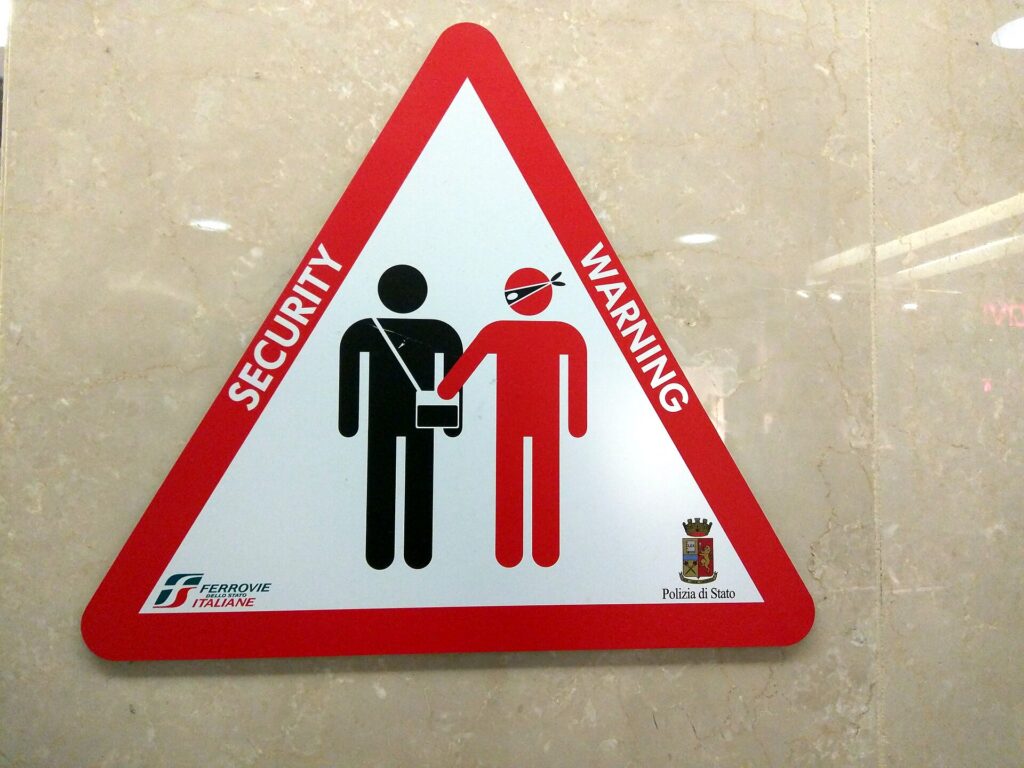
    A pickpocket warning sign in a railway station
    Stations, metros and busy squares are where quick bag thefts happen most, which is why back-facing and locking zippers matter (Photo: Cory Doctorow from Beautiful Downtown Burbank, USA via Wikimedia Commons, CC BY-SA 2.0)

    How bag theft actually happens

    Understanding the common methods tells you which features are worth paying for.

    • Pickpocketing in crowds. On busy trains, buses, escalators and in tourist hot spots, thieves open outside pockets and main zippers on bags worn on the back. This is the most common threat for travelers, and hidden or locking zippers address it directly.
    • Distraction. Someone asks for directions, spills something on you, or creates a commotion while a partner opens your bag. No feature beats awareness here, but a bag that takes several seconds to open helps.
    • Grab and run. A bag left on a chair, the floor beside a table or a luggage rack is simply picked up. A strap looped around your leg or a locking cable to a fixed object stops this.
    • Snatching. A thief grabs a bag or phone and runs, sometimes from a scooter. Strong straps and wearing the bag on both shoulders or across the body help.
    • Slashing. Cutting a bag or strap to get at the contents is much less common, but it is the risk cut-resistant materials are designed for.
    • Opportunistic theft from rooms and cars. Valuables left in view in a parked car or out on a hotel room desk are easy targets. Here the fix is the room safe, the trunk and not leaving the bag at all.

    Anti-theft features explained

    Hidden and back-facing zippers

    The most effective anti-theft design is also the simplest: put the main compartment zipper against your back, or hide it under a flap, so nobody can open it while you are wearing the bag. Some designs open only from the back panel. The trade-off is convenience; you have to take the bag off to get into it, which is exactly the point.

    Locking zipper pulls

    Many travel-focused bags let you clip zipper pulls together or into a catch, so a zipper cannot be quietly opened. Some accept a small padlock. This slows a pickpocket down enough to make your bag a worse target than the next one.

    Cut-resistant fabric and straps

    Some bags build a wire mesh or cut-resistant layer into the body and a steel cable into the straps. That defends against slashing and against a strap being cut in a snatch. It adds weight and cost, so it matters most for travelers in areas where that kind of theft is a known problem.

    Locking cable or anchor strap

    A strap or cable that wraps around a chair leg, a table or a luggage rack and locks to the bag stops a grab-and-run at a café or on an overnight train. It is one of the most underrated features for travelers who work in coffee shops or sleep on trains.

    Hidden pockets against your back

    A slim pocket in the back panel, reachable only when the bag is off, is the right place for a passport, a spare card and emergency cash. It is also useful on any bag, anti-theft or not.

    RFID-blocking pockets

    RFID-blocking pockets are lined to block radio signals from contactless cards and passports with chips. They do no harm and many travelers like the reassurance, but remote skimming is a far less common risk than a hand in your pocket. Treat RFID blocking as a small extra, not a reason to choose one bag over another.

    Water resistance and USB ports

    Water-resistant fabric protects a laptop and documents in rain, which is genuinely useful. USB ports on backpacks are usually a pass-through cable: you still need to put your own power bank inside, and the port itself does not store power.

    FeatureProtects againstHow much it matters
    Back-facing or hidden zippersPickpocketing in crowdsHigh for most travelers
    Locking zipper pullsQuiet opening while you walk or standHigh in busy cities and on transit
    Hidden back-panel pocketLoss of passport, cards and cashHigh; worth having on any bag
    Anchor strap or locking cableGrab-and-run at cafés, trains, stationsMedium to high for café workers and rail travelers
    Cut-resistant body and strapsSlashing and strap cuttingMedium; depends on destination
    RFID-blocking pocketRemote card skimmingLow; a small extra
    Water-resistant fabricRain damage to electronicsMedium; useful everywhere

    Choosing the right style for how you travel

    Daily commuting

    For a commute with a laptop, look for a slim backpack with a padded laptop compartment, a back-facing or hidden main zipper and a quick-access pocket that sits against your back for a transit card. Keep it light; you carry it every day.

    Business and tech travel

    A larger laptop backpack with organized pockets for chargers and cables, a sleeve for your laptop and a luggage pass-through strap that slides over a suitcase handle is the most practical combination. If you would rather not carry a heavy tech bag at all, our guide to rolling laptop bags covers wheeled options, and our list of laptop travel accessories helps keep the contents organized.

    Sightseeing and city days

    For a day out, a small daypack or a convertible sling is plenty: water, a layer, a phone, a wallet and maybe a small camera. A sling that can be worn across the body and swung to the front in crowds is one of the most practical anti-theft carries.

    One-bag travel

    If the backpack is your only luggage, you need a carry-on travel pack with a clamshell opening, a laptop compartment and lockable zippers. Our guide to the Peak Design Travel Backpack 45L covers how to choose and pack a carry-on travel backpack, and the same principles apply to anti-theft designs.

    Outdoors and remote work

    For campsites, RV trips and remote work with expensive hardware, a rugged, water-resistant bag with a structured interior protects equipment from knocks as well as from theft. For real trail use, though, a hiking pack with a hip belt carries weight far better; see our guide to hiking backpacks.
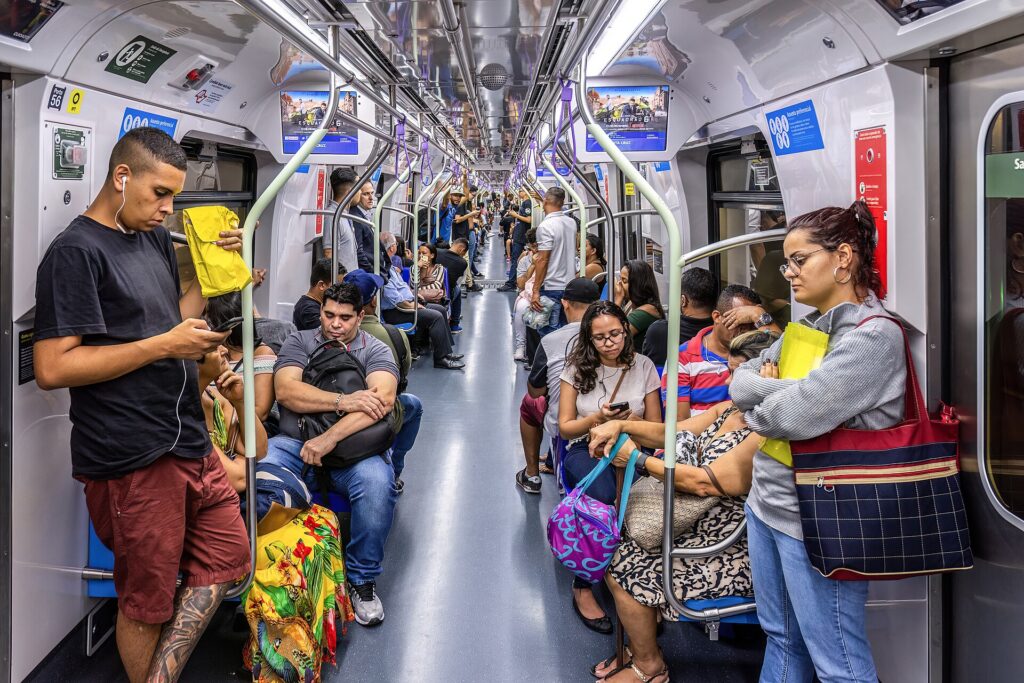
    Passengers standing close together in a crowded metro carriage
    In a packed carriage, swing your backpack to the front and keep a hand on it (Photo: Wilfredor via Wikimedia Commons, CC0)

    Options from our original list

    The bags below were featured in the original version of this guide. They cover different needs rather than a single ranking, and designs, sizes and features change between versions, so check the current details from the manufacturer or seller before you buy.

    BANGE anti-theft laptop backpack (17.3-inch)

    BANGE’s anti-theft backpack is aimed at business travelers and commuters who carry a large laptop. It is designed to fit a 17.3-inch notebook, uses water-resistant materials and includes a USB charging port that connects to a power bank you carry inside. It suits people who need room for a big laptop plus files and accessories, and who want the main compartment harder to open while the bag is on their back.

    Bags designed for a Starlink Mini kit

    The original list included a travel bag built around a Starlink Mini satellite dish and its accessories, with water-resistant material and anti-theft features. It is a niche choice, but a sensible one if you travel in an RV, camp or work remotely with that hardware: a bag shaped for the kit protects it far better than a general-purpose backpack. Check that the bag fits your exact kit before buying.

    Travelon Anti-Theft Voyages Daypack

    Travelon is one of the best-known names in anti-theft travel bags, and its range is built around features like lockable zippers, slash-resistant body panels and straps, and RFID-blocking pockets. The Voyages Daypack from the original list is a casual, lightweight daypack for sightseeing, museums and markets. Check the current product details for the exact feature set of the version you are buying.

    Travelon Anti-Theft Classic Convertible Sling Backpack

    This compact convertible bag can be worn as a backpack or a sling, which makes it easy to move to the front of your body in a crowd. It suits commuters who carry only essentials and travelers who want a secure second bag for day trips alongside their main luggage. Expect room for a phone, wallet, small tablet and a few daily items.

    NOMATIC Navigator Travel Backpack

    NOMATIC‘s Navigator is a premium carry-on travel backpack of around 32 liters with room to expand, a dedicated laptop compartment and protected access points. It suits frequent flyers and digital nomads who want one main bag that stays secure through airport lines, public transit and city walks. As with any expandable bag, check that it still fits your airline’s carry-on limit once expanded.

    Other brands to know

    Pacsafe is another long-established travel security brand, known for bags and accessories built around locking zippers, cut-resistant materials and anchor cables. It is worth a look alongside the options above if you want a wide choice of sizes and styles.

    Comfort and fit still come first

    A secure bag you hate wearing ends up at home. Check that the shoulder straps are padded and adjustable, that the back panel is not so stiff that it digs in, and that the bag sits high and close to your back rather than hanging low. A sternum strap helps a heavier laptop bag stay put. Remember that cut-resistant panels and steel-cable straps add weight, so compare empty weights if you will carry the bag all day. If possible, load the bag with a laptop and a water bottle in the store and walk around with it for a few minutes before deciding.

    What to carry in a city daypack

    A well-packed daypack means you rarely need to open it in a crowd. A sensible kit for a day of sightseeing:

    • Water, a light layer or rain jacket, and a snack.
    • Phone, a compact power bank and one cable; a 3-in-1 Apple charger back at the hotel keeps everything topped up overnight.
    • One card, some local cash and a transit card in an easy but body-side pocket.
    • A photocopy or photo of your passport, with the original in the safe unless you need it.
    • A few plasters, pain relief and hand sanitizer from a small travel first aid kit.

    Everything you need often should be reachable without opening the main compartment, and everything valuable should be in the pockets that are hardest to reach while you wear the bag.

    Habits that matter more than the bag

    • Wear it in front in crowds. On packed trains, escalators, markets and big events, swing the backpack to your chest or move a sling to the front.
    • Nothing valuable in outside pockets. Phones in back pockets and wallets in outside bag pockets are the easiest targets there are.
    • Never hang your bag on a chair. Keep it on your lap or loop a strap around your leg or the chair leg.
    • Keep your phone in your hand, not on the table. Café tables near doors and terraces are a favorite spot for quick phone grabs.
    • Split your valuables. One card and some cash in your wallet, a backup card and cash somewhere else, and your passport in the hotel safe or a hidden pocket. A money belt worn under clothing is a good home for backups.
    • Be wary of distractions. If someone creates a commotion close to you, put a hand on your bag first and help second.
    • Look like you know where you are going. Check maps before you step onto a busy street, or step into a doorway to do it.
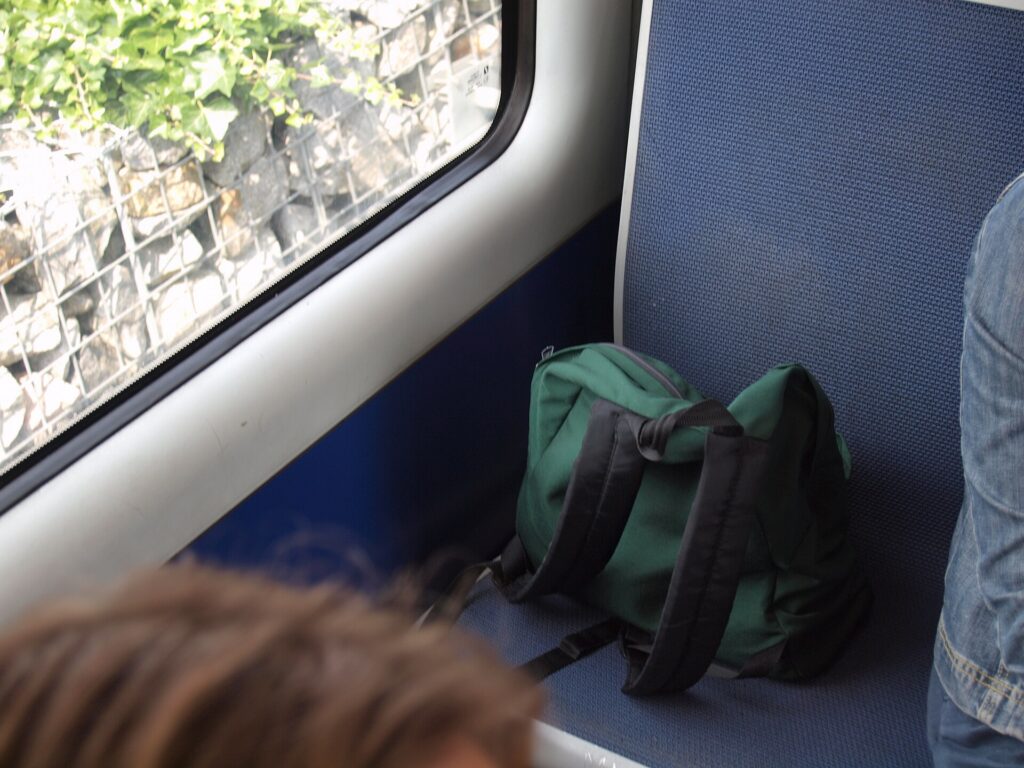
    A backpack sitting on a seat on a metro train
    A bag out of your hands is a bag anyone can pick up; keep it on your lap or strapped to you (Photo: JIP via Wikimedia Commons, CC BY-SA 3.0)

    Protecting documents, cards and small valuables

    Your passport is the one item that can end a trip if it goes missing. Keep it in a hidden pocket or a passport holder inside your bag, not in an outside pocket, and carry a photo of the data page on your phone and in your email. For cards and cash, a slim organizer such as the ones in our guide to travel wallets for women keeps everything in one place you can grip. Jewelry is best left at home, or kept in a small case like those in our guide to travel jewelry cases and locked in the room safe when you go out.

    On transit, in cafés, hotels and cars

    Trains and buses

    On long-distance trains, keep your daypack with you rather than on a distant luggage rack, and lock larger bags to the rack with a cable if you plan to sleep. On metros, stand with your bag in front and away from the doors, where snatch-and-exit thefts happen as doors close.

    Cafés and restaurants

    Choose a seat against a wall, keep the bag between your feet with a strap around your leg, and keep your phone off the table. If you work from cafés, an anchor strap is worth its weight.

    Hotels

    Use the room safe for your passport, spare cash and small electronics. Do not leave a laptop out on the desk when housekeeping is due. In hostels, use a locker and bring your own padlock.

    Rental cars

    Never leave bags visible in a parked car, even for a few minutes. Put luggage in the trunk before you arrive at your destination, not in the parking lot where people can see you do it. If you are renting a car on your trip, our car rental search lets you compare vehicles with an enclosed trunk rather than an open cargo area.

    A dense crowd of tourists in Times Square, New York
    Big tourist crowds are where distraction thefts work best; stay aware and keep valuables out of outside pockets (Photo: Rosapicci via Wikimedia Commons, CC BY-SA 4.0)

    Anti-theft bags at the airport

    Anti-theft backpacks go through security like any other bag. Locking zippers are fine at the checkpoint, but officers may need to open the bag, so keep it easy to unlock. Laptops and liquids may need to come out depending on the airport and screening lane. The TSA’s What Can I Bring? tool covers specific items in the United States, and CATSA’s what can I bring page does the same for Canada. Airports are also a place where bags go missing: never leave yours unattended, keep it in contact with your body at the gate, and count your bags when you leave the checkpoint.

    If something is stolen

    • Freeze cards first. Most banking apps let you lock a card instantly. Do that before anything else.
    • Report it to the police. Get a report number; your insurer and airline may need it.
    • Replace a lost or stolen passport. Canadians abroad can find help through the Government of Canada’s emergency assistance page. US citizens should follow the State Department’s lost or stolen passport guidance. Contact your embassy or consulate as early as possible if you have a flight coming up.
    • Change passwords if a phone or laptop was taken, and use your device’s find-and-erase feature.
    • Contact your travel insurer promptly; policies often have time limits and need a police report.

    Before you go, read your government’s advice for your destination, which often describes common scams and theft hot spots. Canada’s travel advice and advisories are a good starting point.

    Common mistakes

    • Believing the bag does the work. A locked zipper will not help if the bag is hanging on a chair behind you.
    • Buying a bag that screams “valuables”. Plain, understated bags attract less attention than obviously expensive ones.
    • Making it too hard to use. If every pocket needs unlocking, you will stop locking them. Lock the main compartment and keep one easy pocket for a transit card.
    • Carrying everything every day. Leave the passport and backup card in the safe on normal sightseeing days unless local rules require you to carry ID.
    • No backups. Keep a photo of your passport, a backup card and emergency contacts somewhere separate.

    Frequently asked questions

    Do anti-theft backpacks really work?

    They make the most common thefts, like quick pickpocketing and unzipping in crowds, harder and slower, which often means a thief picks an easier target. They do not stop determined theft, so combine the bag with good habits.

    What is the most important anti-theft feature?

    Main zippers that face your back or lock, plus a hidden pocket for your passport and cards. Those address the thefts travelers face most often.

    Is RFID blocking necessary?

    It is a harmless extra. Remote skimming is much less common than physical theft, so do not choose a bag mainly for RFID blocking.

    Are anti-theft backpacks allowed as carry-on?

    Yes, if they fit the airline’s carry-on or personal-item limits. Smaller daypacks and slings usually count as personal items; larger travel packs count as the carry-on.

    Is a sling safer than a backpack?

    A sling worn across the body and moved to the front in crowds is easier to keep an eye on. A backpack carries more and is more comfortable for heavier loads. Many travelers use both.

    Where should I keep my passport while sightseeing?

    In the hotel safe if you do not need it, or in a hidden pocket against your back or under your clothes if you do. Never in an outside pocket.

    Can I lock my backpack when I go through security?

    Yes, but officers may need to open it. Keep locks easy to remove, and use a lock that security can open if you are checking the bag on a flight in or to the United States.

    Once your bag is sorted, focus on the trip itself. Compare fares on our flight search, choose a hotel with a room safe on our hotel search, and if you are exploring a big, busy city, our guides to things to do in Rome and things to do in London will help you plan days where a secure daypack earns its place. For the rest of your kit, start with our main guide to travel luggage.

  • Peak Design Travel Backpack 45L: 5 Best Picks

    Peak Design Travel Backpack 45L: 5 Best Picks

    The Peak Design Travel Backpack 45L is one of the best-known bags built around a simple idea: carry everything for a trip in one bag on your back, and walk off the plane without waiting at a baggage carousel. It packs like a suitcase, carries like a backpack and works with a set of packing and camera cubes, which is why it shows up so often with photographers, remote workers and people who hop between cities by train. It is also a premium bag, and it is not the right answer for every traveler. This guide explains what the Travel Backpack 45L does well, how its expandable capacity and access points work, whether it fits airline carry-on rules, how it compares with Peak Design’s Travel Duffelpack and Outdoor Backpack 45L, and how to choose and pack any 40 to 45 liter travel backpack so a week of travel fits comfortably on your back.

    The short answer

    If you want a single carry-on bag for trips of up to a week or so, value organization and plan to walk, take trains or climb stairs with your luggage, the Peak Design Travel Backpack 45L is a strong choice. It compresses for shorter trips and expands for longer ones, opens wide like a suitcase, has a dedicated laptop sleeve and works with Peak Design’s cubes. If you need more volume for bulky or sports gear, the Travel Duffelpack is a better fit. If your trip is built around trails rather than terminals, look at the Outdoor Backpack 45L or a proper hiking pack. And if your shoulders or back do not enjoy carrying weight, a carry-on suitcase with wheels may simply be the better bag for you. Whichever you choose, check your airline’s current carry-on limits before you fly, since a 45 liter bag packed full sits at the edge of many allowances.

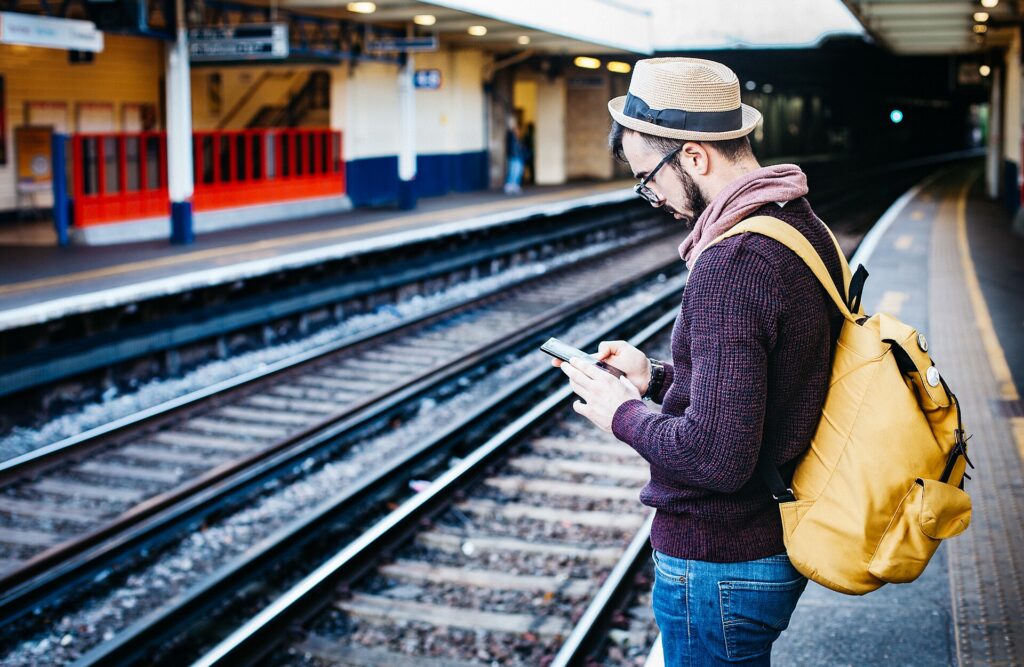
    A traveler with a large backpack waiting on a railway platform
    Stairs, platforms and crowded carriages are where a travel backpack beats a roller (Photo: Clem Onojeghuo clemono2 via Wikimedia Commons, CC0)

    What the Travel Backpack 45L is designed to do

    Most backpacks load from the top, which means the thing you need is always at the bottom. The Travel Backpack 45L is built the other way: it opens along the back panel like a clamshell suitcase, so you can lay it flat on a hotel bed and see everything at once. It adds side access to reach things without opening the whole bag, and a front section for smaller items. The bag’s capacity can be reduced with compression zips and straps when you pack light and expanded to its full 45 liters when you need the room, so the same bag works for a three-night work trip and a week-long holiday.

    It is also designed as part of a system. Peak Design sells packing cubes, a camera cube, a tech pouch and a wash pouch sized to fit the bag, and the laptop sleeve sits against your back where it is protected and easy to slide out at security. The idea is that the backpack does the carrying and the cubes do the organizing. You can check current features, dimensions and accessory compatibility on Peak Design’s own site.

    Key features, and why they matter

    Adjustable capacity

    The single most useful feature is that the bag changes size. Compressed, it is slimmer and easier to carry around a city, less likely to bump people on a train and more likely to fit tighter carry-on limits. Expanded, it holds enough for most people for a week, especially if you do laundry once. Peak Design lists the exact modes and dimensions for each, and those are the numbers to compare against your airline.

    Suitcase-style opening and multiple access points

    The clamshell opening makes packing and unpacking far easier than a top-loader, and it is quicker at a security checkpoint when you need to pull out a laptop or a bag of liquids. Side access lets you grab a jacket or a camera without unzipping the main compartment.

    Laptop and tablet sleeves

    A padded sleeve for a laptop and a separate slot for a tablet or documents keep electronics protected and separate from clothes. Check the listed laptop size against your machine, particularly if you carry a large 16-inch laptop.

    Harness and hip belt

    Padded shoulder straps, a sternum strap and a hip belt make a loaded bag much more comfortable. The harness and hip belt can be tucked away, which keeps them from snagging in overhead bins or on baggage belts if you ever have to gate-check it. For long walks with a full bag, use the hip belt: it moves weight from your shoulders to your hips.

    Materials and weather resistance

    The shell is a weather-resistant recycled nylon, with water-resistant zippers. That will keep a passing shower off your clothes, but it is not a waterproof dry bag. In heavy rain, pack electronics in the middle of the bag and consider a rain cover if you walk a lot between stations.

    Warranty

    Peak Design offers a lifetime warranty on its bags. That is part of what you are paying for with a premium pack, and it is worth reading the current terms on the manufacturer’s site so you know what it covers.

    Is the Peak Design Travel Backpack 45L carry-on size?

    It was designed with carry-on travel in mind, but “carry-on size” always depends on three things: the airline, the fare and how full you pack it. The principles:

    • Compressed, it fits more airlines. A slimmer bag is more likely to meet stricter limits and to fit smaller overhead bins on regional jets.
    • Fully expanded and stuffed, it sits at the edge. A 45 liter pack packed to bursting can exceed a carry-on depth limit, especially with full front pockets.
    • Some fares only allow a personal item. Basic and ultra-low-cost fares may include only a small under-seat bag; a 45 liter pack is a full carry-on on any airline.
    • Some airlines weigh cabin bags. A full backpack with a laptop and camera can be heavy, so check whether your airline has a cabin weight limit.

    Always check the official page before you fly: Air Canada carry-on baggage, WestJet carry-on baggage and Delta carry-on baggage are good examples of how airlines publish their limits. For budget carriers in Europe, read the cabin bag rules closely; easyJet’s cabin bag page shows how a free allowance can be much smaller than a full carry-on. Our guide to Delta carry-on sizes goes deeper on one airline, and our main guide to travel luggage explains carry-on, personal item and checked allowances in general.

    Who it suits, and who should look elsewhere

    A good fit for

    • One-bag travelers who want to skip checked bags and move fast between flights, trains and hotels.
    • Multi-city trips with stairs, cobblestones, ferries and crowded platforms, where wheels are a liability.
    • Remote workers who need a laptop, chargers and a week of clothes in one bag.
    • Travel photographers who want a camera cube inside a bag that does not look like a camera bag.
    • Business travelers who prefer a backpack to a roller and want something that looks tidy in a meeting.

    Probably not the best choice for

    • Travelers with back, neck or shoulder problems, who will usually be happier with a wheeled carry-on.
    • Long trips in cold weather with bulky layers and boots, where the volume runs out quickly.
    • Serious hiking, where a pack with a real load-bearing frame and a torso-length adjustment carries weight much better; see our guide to hiking backpacks.
    • Tight budgets. The Travel Backpack 45L is a premium bag. Many simpler 40 liter travel packs do the core job for less, without the accessory ecosystem.
    A travel photographer taking a picture at a pagoda
    A camera cube turns part of a travel backpack into a padded camera bag without making it look like one (Photo: Jay.Jarosz via Wikimedia Commons, CC BY-SA 4.0)

    Travel Backpack 45L vs the alternatives

    BagBest forStrengthsTrade-offs
    Peak Design Travel Backpack 45LOne-bag carry-on travel, city hoppingSuitcase-style opening, adjustable capacity, laptop sleeve, cube systemPremium price; heavy when full; at the edge of some carry-on limits when expanded
    Peak Design Travel DuffelpackRoad trips, sports and bulky gear, longer tripsLarge duffel opening, more volume, stowable backpack strapsToo big for most carry-on limits when full; less organization
    Peak Design Outdoor Backpack 45LHiking, outdoor photography, trips mixing trails and townsRoll-top, hip belt and harness built for trail use, camera cube compatibleLess suitcase-like organization for city travel
    Carry-on suitcaseAirport-to-hotel trips, travelers who prefer not to carry weightWheels take the load; easy to packAwkward on stairs, cobbles and crowded trains
    Smaller 25 to 35 liter packWeekend trips, minimalists, strict airlinesLighter, fits more carry-on limits, some fit personal-item limitsNeeds disciplined packing for longer trips

    The Peak Design options worth considering

    The original version of this guide listed five Peak Design products. Several are the same bag in different colors, so here they are grouped by model. Colors, capacities and specifications change between versions, so confirm the current details on the manufacturer’s site before you buy.

    Peak Design Travel Backpack 45L (Black)

    The flagship, and the bag this guide is named for. It is the most versatile of the group: carry-on focused, organized, and suited to everything from a work trip to a week in Europe. Black is the most understated color and looks at home in an office or a boutique hotel. Choose it if you want one bag that does most trips and you will use the laptop sleeve and cubes.

    Peak Design Travel Duffelpack (Ocean, Black and Eclipse)

    The Travel Duffelpack combines a duffel’s big, open main compartment with backpack straps that tuck away when you do not need them. The original guide listed it in three colors: Ocean, Black and Eclipse. It holds more than the Travel Backpack and is better for road trips, ski and sports gear, camera kits and longer trips where you plan to check a bag. It is less organized inside, so packing cubes matter more, and when full it is generally a checked bag rather than a carry-on. Choose it if you value volume and easy loading over carry-on compliance.

    Peak Design Outdoor Backpack 45L (Kelp)

    Part of Peak Design’s outdoor line, this pack uses a roll-top closure and a harness and hip belt designed for carrying on trails, and it works with the brand’s camera cubes. The original guide listed it in the Kelp color. It suits hikers, landscape photographers and travelers whose trip mixes trails with towns. For city travel it is less convenient than the Travel Backpack’s suitcase-style opening, and for multi-day backpacking with a tent and food, a dedicated trekking pack with an adjustable frame may still carry better.

    Do you need the matching cubes and pouches?

    Peak Design’s packing cubes, camera cube, tech pouch and wash pouch are shaped to fill the Travel Backpack neatly, and that fit is the main argument for buying them. They are not required, though. Any packing cubes of a sensible size will organize the bag, and many travelers already own a toiletry bag and a cable pouch that work fine. A reasonable approach is to start with the backpack alone, take one trip, and then buy only the pieces that would have solved a real problem: a camera cube if you carried a camera loose in your clothes, a tech pouch if you spent time hunting for a charger, or a set of cubes if the bag turned into a jumble by day three. That keeps the total cost down and avoids a closet full of accessories you do not use. If you carry a lot of electronics, our guide to 3-in-1 Apple chargers shows how to cut down the number of chargers you pack in the first place.

    How to choose any 40 to 45 liter travel backpack

    Whether you buy the Peak Design or another brand, the same questions decide whether a travel pack works for you.

    • Capacity. About 40 to 45 liters is the practical maximum for most carry-on limits. Around 30 to 35 liters suits light packers and strict airlines. Adjustable-capacity bags give you both.
    • Fit. A travel pack should sit close to your back with the weight resting on your hips via the hip belt. If you are short or tall, check the harness length; some brands offer sizes or adjustable harnesses.
    • Opening. A full clamshell or wide U-shaped zipper packs like a suitcase. A top-loader is simpler and lighter but slower to live out of.
    • Laptop access. A separate laptop compartment you can open without unpacking clothes saves time at security.
    • Empty weight. Frames, padding and hardware add weight. A heavy empty bag makes airline cabin weight limits harder to meet.
    • Materials. Tough, weather-resistant fabric and good zippers matter more than lots of pockets.
    • Security. Lockable zippers and hidden pockets are useful in crowded cities; our guide to anti-theft backpacks covers what those features actually do.
    • Warranty and repairability. A bag you will carry for years should come from a brand that stands behind it.
    Clothes, shoes and travel items laid out next to a backpack ready for packing
    Lay it all out first: a week of clothes fits in 45 liters when every piece works with the others (Photo: www.Pixel.la Free Stock Photos via Wikimedia Commons, CC0)

    Packing a 45 liter backpack for a week

    A week in a backpack is easy with the right approach. A typical warm-weather packing list for one person:

    • Four or five tops and two or three bottoms that all work together; our guide to travel pants for men covers versatile options that dress up or down.
    • Underwear and socks for five days, plus a plan to wash a load midweek.
    • One warm layer and one light rain jacket.
    • One pair of shoes on your feet and at most one more in the bag; see our guide to walking shoes for travel for a pair that does both.
    • A small toiletry bag that meets liquid rules, and a tech pouch for chargers and cables.
    • Laptop and tablet in the sleeves, and documents in a slim wallet or a passport holder.

    Pack heavy items, like shoes and the toiletry bag, close to your back and in the middle of the bag, and light, bulky clothes toward the outside. Packing cubes compress soft clothing and keep the bag tidy when you open it at a checkpoint. Keep your liquids where you can reach them: in the United States, the TSA liquids rule sets the limits for cabin bags, and in Canada, CATSA explains what you can bring. For cables, adapters and chargers, our list of laptop travel accessories has ideas that pack small.

    For travel photographers

    Many people buy this bag for the camera cube: a padded insert that turns part of the backpack into a camera bag while the rest holds clothes. A few tips if you carry camera gear:

    • Keep cameras and lenses in the cabin. Never check expensive gear if you can avoid it.
    • Carry spare batteries in the cabin. Spare lithium batteries, including camera batteries and power banks, generally must not go in checked bags. The FAA’s PackSafe guidance on lithium batteries explains the rules, and airlines publish their own limits.
    • Balance the load. Camera gear is dense; place the cube close to your back so the bag does not pull backward.
    • Think about access. Side access to the camera cube lets you shoot without unpacking your clothes.
    • Drones need extra checks. Airlines and destinations have their own rules about drones and their batteries; check both before you pack one.

    Getting through the airport with a travel backpack

    • Pack for the checkpoint. Laptop in its sleeve, liquids at the top, and nothing in pockets that will need to come out. A clamshell bag makes this easy.
    • Tuck away straps before the X-ray. Loose straps snag on belts and bins. Use the stowable harness and hip belt if the bag is ever gate-checked.
    • Board early if you can. A full-size backpack needs overhead space. Slide it in lengthwise with the top handle facing out, so you can reach it quickly.
    • Keep a small bag for the seat. A light pouch or sling with your headphones, snacks and documents means you do not have to open the overhead bin mid-flight; our guide to noise-cancelling headphones for flying helps with the long legs.
    • Arrive with time to spare. Our guide to airport arrival times for international flights has the details.

    Caring for a premium travel pack

    A good bag lasts longer with a little care. Empty it after each trip and let it air out before storing it. Spot-clean fabric with a damp cloth and mild soap rather than a washing machine, which can damage coatings and padding. Keep zippers free of grit, and do not force a zipper around an overstuffed corner. If something breaks, contact the manufacturer before attempting a repair yourself, since a DIY fix can affect a warranty claim.

    Common mistakes with travel backpacks

    • Packing to full expansion every time. If you always fill every liter, the bag will be heavy and at the edge of carry-on limits. Pack compressed by default and expand only when you need to.
    • Ignoring the hip belt. Carrying 10 kg or more on your shoulders alone is tiring. Clip the belt and tighten it.
    • Buying before measuring. Compare the bag’s real dimensions with the strictest airline you plan to fly.
    • Carrying valuables in outer pockets. In crowds, keep your phone, wallet and passport in inner or body-side pockets.
    • Treating weather resistance as waterproof. Heavy rain will eventually get in. Protect electronics.
    • Forgetting the return trip. Leave room for anything you buy on the way.

    Frequently asked questions

    Is the Peak Design Travel Backpack 45L carry-on approved?

    It is designed for carry-on travel and fits many airlines’ limits, especially when compressed. Whether it fits depends on the airline, the fare and how full you pack it, so check the airline’s current dimensions before you fly.

    Is the Peak Design Travel Backpack 45L waterproof?

    It is weather-resistant, not waterproof. The shell and zippers keep out light rain and splashes, but prolonged heavy rain can get in, so protect electronics in wet weather.

    Can it hold a laptop?

    Yes. It has a dedicated padded laptop sleeve plus a tablet slot. Check the listed laptop size on Peak Design’s site against your machine.

    Is it good for photographers?

    Yes, especially with Peak Design’s camera cube, which turns part of the bag into a padded camera compartment while leaving room for clothes.

    What is the difference between the Travel Backpack and the Travel Duffelpack?

    The Travel Backpack is built for carry-on travel with suitcase-style organization and a laptop sleeve. The Travel Duffelpack is a larger duffel with backpack straps, better for bulky gear, road trips and longer trips, and generally a checked bag when full.

    Can I fit a week of clothes in a 45 liter backpack?

    Most people can, especially with packing cubes, a mix-and-match wardrobe and a midweek laundry stop. Cold-weather trips are harder because of bulky layers.

    Is a travel backpack better than a carry-on suitcase?

    It depends on the trip and your body. Backpacks win on stairs, trains and rough streets; suitcases win in airports and for anyone who prefers not to carry weight.

    With the bag packed, the next step is the trip. Search fares on our flight search, where flexible dates often save enough to cover a good bag, compare places to stay on our hotel search, and if the plan includes a road trip, check our car rental search. A one-bag trip suits city hopping in Europe perfectly: read our guide to traveling Europe on a multi-city itinerary, then compare flights to London or flights to Rome to start.

  • Top 10 Laptop Travel Accessories You Can’t Travel Without

    Top 10 Laptop Travel Accessories You Can’t Travel Without

    A laptop is the most expensive and most fragile thing most people travel with, and it depends on a surprising number of small companions to be useful on the road. Without the right plug, it dies in a hotel room abroad. Without a sleeve, it picks up a cracked corner in an overhead bin. Without a stand and a mouse, a week of working from hotel desks leaves you hunched and sore. The good news is that the kit you need is small, and most of it costs far less than a repair. This guide covers the ten laptop travel accessories from our original list, what each one actually does, what to look for when you buy, which ones matter for which kind of trip, and the rules that apply to batteries and chargers when you fly. It is part of our travel gear series, which starts with our main guide to choosing travel luggage.

    The short answer

    If you only buy three things, make them a padded sleeve or a bag with a proper laptop compartment, a plug adapter for the countries you visit and a cable pouch that keeps your charger, cables and adapters in one place. Add a power bank that can charge your laptop over USB-C if you work in airports or on trains, and a folding stand plus a compact mouse if you work from hotel desks for more than a few days. Everything else, from cooling pads to anti-theft backpacks, depends on how and where you travel. Before any flight, remember the one rule that is not optional: power banks and spare lithium batteries travel in the cabin, never in checked bags.

    Start with how you travel

    The right kit for a weekend city break is very different from the right kit for a month of remote work. Three questions narrow it down quickly:

    • How many hours a day will you work? An hour of email needs almost nothing. Full workdays from hotels, cafés and coworking spaces justify a stand, a mouse and possibly a travel keyboard.
    • Where will you plug in? Domestic trips need no adapter. International trips need the right plug for each country, and long travel days with no outlets need a power bank.
    • How will you carry it? A backpack, a rolling bag or a suitcase with a laptop pocket each changes which protection and organization accessories make sense.

    The ten laptop travel accessories

    1. Travel laptop backpack

    A good travel laptop backpack puts the computer in a padded compartment against your back, keeps chargers and cables organized in their own pockets and spreads the weight across both shoulders. For travelers it is often the single most useful accessory because it is both protection and luggage. Look for:

    • A suspended or raised laptop compartment, so the laptop does not hit the ground when you set the bag down.
    • A clamshell or wide opening that lets you reach the laptop at security without unpacking everything.
    • A luggage pass-through strap to slide the bag over a suitcase handle.
    • Dimensions that fit your airline’s personal-item limit if you want it under the seat, or the carry-on limit if it is your main bag.

    If the backpack is also your main luggage, our guide to the Peak Design Travel Backpack 45L explains how to choose and pack a carry-on travel pack.

    2. Slim laptop sleeve

    A sleeve is the cheapest insurance you can buy for a laptop. It adds a layer of padding when the computer goes into a tote, a suitcase or a bag without its own compartment, and it lets you carry the laptop on its own into a meeting or a café. Choose a sleeve sized to your laptop’s actual dimensions rather than just the screen size, with padding on the edges and corners, since that is where drops do the most damage. Water-resistant fabric and a zipper that does not scratch the lid are worth having. A sleeve with a small front pocket for the charger turns it into a minimalist laptop bag for short trips.

    3. Adjustable laptop stand

    Hotel desks, café tables and airport counters put your laptop screen far below eye level, which means hours of looking down. A folding stand raises the screen closer to eye level, and most fold flat or into a small tube for packing. The catch is that once the laptop is raised, its own keyboard is too high to type on comfortably, so a stand works best with a separate keyboard and mouse. Look for a stand that is light, folds small, locks at several heights and feels stable when you type. It can also help air circulate under the laptop on a hot day.

    4. Portable laptop charger (power bank)

    A power bank that can charge a laptop keeps you working through long layovers, train journeys and flights without a working seat outlet. Not every power bank can charge a laptop, so check these points:

    • USB-C Power Delivery output with enough wattage for your laptop. The laptop’s own charger shows its wattage; a power bank with much lower output may charge slowly or only slow the drain while you work.
    • A watt-hour rating printed on the case. Airline and security rules are based on watt-hours, not the milliamp-hour number in the marketing. If only mAh is listed, you can estimate watt-hours as mAh multiplied by the battery voltage, divided by 1,000.
    • Size and weight. Laptop-capable power banks are heavier than phone ones. Carry the smallest one that gets you through a typical travel day.

    The flying rules for power banks are covered in detail below. The short version: cabin only, under the common 100 Wh threshold unless your airline approves a larger one, and protected from short circuits.

    A traveler charging a phone at a charging kiosk in an airport terminal
    Airport charging points are often busy or broken; a laptop-capable power bank keeps you independent of them (Photo: Wide Awake! via Wikimedia Commons, CC BY 4.0)

    5. Waterproof laptop bag

    Rain is the most common way travelers damage laptops without dropping them: a dash from a taxi to a hotel, a ferry deck, a sudden storm while sightseeing. A bag with water-resistant fabric, covered or coated zippers and a padded compartment keeps the laptop dry in ordinary weather. Truly waterproof bags with roll-top closures exist, mainly for outdoor and adventure travel, but for most trips water resistance plus a sleeve inside is enough. Whatever the bag claims, do not leave a laptop bag sitting in a puddle or on a wet boat deck.

    6. Anti-theft laptop backpack

    Anti-theft backpacks hide the main zipper against your back or let you lock it, add a hidden pocket for your passport and cards, and in some cases use cut-resistant fabric and straps. They make quick pickpocketing and grab-and-run theft harder, which is useful in busy cities, on crowded transit and in cafés where a bag sits on the floor. They are not theft-proof, and habits matter as much as features. Our full guide to anti-theft backpacks explains which features are worth paying for and which are marketing.

    7. Cable organizer pouch

    A cable pouch is the accessory that saves the most frustration for the least money. It keeps the laptop charger, phone cables, adapters, earbuds and a spare USB stick in one place, so you can pull them all out at a hotel desk and put them all back at checkout. It also makes security easier, since a tangle of loose cables around a laptop is more likely to need a second look. Choose a pouch with elastic loops or small mesh pockets, a zipper that opens wide and a bright interior color so you can see what is inside. Before a trip, pack it and check it against a list: laptop charger, phone cable, watch charger, plug adapter, power bank cable.

    8. Laptop cooling pad

    Cooling pads use one or more fans to push air under the laptop. They make the most sense for gaming laptops and powerful machines that run hot under sustained load, or for working in very warm rooms without air conditioning. For most travelers and most laptops, a cooling pad is optional; keeping the vents clear and working on a hard, flat surface rather than a bed or a sofa does most of the job. If you do pack one, choose a slim, light model that runs from a USB port, and remember it adds bulk. A folding stand that lifts the laptop off the table gives some of the same airflow benefit with less to carry.

    9. Universal travel adapter

    Plug shapes differ around the world, and an adapter lets your laptop charger fit a foreign outlet. A universal adapter with sliding pins covers many plug types in one block and often adds USB ports for phones and watches. Two things matter more than the number of countries on the box:

    • An adapter is not a voltage converter. It changes the plug shape, not the electricity. Most laptop and phone chargers are designed for a wide input range; Apple, for example, says its USB power adapters are designed for 100 to 240 volts. Check the input rating printed on your own charger before you rely on this. Hair dryers and other heating appliances are a different story.
    • Choose a solid, well-made adapter. A laptop charger is heavy, and a cheap adapter can sag out of the wall or fit loosely. An adapter with a safety shutter and a fuse is worth the small extra cost.

    If you travel with several devices, a single multi-port USB-C charger with interchangeable plug heads can replace several bricks and an adapter at once.

    10. Compact wireless mouse

    A trackpad is fine for an hour, but a small mouse makes long sessions of spreadsheets, design work or editing much more comfortable. Travel mice are smaller than desk mice and often connect by Bluetooth, which saves a USB port and removes the tiny receiver that is so easy to lose. Rechargeable models avoid carrying spare batteries. Look for one that fits your hand without cramping, has an on-off switch so it does not drain in your bag, and works on the surfaces you will actually use, such as glossy hotel desks.

    Comparison: which accessories matter for which trip

    AccessoryWeekend or city breakBusiness tripInternational tripLong-term remote work
    Laptop backpack or bagUsefulEssentialEssentialEssential
    Slim sleeveEssential if no laptop bagUsefulUsefulUseful
    Folding standOptionalUsefulUsefulEssential
    Laptop power bankOptionalUsefulUsefulUseful
    Water-resistant bagUsefulUsefulUsefulUseful
    Anti-theft backpackUseful in busy citiesOptionalUsefulUseful
    Cable pouchUsefulEssentialEssentialEssential
    Cooling padRarely neededRarely neededHot climatesPowerful laptops
    Travel adapterOnly abroadOnly abroadEssentialEssential abroad
    Compact mouseOptionalUsefulUsefulEssential

    Flying with a laptop, chargers and batteries

    Laptops, chargers and power banks all contain or depend on lithium batteries, which are regulated in aviation because a damaged or short-circuited battery can overheat. The details are set by each authority and airline and can change, but the principles are consistent:

    • Keep the laptop with you in the cabin. Devices with installed batteries are allowed in the cabin, and keeping them there also protects them from theft and rough handling.
    • Power banks and spare batteries are cabin only. They are not allowed in checked baggage. If your bag is gate-checked or taken at the aircraft door, take the power bank and any spare batteries out first.
    • Watt-hours decide what is allowed. Most phone and laptop batteries and power banks fall under the common 100 Wh threshold. Larger batteries usually need airline approval, and there is an upper limit beyond which they are not allowed as passenger baggage.
    • Protect the terminals. Keep spares in their packaging, a case or a separate plastic bag, away from keys and coins.
    • Your airline may be stricter. Some airlines have added their own limits on using or charging power banks during flights. Check the airline’s page as well as the government rules.
    • Damaged batteries stay home. A swollen, cracked or recalled battery should not fly.

    Read the official pages before you fly: the FAA’s PackSafe guidance on lithium batteries, the TSA’s power banks entry and its What Can I Bring? tool, and CATSA’s guidelines for batteries for Canadian airports. Transport Canada also has a plain-language explainer on travelling with lithium batteries.

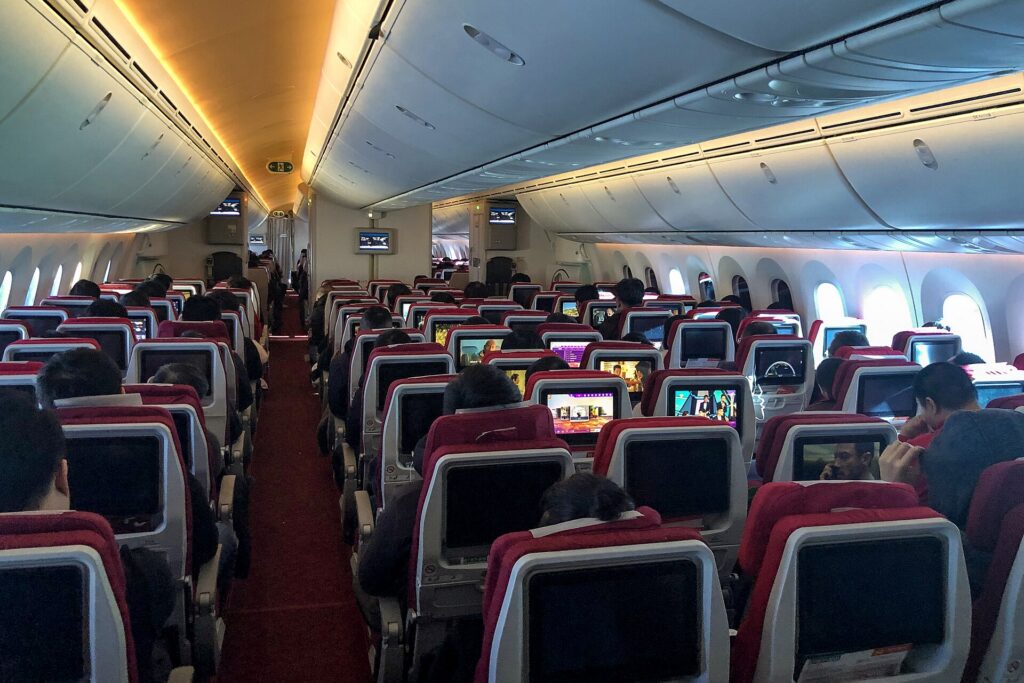
    The economy cabin of a widebody airliner with rows of seats and seatback screens
    Laptops, power banks and spare batteries fly in the cabin with you, never in a checked bag (Photo: N509FZ via Wikimedia Commons, CC BY-SA 4.0)

    Getting through security smoothly

    Laptop screening rules vary by airport, checkpoint and screening program. Some checkpoints still ask you to remove laptops and place them in a separate bin; newer screening lanes and some trusted traveler programs let them stay in the bag. Pack so either works:

    • Laptop in its own compartment near the top or back of the bag, so it slides out in one move.
    • Cables in the pouch, not wrapped around the laptop.
    • Power bank in an outside pocket in case officers want to see it.
    • Take off smart watches and put phones in the bag or bin before you reach the belt, so you are not the person holding up the line.
    • Watch your laptop come out of the scanner. The belt is one of the easiest places to leave a laptop behind or have it picked up by someone else.

    Working on the road: making a hotel room or café into an office

    With a stand, a mouse and a keyboard, almost any table becomes a reasonable workstation. A few habits make it work better:

    • Choose the room for the work. If you need to work from the hotel, look for a room with a real desk and a proper chair, and ask about Wi-Fi quality. Our business travel hotels guide explains what to look for.
    • Carry a short extension or small multi-outlet charger. Hotel outlets are often behind the bed or far from the desk.
    • Bring your own sound. Cafés, airport gates and planes are noisy; our guide to noise-cancelling headphones for flying covers how to choose a pair for calls and focus.
    • Protect the screen from eyes. A privacy screen filter narrows the viewing angle so the person next to you on the plane cannot read your email.
    • Treat public Wi-Fi with caution. Stick to secure sites, use your company’s security tools if you have them and avoid sensitive logins on networks you do not trust.

    Worth adding beyond the top ten

    • A travel keyboard. If you use a stand, or you want to work from a tablet instead of a laptop, a folding or slim Bluetooth keyboard completes the setup. See our guide to travel keyboards.
    • A multi-device charger. If you carry an iPhone, an Apple Watch and AirPods, a 3-in-1 Apple charger cuts three chargers down to one.
    • A rolling laptop bag. If your tech bag is heavy and your trips are mostly airports and offices, a rolling laptop bag takes the weight off your shoulders.
    • A cable lock. Useful in coworking spaces, shared offices and hostels, as long as your laptop has a lock slot or you use an adapter designed for it.
    • A small USB-C hub. Many thin laptops have few ports. A compact hub adds HDMI for hotel TVs and meeting-room screens, plus USB-A for older accessories.

    Before the trip: a laptop checklist

    • Back up your files to the cloud or an external drive before you leave.
    • Update the operating system and apps at home, not on hotel Wi-Fi the night before a presentation.
    • Download what you need offline: documents, maps, entertainment and boarding passes.
    • Turn on device encryption and a strong password, and make sure you can locate or wipe the laptop remotely.
    • Charge everything, including the power bank, the mouse and the keyboard.
    • Pack the cable pouch from a list, and check it again when you leave each hotel.
    • Photograph the serial number of your laptop and keep a copy of the receipt, in case you need to report a loss or make an insurance claim.
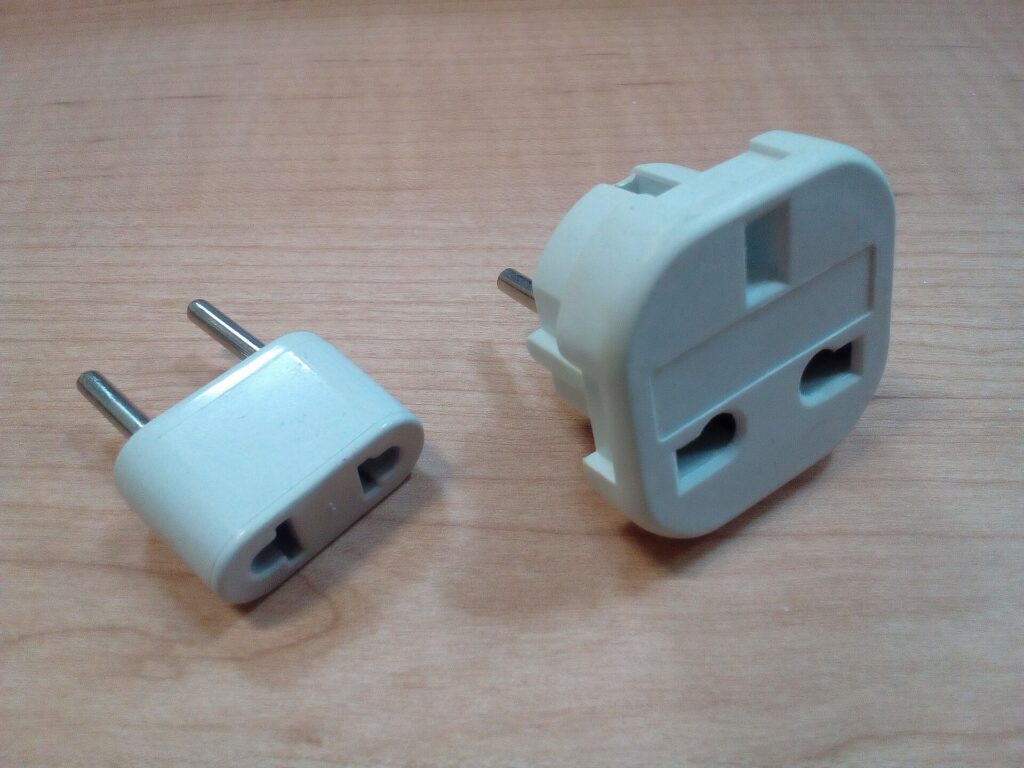
    Two plug adapters for different electrical outlet types on a wooden table
    A plug adapter changes the plug shape, not the voltage; check the input rating on your charger (Photo: Fructibus via Wikimedia Commons, CC0)

    Common mistakes

    • Checking the laptop or power bank. Laptops belong in the cabin, and spare batteries are not allowed in checked bags at all.
    • Buying a sleeve by screen size alone. Measure the laptop.
    • Assuming an adapter converts voltage. It does not. Check the input range on the charger itself.
    • Carrying a phone power bank for a laptop. Check the USB-C output wattage before you depend on it.
    • Leaving cables behind. Hotel rooms are full of forgotten chargers. A single pouch and a quick check at checkout prevent it.
    • Working hunched over for a week. A stand and a separate keyboard or mouse are small, light and make a big difference.
    • Relying on seat power. Not every plane has working outlets, and many that do deliver limited power. Arrive fully charged.

    Frequently asked questions

    What are the most important laptop travel accessories?

    A padded sleeve or laptop bag, a plug adapter for international trips and a cable pouch cover most travelers. A laptop-capable power bank, a folding stand and a compact mouse are the next most useful.

    Can I bring a laptop power bank on a plane?

    Yes, in your carry-on. Power banks are not allowed in checked baggage. Most fall under the common 100 Wh threshold; larger ones generally need airline approval. Check the FAA, TSA or CATSA pages linked above and your airline’s policy.

    Do I need a voltage converter for my laptop abroad?

    Usually not. Most laptop chargers accept a wide range of input voltages, so a plug adapter is enough. Check the input rating printed on your charger to be sure.

    Is a laptop cooling pad worth taking on a trip?

    For most laptops and most trips, no. Keeping the vents clear and using a hard, flat surface is enough. Cooling pads make more sense for powerful laptops or very hot rooms.

    Should I use a laptop sleeve inside a laptop backpack?

    It is not necessary if the backpack has a well-padded, suspended laptop compartment, but a sleeve adds protection and lets you carry the laptop on its own at your destination.

    Do I need to take my laptop out at airport security?

    It depends on the checkpoint and your screening program. Pack the laptop so it can come out quickly, and follow the officers’ instructions.

    How can I keep my laptop safe from theft while traveling?

    Keep it in the cabin, never leave it unattended at a café or gate, use a bag with lockable or hidden zippers in busy places and lock it in the room safe or your locked luggage when you go out without it.

    With your kit packed, the only thing left is the trip itself. Compare fares on our flight search, find a hotel with a real desk and reliable Wi-Fi on our hotel search, and if your work trip needs wheels, check our car rental search. Heading to a conference or client meeting in Chicago? Our guide to things to do in Chicago helps you make the most of the evenings, and flights to Chicago are a good place to start. For bags, suitcases and the rest of your gear, return to our main guide to travel luggage.